Инструкция для Samsung UE37C5100QW, UE32C5100QW, UE37C5000QW, UE32C5000QW, UE40C6540SW
 1
 2
 3
 4
 5
 6
 7
 8
 9
 10
 11
 12
 13
 14
 15
 16
 17
 18
 19
 20
 21
 22
 23
 24
 25
 26
 27
 28
 29
 30
 31
 32
 33
 34
 35
 36
 37
 38
 39
 40
 41
 42
 43
 44
 45
 46
 47
 48
 49
 50
 51
 52
 53
 54
 55
 56
 57
 58
 59
 60
 61
 62
 63
 64
 65
 66
 67
 68
 69
 70
 71
 72
 73
 74
 75
 76
 77
 78
 79
 80
 81
 82
 83
 84
 85
 86
 87
 88
 89
 90
 91
 92
 93
 94
 95
 96
 97
 98
 99
 100
 101
 102
 103
 104
 105
 106
 107
 108
 109
 110
 111
 112
 113
 114
 115
 116
 117
 118
 119
 120
 121
 122
 123
 124
 125
 126
 127
 128
 129
 130
 131
 132
 133
 134
 135
 136
 137
 138
 139
 140
 141
 142
 143
 144
 145
 146
 147
 148
 149
 150
 151
 152
 153
 154
 155
 156
 157
 158
 159
 160
 161
 162
 163
 164
 165
 166
 167
 168
 169
 170
 171
 172
 173
 174
 175
 176
 177
 178
 179
 180
 181
 182
 183
 184
 185
 186
 187
 188
 189
 190
 191
 192
 193
 194
 195
 196
 197
 198
 199
 200
 201
8
English
Connections
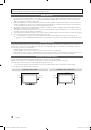
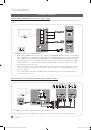
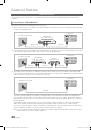
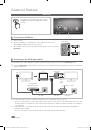
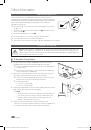
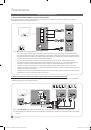
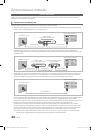
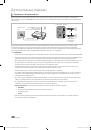
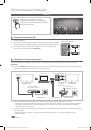
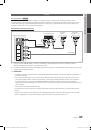
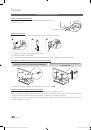
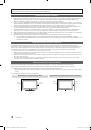
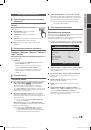
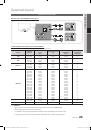
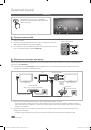
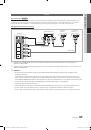
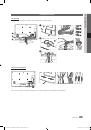
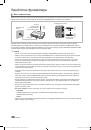
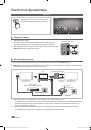
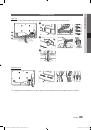
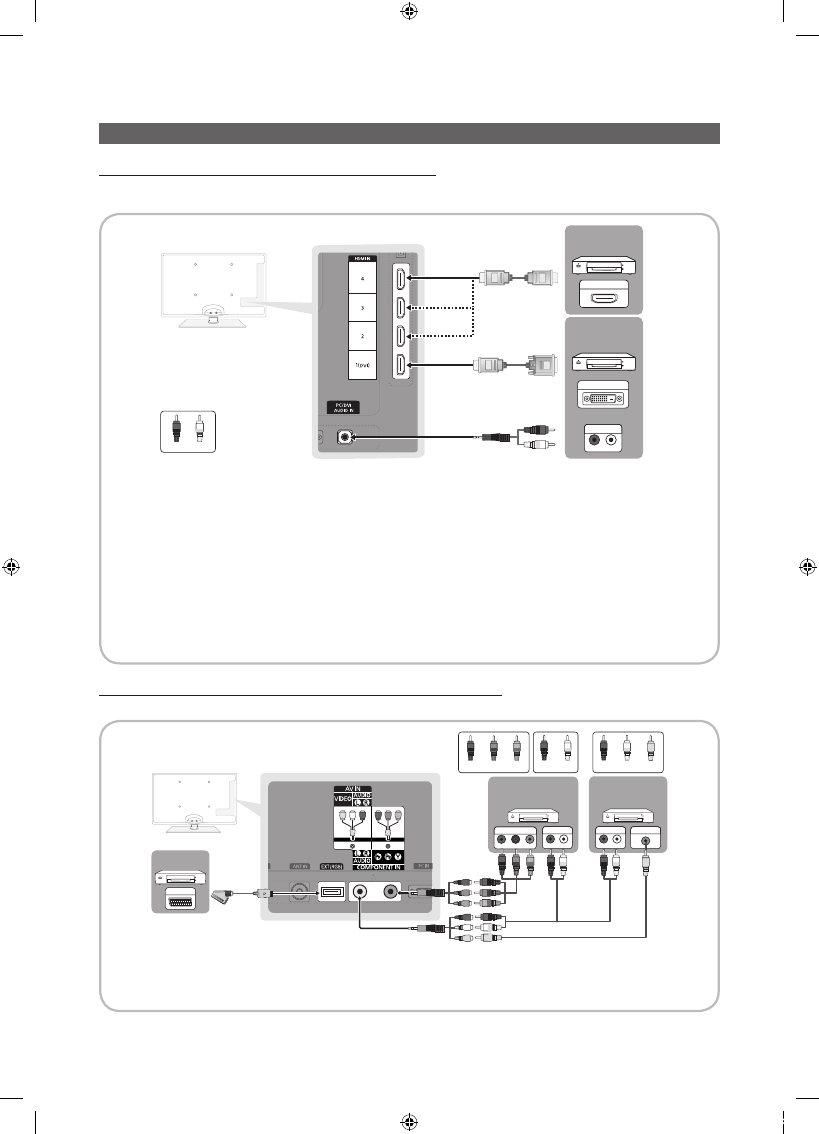
Connecting to an AV Device
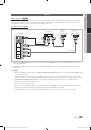
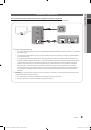
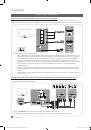
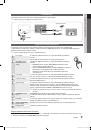
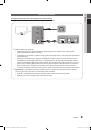
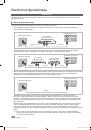
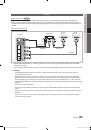
Using an HDMI or HDMI/DVI cable: HD connection (up to 1080p)
Available devices: DVD, Blu-ray player, HD cable box, HD STB (Set-Top-Box) satellite receiver, cable box, satellite receiver
(STB)
✎
HDMI IN 1(DVI), 2, 3, 4, PC/DVI AUDIO IN
x
When using an HDMI/DVI cable connection, you must use the
HDMI IN 1(DVI)
jack for video. A DVD, Blu-ray
player, HD cable box, HD STB satellite receiver, cable box, or STB satellite receiver may require a DVI-HDMI
(DVI to HDMI) cable or DVI-HDMI (DVI to HDMI) adapter. The
PC/DVI AUDIO IN
jack is required for audio.
x
If an external device such as a DVD / Blu-ray player / cable box / STB satellite receiver supporting a HDMI
versions older than 1.3 is connected, the TV may operate abnormally (e.g. no screen display / no sound /
annoying flicker / abnormal colour).
x
If there is no sound after connecting an HDMI cable, check the HDMI version of the external device. If you
suspect the version is older than 1.3, contact the provider of the device to confirm the HDMI version and
request an upgrade.
x
It is recommended you purchase an HDMI-certified cable. Otherwise, the screen may appear blank or a
connection error may occur.
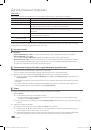
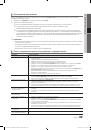
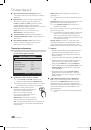
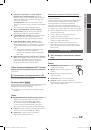
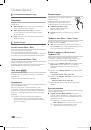
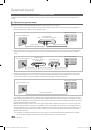
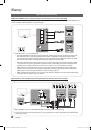
Using a Component (up to 1080p) or Audio/Video (480i only) and Scart Cable
Available devices: DVD, Blu-ray player, cable box, STB satellite receiver, VCR
✎
In
Ext
. mode, DTV Out supports MPEG SD Video and Audio only.
✎
To obtain the best picture quality, the Component connection is recommended over the A/V connection.
VIDEO OUT
AUDIO OUT
R-AUDIO-L
P
R
P
B
Y
COMPONENT OUT
AUDIO OUT
R-AUDIO-L
R
G
B
R
B
G
Y
Y
W
R
W
R
W
R
Y
W
R
W
R
R
G
B
EXT
VCR / DVD
VCR
DVD /
Blu-Ray player
Red
Red
White
White
Yellow
Red
Blue Green
HDMI OUT
DVI OUT
AUDIO OUT
R-AUDIO-L
W
R
W
R
DVD /
Blu-ray player
DVD /
Blu-ray player
White
Red
[UC5100_Rus]BN68-02656H-00L04.indb 8
2010-03-24 오전 10:36:56