Инструкция для Samsung UE37C5100QW, UE32C5100QW, UE37C5000QW, UE32C5000QW, UE40C6540SW
 1
 2
 3
 4
 5
 6
 7
 8
 9
 10
 11
 12
 13
 14
 15
 16
 17
 18
 19
 20
 21
 22
 23
 24
 25
 26
 27
 28
 29
 30
 31
 32
 33
 34
 35
 36
 37
 38
 39
 40
 41
 42
 43
 44
 45
 46
 47
 48
 49
 50
 51
 52
 53
 54
 55
 56
 57
 58
 59
 60
 61
 62
 63
 64
 65
 66
 67
 68
 69
 70
 71
 72
 73
 74
 75
 76
 77
 78
 79
 80
 81
 82
 83
 84
 85
 86
 87
 88
 89
 90
 91
 92
 93
 94
 95
 96
 97
 98
 99
 100
 101
 102
 103
 104
 105
 106
 107
 108
 109
 110
 111
 112
 113
 114
 115
 116
 117
 118
 119
 120
 121
 122
 123
 124
 125
 126
 127
 128
 129
 130
 131
 132
 133
 134
 135
 136
 137
 138
 139
 140
 141
 142
 143
 144
 145
 146
 147
 148
 149
 150
 151
 152
 153
 154
 155
 156
 157
 158
 159
 160
 161
 162
 163
 164
 165
 166
 167
 168
 169
 170
 171
 172
 173
 174
 175
 176
 177
 178
 179
 180
 181
 182
 183
 184
 185
 186
 187
 188
 189
 190
 191
 192
 193
 194
 195
 196
 197
 198
 199
 200
 201

14
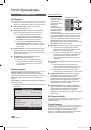
English
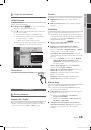
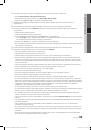
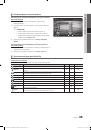
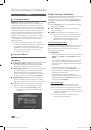
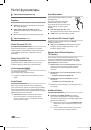
Basic Features
✎
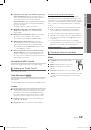
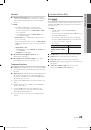
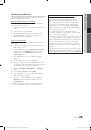
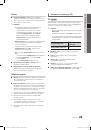
Channel mode
x
P
(programme mode): When tuning is complete,
the broadcasting stations in your area have been
assigned to position numbers from P0 to P99. You
can select a channel by entering the position number
in this mode.
x
C
(aerial channel mode) /
S
(cable channel mode):
These two modes allow you to select a channel
by entering the assigned number for each aerial
broadcasting station or cable channel.
¦
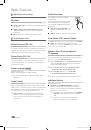
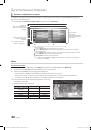
Editing Channels
Channel Manager Option Menu
(in
Channel Manager
)
1.
Select a channel and press the
TOOLS
button.
2.
Edit the channel name or number using the
Edit Channel Name
or
Edit Channel Number
menu.
■
Edit Channel Name
(analogue channels only): Assign
your own channel name.
■
Edit Channel Number
(digital channels only): Edit the
number by pressing the number buttons desired.
¦
Other Features
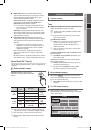
Cable Search Option
(depending on the country)
Sets additional search options such as the frequency and
symbol rate for a cable network search.
■
Freq.Start / Freq.Stop
: Set the start or stop frequency
(differs in each country).
■
Modulation
: Displays available modulation values.
■
Symbol Rate
: Displays available symbol rates.
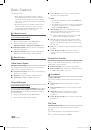
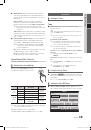
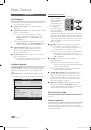
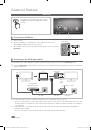
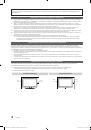
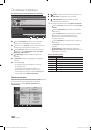
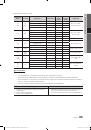
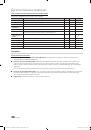
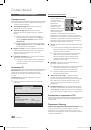
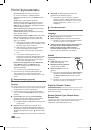
Channel Manager
Channel Manager Option Menu
Set each channel using the
Channel Manager
menu options
(
Lock / Unlock, Timer Viewing, Sort, Delete, Select All /
Deselect All
). Option menu items may differ depending on
the channel status.
1.
Select a channel and press the
TOOLS
button.
2.
Select a function and change its settings.
■
Lock / Unlock
: Lock a channel so that the channel
cannot be selected and viewed.
✎
NOTE
x
This function is available only when the
Child Lock
is set to
On
.
x
The PIN input screen appears. Enter your 4-digit PIN,
the default of which is “0-0-0-0”. Change the PIN
using the
Change PIN
option.
■
Timer Viewing
: You can set a desired channel to be
displayed automatically at the reserved time. Set the
current time first to use this function.
✎
When a digital channel is selected, press the
►
button to view the digital Programme.
■
Sort
(analogue channels only): This operation allows
you to change the programme numbers of the stored
channels. This operation may be necessary after using
the auto store.
■
Delete
: You can delete a channel to display the channels
you want.
■
Select All / Deselect All
: Select all the channels
or deselect all the selected channels in the channel
manager.
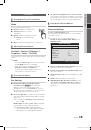
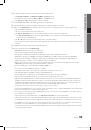
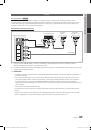
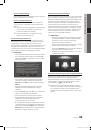
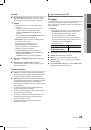
Channel List Transfer
The PIN input screen appears. Enter your 4 digit PIN number.
Imports or exports the channel map. You should connect a
USB storage to use this function.
■
Import from USB
: Import channel list from USB.
■
Export to USB
: Export channel list to USB. this function
is available when USB is connected.
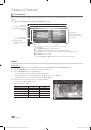
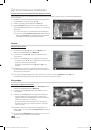
Scheduled
(in
Channel Manager
)
You can view, modify or delete a show you have reserved to
watch.
■
Change Info
: Change a show you have reserved to
watch.
■
Cancel Schedules
: Cancel a show you have reserved
to watch.
■
Information
: Display a show you have reserved
to watch. (You can also change the reservation
information.)
■
Select All / Deselect All
: Select or deselect all reserved
programmes.
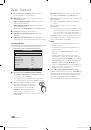
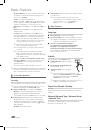
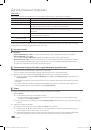
Fine Tune
(analogue channels only)
If the signal is weak or distorted, fine tune the channel
manually.
✎
Fine tuned channels are marked with an asterisk “*”.
✎
To reset the fine-tuning, select
Reset
.
[UC5100_Rus]BN68-02656H-00L04.indb 14
2010-03-24 오전 10:37:00


