Инструкция для Samsung UE37C5100QW, UE32C5100QW, UE37C5000QW, UE32C5000QW, UE40C6540SW
 1
 2
 3
 4
 5
 6
 7
 8
 9
 10
 11
 12
 13
 14
 15
 16
 17
 18
 19
 20
 21
 22
 23
 24
 25
 26
 27
 28
 29
 30
 31
 32
 33
 34
 35
 36
 37
 38
 39
 40
 41
 42
 43
 44
 45
 46
 47
 48
 49
 50
 51
 52
 53
 54
 55
 56
 57
 58
 59
 60
 61
 62
 63
 64
 65
 66
 67
 68
 69
 70
 71
 72
 73
 74
 75
 76
 77
 78
 79
 80
 81
 82
 83
 84
 85
 86
 87
 88
 89
 90
 91
 92
 93
 94
 95
 96
 97
 98
 99
 100
 101
 102
 103
 104
 105
 106
 107
 108
 109
 110
 111
 112
 113
 114
 115
 116
 117
 118
 119
 120
 121
 122
 123
 124
 125
 126
 127
 128
 129
 130
 131
 132
 133
 134
 135
 136
 137
 138
 139
 140
 141
 142
 143
 144
 145
 146
 147
 148
 149
 150
 151
 152
 153
 154
 155
 156
 157
 158
 159
 160
 161
 162
 163
 164
 165
 166
 167
 168
 169
 170
 171
 172
 173
 174
 175
 176
 177
 178
 179
 180
 181
 182
 183
 184
 185
 186
 187
 188
 189
 190
 191
 192
 193
 194
 195
 196
 197
 198
 199
 200
 201

18
English
Basic Features
¦
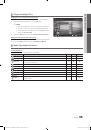
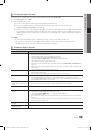
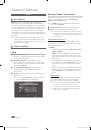
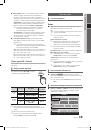
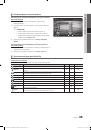
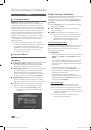
Adjusting Sound Settings
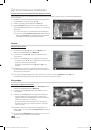
Equalizer
Adjusts the sound mode (standard sound mode only).
■
Balance L/R
: Adjusts the balance between the right and
left speaker.
■
100Hz / 300Hz / 1kHz / 3kHz / 10kHz
(Bandwidth
Adjustment): Adjusts the level of specific bandwidth
frequencies.
■
Reset
: Resets the equalizer to its default settings.
¦
Sound Systems, Etc.
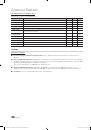
Virtual Surround (Off / On)
(standard sound mode only)
This function provides a virtual 5.1 channel surround sound
experience through a pair of speakers or headphones using
HRTF (Head Related Transfer Function) technology.
Dialog Clarity (Off / On)
(standard sound mode only)
This function allows you to increase the intensity of a voice
over background music or sound effects so that dialog can
be heard more clearly.
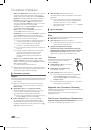
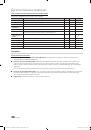
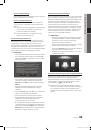
Audio Language
t
(digital channels only)
Change the default value for audio languages.
✎
The available language may differ depending on the
broadcast.
Audio Format
(digital channels only)
When sound is emitted from both the main speaker and the
audio receiver, a sound echo may occur due to the decoding
speed difference between the main speaker and the audio
receiver. In this case, use the TV Speaker function.
✎
Audio Format
option may differ depending on the
broadcast. 5.1ch Dolby digital sound is only available
when connecting an external speaker through an
optical cable.
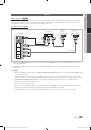
Audio Description
(not available in all locations) (digital
channels only)
This function handles the Audio Stream
for the
AD
(Audio Description) which is
sent along with the Main audio from the
broadcaster.
■
Audio Description (Off / On)
: Turn
the audio description function on or
off.
■
Volume
: Adjust the audio description volume.
Auto Volume (Off / Normal / Night)
To equalize the volume level on each channel, set to
Normal
.
■
Night
: This mode provides an improved sound
experience compared to
Normal
mode, making almost
no noise. It is useful at night.
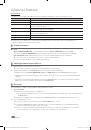
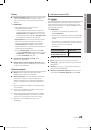
Speaker Select (External Speaker /
TV Speaker)
A sound echo may occur due to a difference in decoding
speed between the main speaker and the audio receiver. In
this case, set the TV to
External Speaker
.
✎
When
Speaker Select
is set to
External Speaker
, the
volume and
MUTE
buttons will not operate and the
sound settings will be limited.
✎
When
Speaker Select
is set to
External Speaker
x
TV Speaker
:
Off
,
External Speaker
:
On
✎
When
Speaker Select
is set to
TV Speaker
x
TV Speaker
:
On
,
External Speaker
:
On
✎
If there is no video signal, both speakers will be mute.
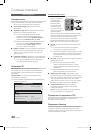
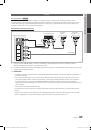
Additional Setting
(digital channels only)
■
DTV Audio Level (MPEG / HE-AAC)
: This function
allows you to reduce the disparity of a voice signal
(which is one of the signals received during a digital TV
broadcast) to a desired level.
✎
According to the type of broadcast signal,
MPEG
/ HE-AAC
can be adjusted between -10dB and
0dB.
✎
To increase or decrease the volume, adjust
between the range 0 and -10 respectively.
AD
[UC5100_Rus]BN68-02656H-00L04.indb 18
2010-03-24 오전 10:37:02