Инструкция для Samsung UE37C5100QW, UE32C5100QW, UE37C5000QW, UE32C5000QW, UE40C6540SW
 1
 2
 3
 4
 5
 6
 7
 8
 9
 10
 11
 12
 13
 14
 15
 16
 17
 18
 19
 20
 21
 22
 23
 24
 25
 26
 27
 28
 29
 30
 31
 32
 33
 34
 35
 36
 37
 38
 39
 40
 41
 42
 43
 44
 45
 46
 47
 48
 49
 50
 51
 52
 53
 54
 55
 56
 57
 58
 59
 60
 61
 62
 63
 64
 65
 66
 67
 68
 69
 70
 71
 72
 73
 74
 75
 76
 77
 78
 79
 80
 81
 82
 83
 84
 85
 86
 87
 88
 89
 90
 91
 92
 93
 94
 95
 96
 97
 98
 99
 100
 101
 102
 103
 104
 105
 106
 107
 108
 109
 110
 111
 112
 113
 114
 115
 116
 117
 118
 119
 120
 121
 122
 123
 124
 125
 126
 127
 128
 129
 130
 131
 132
 133
 134
 135
 136
 137
 138
 139
 140
 141
 142
 143
 144
 145
 146
 147
 148
 149
 150
 151
 152
 153
 154
 155
 156
 157
 158
 159
 160
 161
 162
 163
 164
 165
 166
 167
 168
 169
 170
 171
 172
 173
 174
 175
 176
 177
 178
 179
 180
 181
 182
 183
 184
 185
 186
 187
 188
 189
 190
 191
 192
 193
 194
 195
 196
 197
 198
 199
 200
 201
30
English
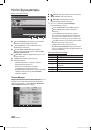
Advanced Features
Media Play
¦
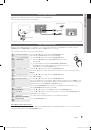
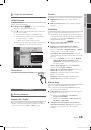
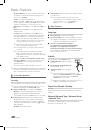
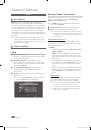
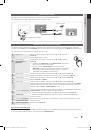
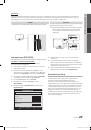
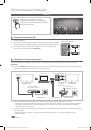
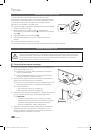
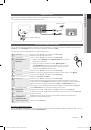
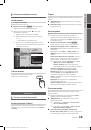
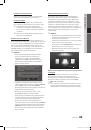
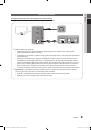
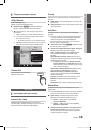
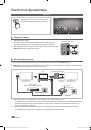
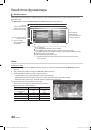
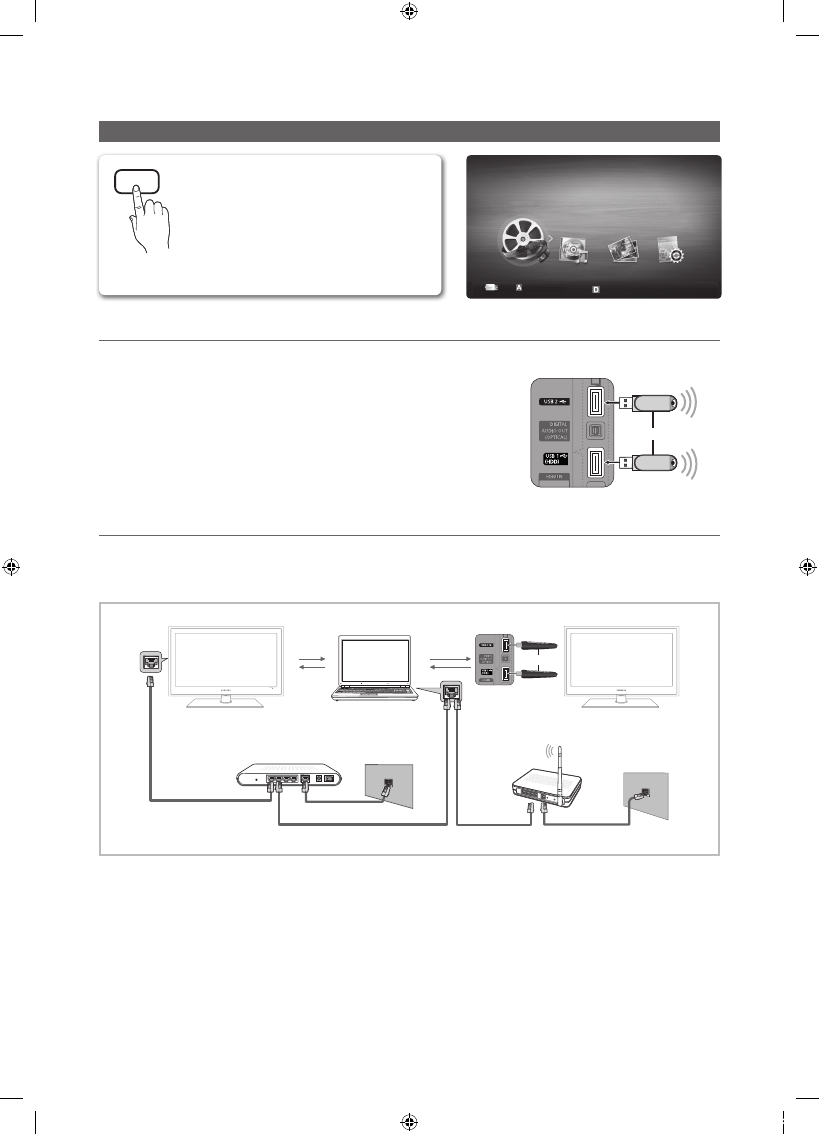
Connecting a USB Device
1.
Turn on your TV.
2.
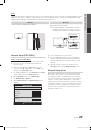
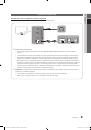
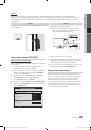
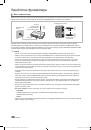
Connect a USB device containing photo, music and/or movie fi les to the
USB 1 (HDD)
or
USB 2
jack on the side of the TV.
3.
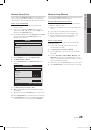
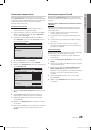
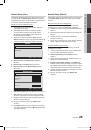
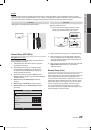
When USB is connected to the TV, popup window appears. Then you can select
Media Play
.
¦
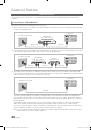
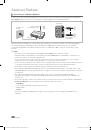
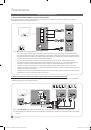
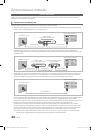
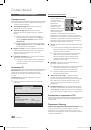
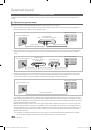
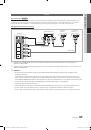
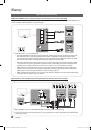
Connecting to the PC through network
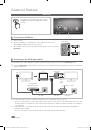
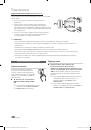
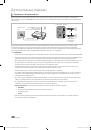
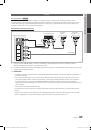
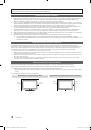
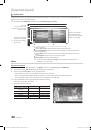
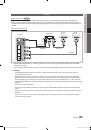
You can play pictures, music and videos saved on your PC through a network connection in the
Media Play
mode.
✎
If you use
Media Play
through saved file on your PC, you should download “PC Share Manager” and users manual from
“www.samsung.com.”
1.
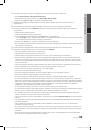
For more information on how to confi gure your network, refer to “Network Connection.” (p. 24).
– You are recommended to locate both TV and PC in same subnet. The fi rst 3 parts of the subnet address of the TV and
the PC IP addresses should be the same and only the last part (the host address) should be changed. (e.g. IP Address:
123.456.789.**)
2.
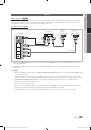
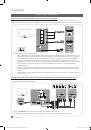
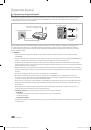
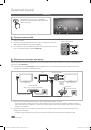
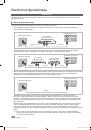
Using a LAN cable, connect between the external modem and the PC onto which the Samsung PC Share Manager
programme will be installed.
– You can connect the TV to the PC directly without connecting it through a Sharer (Router).
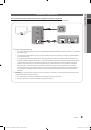
Enjoy photos, music and/or movie fi les saved on
a USB Mass Storage Class (MSC) device and/or
your PC.
LAN Cable
PC
External Modem
(ADSL/VDSL/Cable TV)
LAN
Samsung
Wireless
LAN
Adapter
Wireless IP Sharer
TV Rear Panel
or
LAN Cable
Modem Cable
LAN Cable
LAN Cable
MEDIA.P
USB Drive
TV Rear Panel
or
SUM
Change Device
View Devices
E
Enter
R
Return
MediaPlay
Videos
[UC5100_Rus]BN68-02656H-00L04.indb 30
2010-03-24 오전 10:37:10