Инструкция для Samsung UE37C5100QW, UE32C5100QW, UE37C5000QW, UE32C5000QW, UE40C6540SW
 1
 2
 3
 4
 5
 6
 7
 8
 9
 10
 11
 12
 13
 14
 15
 16
 17
 18
 19
 20
 21
 22
 23
 24
 25
 26
 27
 28
 29
 30
 31
 32
 33
 34
 35
 36
 37
 38
 39
 40
 41
 42
 43
 44
 45
 46
 47
 48
 49
 50
 51
 52
 53
 54
 55
 56
 57
 58
 59
 60
 61
 62
 63
 64
 65
 66
 67
 68
 69
 70
 71
 72
 73
 74
 75
 76
 77
 78
 79
 80
 81
 82
 83
 84
 85
 86
 87
 88
 89
 90
 91
 92
 93
 94
 95
 96
 97
 98
 99
 100
 101
 102
 103
 104
 105
 106
 107
 108
 109
 110
 111
 112
 113
 114
 115
 116
 117
 118
 119
 120
 121
 122
 123
 124
 125
 126
 127
 128
 129
 130
 131
 132
 133
 134
 135
 136
 137
 138
 139
 140
 141
 142
 143
 144
 145
 146
 147
 148
 149
 150
 151
 152
 153
 154
 155
 156
 157
 158
 159
 160
 161
 162
 163
 164
 165
 166
 167
 168
 169
 170
 171
 172
 173
 174
 175
 176
 177
 178
 179
 180
 181
 182
 183
 184
 185
 186
 187
 188
 189
 190
 191
 192
 193
 194
 195
 196
 197
 198
 199
 200
 201
42
English
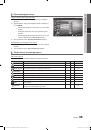
Other Information
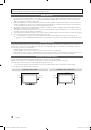
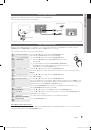
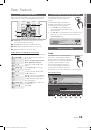
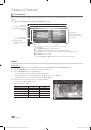
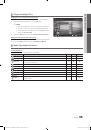
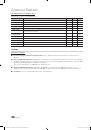
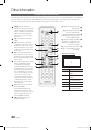
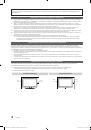
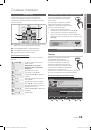
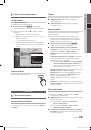
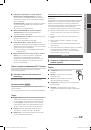
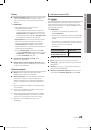
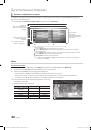
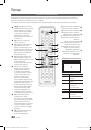
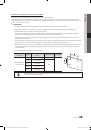
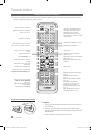
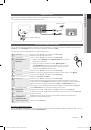
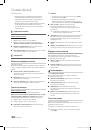
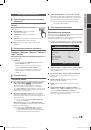
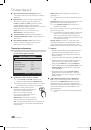
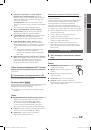
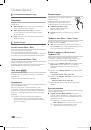
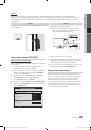
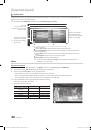
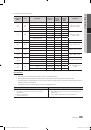
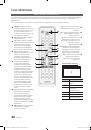
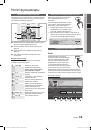
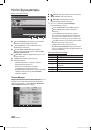
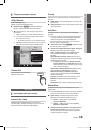
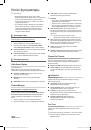
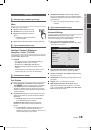
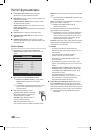
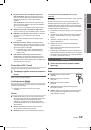
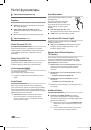
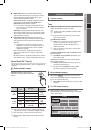
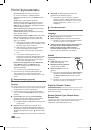
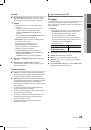
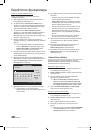
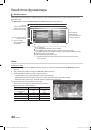
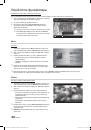
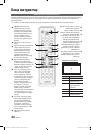
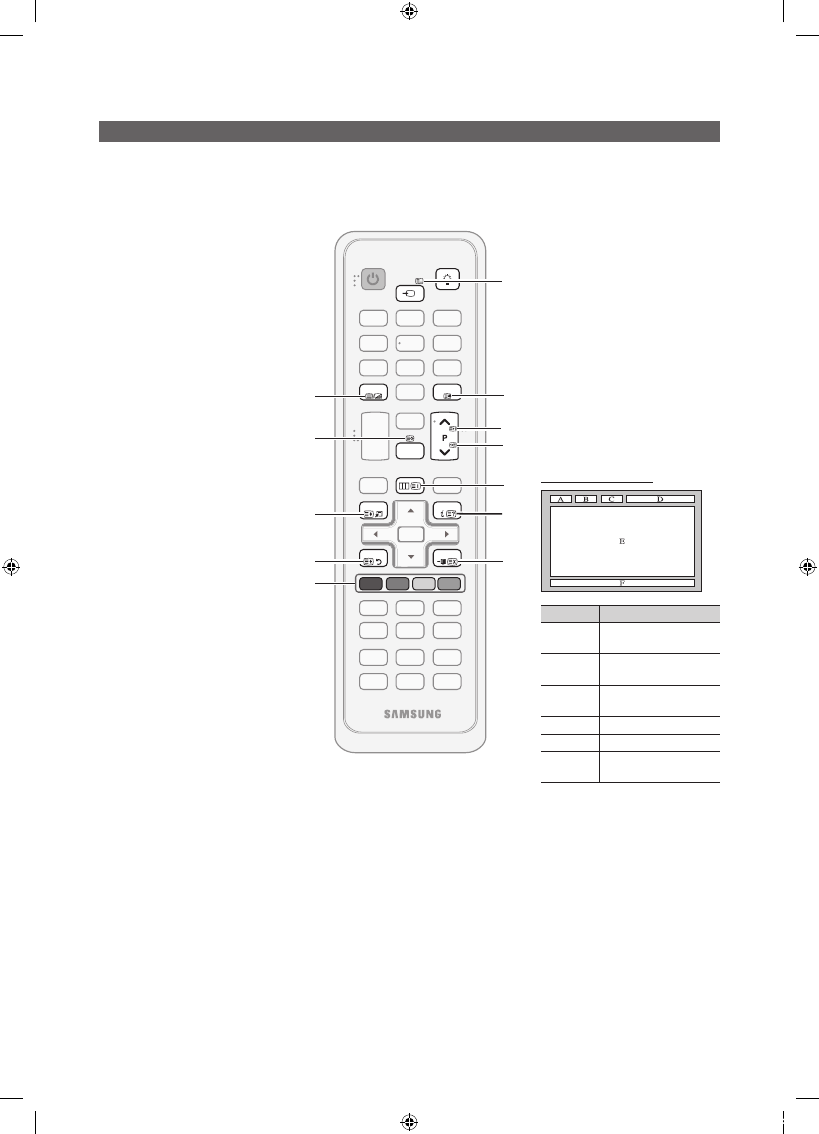
Analogue Channel Teletext Feature
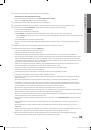
The index page of the Teletext service gives you information on how to use the service. For Teletext information to be displayed
correctly, channel reception must be stable. Otherwise, information may be missing or some pages may not be displayed.
✎
You can change Teletext pages by pressing the numeric buttons on the remote control.
1
/
(Teletext on/mix/off):
Activates the Teletext mode for the
current channel. Press the button
twice to overlap the Teletext mode
with the current broadcasting
screen. Press it one more time to
exit teletext.
2
8
(store): Stores the Teletext
pages.
3
4
(size): Displays the teletext
on the upper half of the screen in
double-size. To move the text to
the lower half of the screen, press
it again. For normal display, press
it once again.
4
9
(hold): Holds the display at
the current page, in the case that
there are several secondary pages
that follow automaticially. To undo,
press it again.
5
Colour buttons (red, green, yellow,
blue): If the FASTEXT system
is used by the broadcasting
company, the different topics on
a Teletext page are colour-coded
and can be selected by pressing
the coloured buttons. Press the
colour corresponding to the topic
of your choice. A new colour-
coded page is displayed. Items
can be selected in the same way.
To display the previous or next
page, press the corresponding
coloured button.
6
0
(mode): Selects the Teletext
mode (LIST/ FLOF).
If pressed during LIST mode,
switches the mode to List save
mode. In List save mode, you can
save a Teletext page into a list
using the
8
(store) button.
7
1
(sub-page): Displays the
available sub-page.
2
(page up): Displays the next
Teletext page.
8
3
(page down): Displays the
previous Teletext page.
9
6
(index): Displays the index
(contents) page at any time while
you are viewing Teletext.
0
5
(reveal): Displays the hidden
text (answers to quiz games, for
example). To display the normal
screen, press it again.
!
7
(cancel): Shrinks the Teletext
display to overlap with the current
broadcast.
@
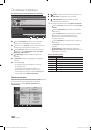
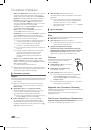
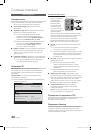
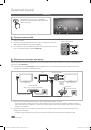
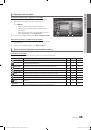
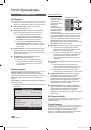
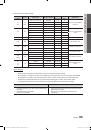
Typical Tetetext page
Part
Contents
A
Selected page
number.
B
Broadcasting channel
identity.
C
Current page number
or search indications.
D
Date and time.
E
Text.
F
Status information.
FASTEXT information.
CH LIST
PRE-CH
MENU
TOOLS
RETURN
EXIT
INFO
TTX/MIX
A
B
C
D
SOURCE
6
7
8
9
!
@
0
1
3
2
4
5
Other Information
[UC5100_Rus]BN68-02656H-00L04.indb 42
2010-03-24 오전 10:37:18