Инструкция для Samsung UE37C5100QW, UE32C5100QW, UE37C5000QW, UE32C5000QW, UE40C6540SW
 1
 2
 3
 4
 5
 6
 7
 8
 9
 10
 11
 12
 13
 14
 15
 16
 17
 18
 19
 20
 21
 22
 23
 24
 25
 26
 27
 28
 29
 30
 31
 32
 33
 34
 35
 36
 37
 38
 39
 40
 41
 42
 43
 44
 45
 46
 47
 48
 49
 50
 51
 52
 53
 54
 55
 56
 57
 58
 59
 60
 61
 62
 63
 64
 65
 66
 67
 68
 69
 70
 71
 72
 73
 74
 75
 76
 77
 78
 79
 80
 81
 82
 83
 84
 85
 86
 87
 88
 89
 90
 91
 92
 93
 94
 95
 96
 97
 98
 99
 100
 101
 102
 103
 104
 105
 106
 107
 108
 109
 110
 111
 112
 113
 114
 115
 116
 117
 118
 119
 120
 121
 122
 123
 124
 125
 126
 127
 128
 129
 130
 131
 132
 133
 134
 135
 136
 137
 138
 139
 140
 141
 142
 143
 144
 145
 146
 147
 148
 149
 150
 151
 152
 153
 154
 155
 156
 157
 158
 159
 160
 161
 162
 163
 164
 165
 166
 167
 168
 169
 170
 171
 172
 173
 174
 175
 176
 177
 178
 179
 180
 181
 182
 183
 184
 185
 186
 187
 188
 189
 190
 191
 192
 193
 194
 195
 196
 197
 198
 199
 200
 201

29
English
04
Advanced Featur
es
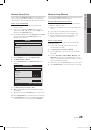
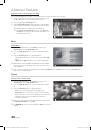
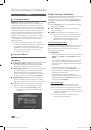
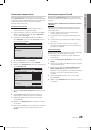
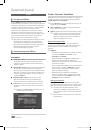
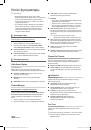
Network Setup (Manual)
If the other methods do not work, you need to enter the
Network setting values manually.
Getting the Network Connection Values
To get the Network connection values on most Windows
computers, follow these steps:
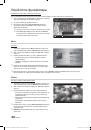
1.
Right click the Network icon on the bottom right of the
screen.
2.
In the pop-up menu, click Status.
3.
On the dialog that appears, click the Support tab.
4.
On the Support tab, click the Details button. The
Network settings are displayed.
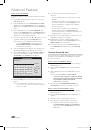
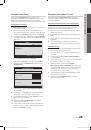
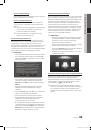
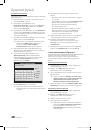
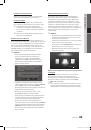
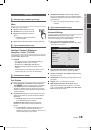
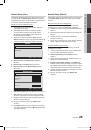
How to set up manually
To enter the Network connection values manually, follow
these steps:
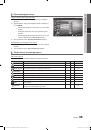
1.
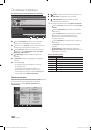
Follow Steps 1 through 6 in the “How to set up using
PBC (WPS)” (p. 27).
2.
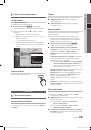
Press the
▼
button to select
Internet Protocol Setup
,
and then press the
ENTER
E
button. Press the
▲
or
▼
button to select
Manual
, and then press the
ENTER
E
button.
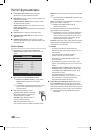
3.
Press the
▼
button to go to the first entry field (IP
Address).
4.
Use the number buttons to enter numbers.
5.
When done with each field, use the
►
button to move
successively to the next field. You can also use the other
arrow buttons to move up, down, and back.
6.
Enter the
IP Address
,
Subnet Mask
, and
Gateway
values.
7.
Press the
▲
or
▼
button to go to
DNS
.
8.
Press the
▼
button to go to the first DNS entry field.
Enter the numbers as above.
9.
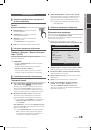
When done, press the
▲
button to go to
Select a
Network
. Select your network, and then press the
ENTER
E
button.
10.
Go to Step 4 in the “How to set up automatically” (p.
28), and follow the directions from that point on.
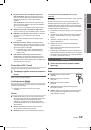
If Your TV Fails to Connect to the Internet
Your TV may not be able to connect to the Internet
because your ISP has permanently registered the
MAC address (a unique identifying number) of your
PC or modem, which it then authenticates each time
you connect to the Internet as a way of preventing
unauthorized access. As your TV has a different MAC
address, your ISP can not authenticate its MAC address,
and your TV can not connect.
To resolve this problem, ask your ISP about the
procedures required to connect devices other than a PC
(such as your TV) to the Internet.
If your Internet service provider requires an ID or password
to connect to the Internet, your TV may not be able to
connect to the Internet. If this is the case, you must enter
your ID or password when connecting to the Internet.
The internet connection may fail because of a firewall
problem. If this is the case, contact your Internet service
provider.
If you cannot connect to the Internet even after you have
followed the procedures of your Internet service provider,
please contact Samsung Electronics at 1-800-SAMSUNG.
[UC5100_Rus]BN68-02656H-00L04.indb 29
2010-03-24 오전 10:37:09