Инструкция для Yamaha PSR-175
 1
 2
 3
 4
 5
 6
 7
 8
 9
 10
 11
 12
 13
 14
 15
 16
 17
 18
 19
 20
 21
 22
 23
 24
 25
 26
 27
 28
 29
 30
 31
 32
 33
 34
 35
 36
 37
 38
 39
 40
 41
 42
 43
 44
 45
 46
 47
 48
 49
 50
 51
 52
 53
 54
 55
 56
 57
 58
 59
 60
 61
 62
 63
 64
4
Congratulations on your purchase of the Yamaha PSR-175/172 PortaTone!
You now own a portable keyboard that combines advanced functions, great sound
and exceptional ease-of-use in a highly compact package. Its outstanding features
also make it a remarkably expressive and versatile instrument.
Read this Owner’s Manual carefully while playing your new PSR-175/172 in order
to take full advantage of its various features.
Main Features
The PSR-175/172 is a sophisticated yet easy-to-use keyboard with the following features and functions:
■
Yamaha Education Suite
The PSR-175/172 features the new Yamaha Education Suite — a set of learning tools that utilize the latest
technology to make studying and practicing music more fun and fulfilling than ever before!
The Yamaha Education Suite includes:
●
Lesson ............................. page 34
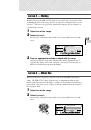
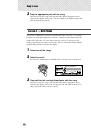
The convenient and easy-to-use Lesson feature, guides you through the parts of a song — just like a
patient teacher! Select from any one of 100 songs on the PSR-175/172, and learn the left- and right-
hand parts independently at first, then together. Lesson features four easy steps that help you master
each song: Timing, Waiting, Minus One, and Both Hands.
●
Grade & Talking ............................. pages 39, 40
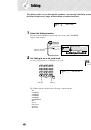
The PSR-175/172 also has the Grade and Talking features. Grade is a virtual “teacher,” evaluating
your practice sessions and rating your performance. The convenient Talking function “announces”
each Lesson step and your “grades,” among other things.
●
Dictionary ............................. page 41
Dictionary is a built-in “chord encyclopedia” that teaches you how to play specific chords by showing
you the appropriate notes in the display — perfect for when you know the name of a chord and want to
quickly learn how to play it!
■
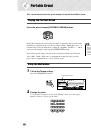
Portable Grand ............................. page 20
The PSR-175/172 also has a
Portable Grand
function for realistic piano performance. Pressing the
[PORTABLE GRAND] button instantly calls up the stunningly authentic “Stereo Sampled Piano” voice
and configures the entire PSR-175/172 for optimum piano play. Special Pianist styles — with piano-only
accompaniment — are also provided.
■
DJ ............................. page 22
The DJ feature is an exciting new addition to the PSR-175/172, that puts a wealth of contemporary sounds
and rhythms at your fingertips. Pressing the [DJ] button instantly calls up one of the special DJ songs
(“DJ GAME”) and a DJ style, and provides the appropriate voice and sound effects to match.
Other powerful features include:
• Exceptionally realistic and dynamic sounds with 100 voices,
utilizing digital recordings of actual instruments.
• 100 dynamic auto accompaniment Styles, each with different
Intro, Main A and B, and Ending sections. All styles (except
for the Piano styles) also have their own two Fill-in patterns.
• Large custom LCD gives you easy, at-a-glance confirmation of
all important settings, as well as chord and note indications.
• 100 songs, for your listening enjoyment — or for use with the
sophisticated learning tools of the Yamaha Education Suite.
• Convenient control over accompaniment Styles — including
Tempo, Tap Tempo and independent Accompaniment Volume.
• Four Multi Pads, for instantly adding special instrumental
breaks, fills, and phrases to your performance.
• One Touch Setting (OTS), for automatically calling up an
appropriate voice for playing with the selected Style and Song.
• MIDI terminals for interfacing with other MIDI devices.
• Built-in, high-quality stereo amplifier/speaker system.
Оглавление инструкции
- Cover
- PRECAUTIONS
- Contents
- Panel Controls and Terminals
- Setting Up
- Quick Guide
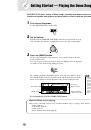
- Getting Started — Playing the Demo Songs
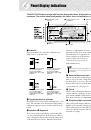
- Panel Display Indications
- Portable Grand
- DJ
- Selecting and Playing Voices
- Selecting and Playing Songs
- Song Lesson
- Talking
- Dictionary
- Selecting and Playing Styles
- MIDI
- Troubleshooting
- Voice List
- Drum Kit List
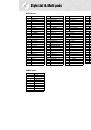
- Style List & Multi pads
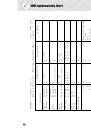
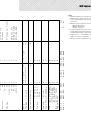
- MIDI Implementation Chart
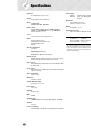
- Specifications
- Index