Инструкция для Yamaha PSR-175
 1
 2
 3
 4
 5
 6
 7
 8
 9
 10
 11
 12
 13
 14
 15
 16
 17
 18
 19
 20
 21
 22
 23
 24
 25
 26
 27
 28
 29
 30
 31
 32
 33
 34
 35
 36
 37
 38
 39
 40
 41
 42
 43
 44
 45
 46
 47
 48
 49
 50
 51
 52
 53
 54
 55
 56
 57
 58
 59
 60
 61
 62
 63
 64
19
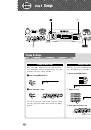
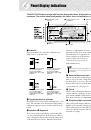
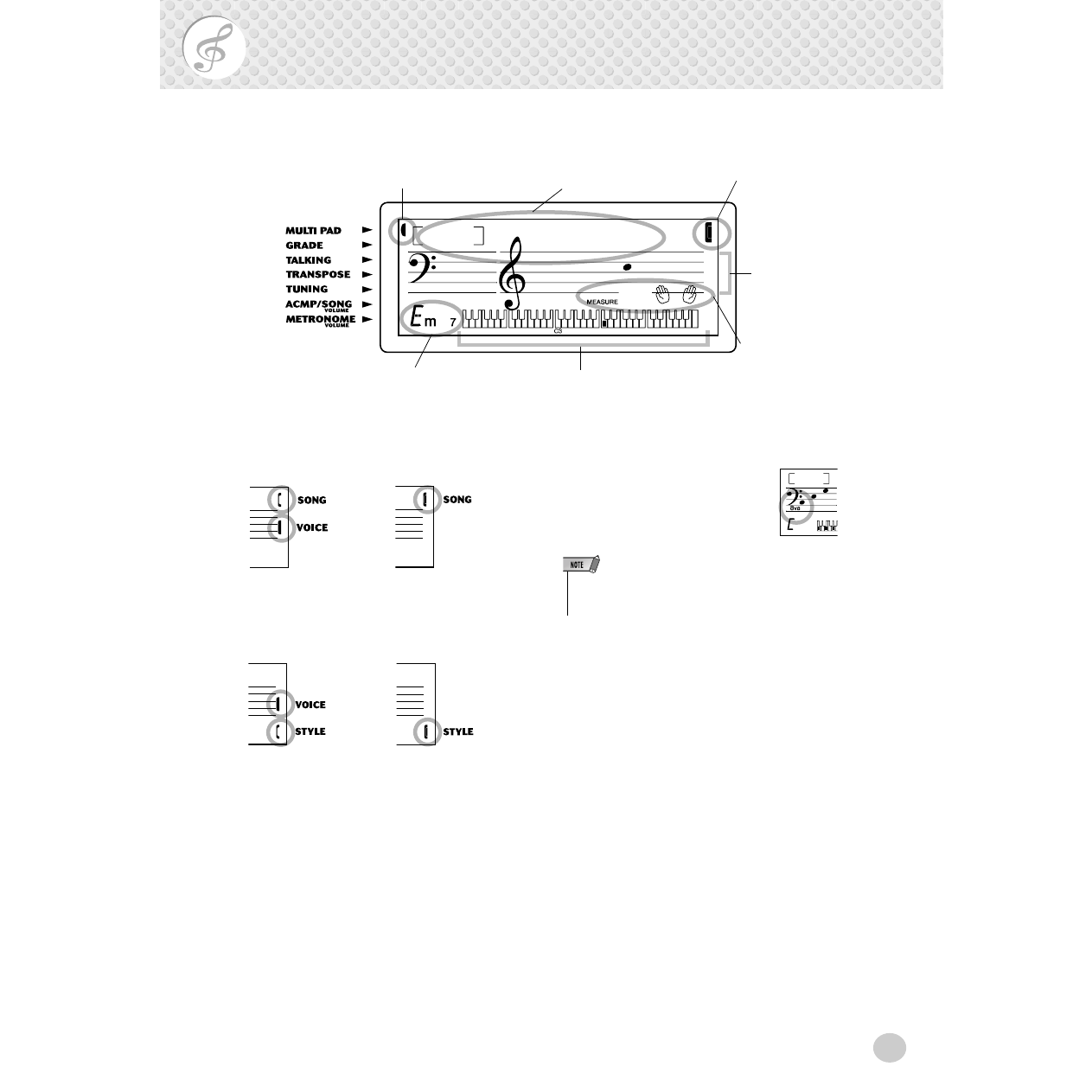
Panel Display Indications
The PSR-175/172 features a large multi-function display that shows all important settings for the
instrument. The section below briefly explains the various icons and indications in the display.
q
Indicators
w
Overall function bar
indicator
r
Keyboard
t
Measure/Tempo
and Beat
y
Chord
u
Song/Voice/Style name
and number
e
Notation
DemoSong
003
002
q
Indicator
These bars indicate the operating condition of the
PSR-175/172, as shown below:
w
Overall function bar indicator
The PSR-175/172 has seven Overall functions or con-
trols. The currently selected function is indicated by a
dark bar that appears next to its name (printed on the
panel).
e
Notation /
r
Keyboard
These two portions of the display conveniently indi-
cate notes currently played on the keyboard. When a
song is being played back, they show the single notes
of the melody in succession. When the Style mode
and auto accompaniment are active, the display also
shows the specific notes of the current chord.
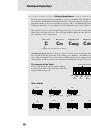
The indication “8va” appears at the
lower or upper part of the notation
staff for a note or notes that are
respectively an octave lower or
higher than notated.
t
Measure/Tempo and beat
This shows either the current measure (when the Song
mode is selected) or the current Tempo value (when
the Style mode is selected). The hand clap icons also
flash to indicate the beats in the measure during song
or style playback. (See page 31.)
y
Chord
When a song is being played back, this indicates the
current chord root and type. It also indicates chords
played in the ACMP section of the keyboard when the
Style mode and auto accompaniment are on.
u
Song/Voice/Style name and number
This portion of the display indicates the name and
number of the currently selected song, voice, or style.
When other functions of the PSR-175/172 are
selected, it briefly shows the function name and cur-
rent value or setting.
Using the numeric keypad
selects
voice
numbers.
Pressing the [START/
STOP] button starts
song
playback.
Using the numeric keypad
selects
song
numbers.
Pressing the [START/
STOP] button starts
song
playback.
Using the numeric keypad
selects
voice
numbers.
Pressing the [START/
STOP] button starts
style
playback.
Using the numeric keypad
selects
style
numbers.
Pressing the [START/
STOP] button starts
style
playback.
003
• For a few specific chords (such as BM7), not all notes may be shown
in the notation section of the display. This is due to space limitations
in the display.
Оглавление инструкции
- Cover
- PRECAUTIONS
- Contents
- Panel Controls and Terminals
- Setting Up
- Quick Guide
- Getting Started — Playing the Demo Songs
- Panel Display Indications
- Portable Grand
- DJ
- Selecting and Playing Voices
- Selecting and Playing Songs
- Song Lesson
- Talking
- Dictionary
- Selecting and Playing Styles
- MIDI
- Troubleshooting
- Voice List
- Drum Kit List
- Style List & Multi pads
- MIDI Implementation Chart
- Specifications
- Index