Service-Instruction.ru
инструкции pdf и руководства пользователя читать онлайн
Главная
Бренды
Инструкции Samsung
Телевизоры
LE40A454C1
Инструкция
Инструкция для Samsung LE40A454C1, LE40A451C1, LE40A450C2, LE37A451C1, LE37A450C2
Скачать инструкцию
Инструкция в формате -
PDF
Количество страниц -
91 страница
Размер -
17 МБ
Доступно -
Бесплатное скачивание
Доступно -
Онлайн чтение

1
2
3
4
5
6
7
8
9
10
11
12
13
14
15
16
17
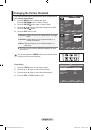
18
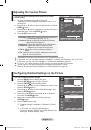
19
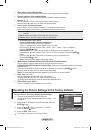
20
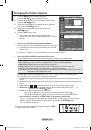
21
22
23
24
25
26
27
28
29
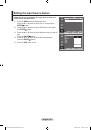
30
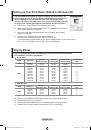
31
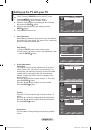
32
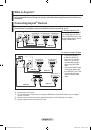
33
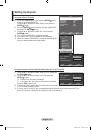
34
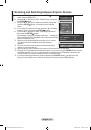
35
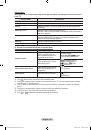
36
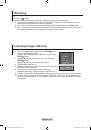
37
38
39
40
41
42
43
44
45
46
47
48
49
50
51
52
53
54
55
56
57
58
59
60
61
62
63
64
65
66
67
68
69
70
71
72
73
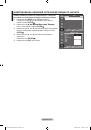
74
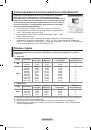
75
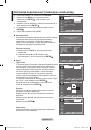
76
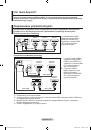
77
78
79
80
81
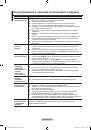
82
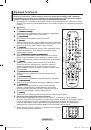
83
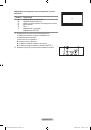
84
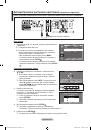
85
86
87
88
89
90

91

Эта страница намеренно оставлена
пустой.
BN68-01425D-Rus-0310.indd 45
2008-03-18 ¿ÀÈÄ 7:41:42
Предыдущая страница
Следующая страница
« назад
1
...
87
88
89
90
91
вперед »
Оглавление инструкции
Cover
Eng
Connecting and Preparing Your TV
List of Parts
Installing the Stand
Installing the Wall Mount Kit
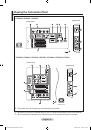
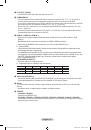
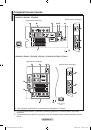
Viewing the Control Panel
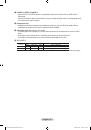
Viewing the Connection Panel
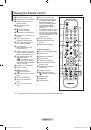
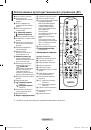
Viewing the Remote Control
Installing Batteries in the Remote Control
Switching On and Off
Placing Your Television in Standby Mode
Viewing the Menus
Using the TOOLS Button
Plug & Play
Setting the Channels
Storing Channels Automatically
Storing Channels Manually
Adding / Locking Channels
Sorting the Stored Channels
Assigning Channels Names
Fine Tuning Channel Reception
LNA (Low Noise Amplifier)
Setting the Picture
Changing the Picture Standard
Adjusting the Custom Picture
Configuring Detailed Settings on the Picture
Resetting the Picture Settings to the Factory Defaults
Changing the Picture Options
Viewing the Picture In Picture (PIP)
Setting the Sound
Sound Features
Selecting the Sound Mode
Connecting Headphones (Sold separately)
Setting the Time
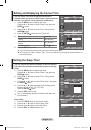
Setting and Displaying the Current Time
Setting the Sleep Timer
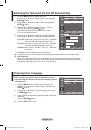
Switching the Television On and Off Automatically
Function Description
Choosing Your Language
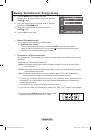
Melody / Entertainment / Energy Saving
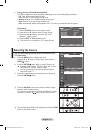
Selecting the Source
Editing the Input Source Names
Setting the PC
Setting up Your PC Software (Based on Windows XP)
Display Modes
Setting up the TV with your PC
About Anynet+
What is Anynet+?
Connecting Anynet+ Devices
Setting Up Anynet+
Scanning and Switching between Anynet+ Devices
Recording
Listening through a Receiver
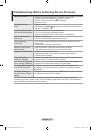
Check Points before Requesting Service
Recommendations For Use
Teletext Feature
Wall-Mount Adjustment (Sold separately) (depending on the model)
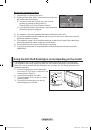
Using the Anti-Theft Kensington Lock (depending on the model)
Troubleshooting: Before Contacting Service Personnel
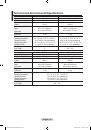
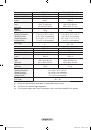
Technical and Environmental Specifications
Rus
Инструкции для телевизоры Samsung
Samsung UE48H6650AT
Samsung UE55D6530WS
Samsung LE52A552P3R
Samsung UE55H6400AK
Samsung UE65H6400AK
Популярные инструкции Samsung
Samsung DVD-P365
Samsung WF7452S9R
Samsung RL36EBSW
Samsung RT60KSRVB
Samsung PS-42Q7HR
Samsung LE37A550P1R
Samsung MAX-KDZ100
Samsung PS50A410C3
Samsung WF7520NA
Samsung HT-TKX25
scroll Up