Инструкция для Samsung LE40A454C1, LE40A451C1, LE40A450C2, LE37A451C1, LE37A450C2
 1
 2
 3
 4
 5
 6
 7
 8
 9
 10
 11
 12
 13
 14
 15
 16
 17
 18
 19
 20
 21
 22
 23
 24
 25
 26
 27
 28
 29
 30
 31
 32
 33
 34
 35
 36
 37
 38
 39
 40
 41
 42
 43
 44
 45
 46
 47
 48
 49
 50
 51
 52
 53
 54
 55
 56
 57
 58
 59
 60
 61
 62
 63
 64
 65
 66
 67
 68
 69
 70
 71
 72
 73
 74
 75
 76
 77
 78
 79
 80
 81
 82
 83
 84
 85
 86
 87
 88
 89
 90
 91
English - 0
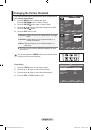
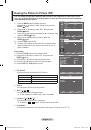
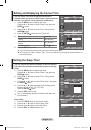
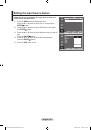
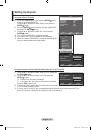
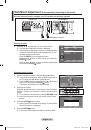
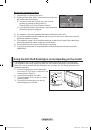
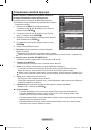
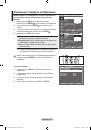
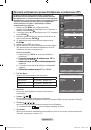
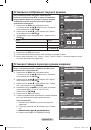
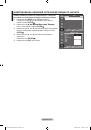
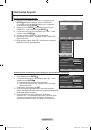
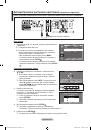
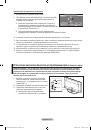
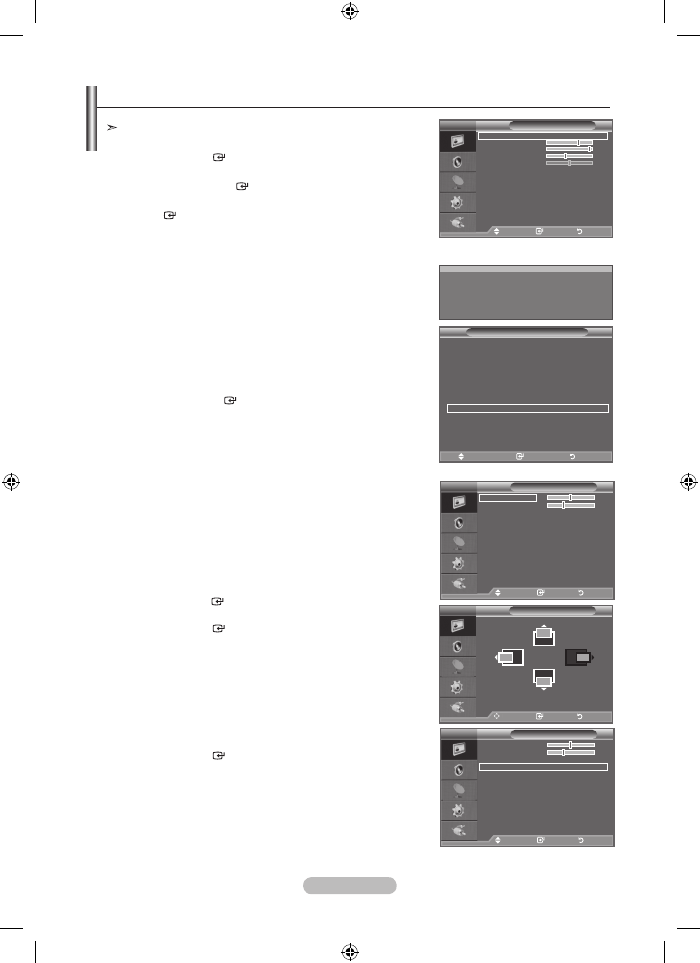
Setting up the tV with your PC
Preset: Press the
SOURCE
button to select PC mode.
1.
Press the
MENU
button to display the menu.
Press the
ENtER
button, to select "Picture".
.
Select the required option by pressing the ▲ or ▼ button,
then press the
ENtER
button.
.
When you are satisfied with your setting, press the
ENtER
button.
.
Press the
EXIt
button to exit.
♦
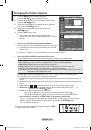
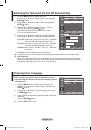
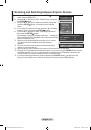
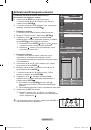
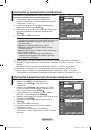
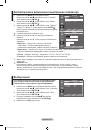
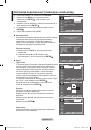
Auto Adjustment
Auto adjustment allows the PC screen of set to self-adjust to
the incoming PC video signal. The values of fine, coarse and
position are adjusted automatically.
Easy Setting
1.
Press the
tOOLS
button on the remote control.
.
Press the ▲ or ▼ button to select “Auto Adjustment”, then
press the
ENtER
button.
♦
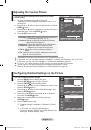
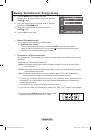
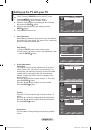
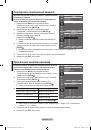
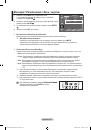
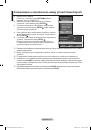
Screen Adjustment:
Coarse/Fine
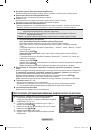
The purpose of picture quality adjustment is to remove or
reduce picture noise. If the noise is not removed by Fine-
tuning alone, then adjust the frequency as best as possible
(coarse) and Fine-tune again. After the noise has been
reduced, re-adjust the picture so that it is aligned on the
center of screen.
Press the ▲ or ▼ button to select "Coarse" or "Fine", then
press the
ENtER
button.
Press the ◄ or ► button to adjust the screen quality.
Press the
ENtER
button.
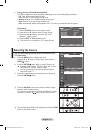
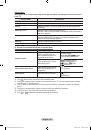
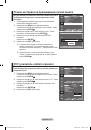
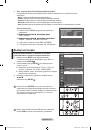
Position
Adjust the PC’s screen positioning if it does not fit the TV
screen.
Press the ▲ or ▼ button to adjusting the Vertical-Position.
Press the ◄ or ► button to adjust the Horizontal-Position.
Press the
ENtER
button.
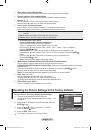
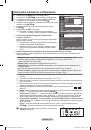
Image Reset
You can replace all image settings with the factory default
values.
Screen Adjustment
Coarse
50
Fine
Position
Image Reset
tV
Move
Enter
Return
Position
tV
Move
Enter
Return
Picture
Mode
: Standard
backlight
7
Contrast
95
brightness
5
Sharpness
50
Auto Adjustment
Screen Adjustment
Detailed Settings
Picture Options
Reset
: OK
tV
Move
Enter
Return
Screen Adjustment
Coarse
50
Fine
Position
Image Reset
tV
Move
Enter
Return
Auto Adjustment in progress
Please wait.
Anynet+ (hDMI-CEC)
Picture Mode
: Standard
Sound Mode
: Custom
Sleep timer
: Off
SRS tS Xt
: Off
Energy Saving
: Off
PIP
Auto Adjustment
Move
Enter
Exit
tools
BN68-01425D-Eng-0227.indd 30
2008-03-18 ¿ÀÈÄ 7:42:21
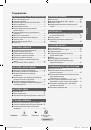
Оглавление инструкции
- Cover
- Eng
- Connecting and Preparing Your TV
- List of Parts
- Installing the Stand
- Installing the Wall Mount Kit
- Viewing the Control Panel
- Viewing the Connection Panel
- Viewing the Remote Control
- Installing Batteries in the Remote Control
- Switching On and Off
- Placing Your Television in Standby Mode
- Viewing the Menus
- Using the TOOLS Button
- Plug & Play
- Setting the Channels
- Setting the Picture
- Setting the Sound
- Setting the Time
- Function Description
- Setting the PC
- About Anynet+
- Recommendations For Use
- Connecting and Preparing Your TV
- Rus