Инструкция для Samsung LE40A454C1, LE40A451C1, LE40A450C2, LE37A451C1, LE37A450C2
 1
 2
 3
 4
 5
 6
 7
 8
 9
 10
 11
 12
 13
 14
 15
 16
 17
 18
 19
 20
 21
 22
 23
 24
 25
 26
 27
 28
 29
 30
 31
 32
 33
 34
 35
 36
 37
 38
 39
 40
 41
 42
 43
 44
 45
 46
 47
 48
 49
 50
 51
 52
 53
 54
 55
 56
 57
 58
 59
 60
 61
 62
 63
 64
 65
 66
 67
 68
 69
 70
 71
 72
 73
 74
 75
 76
 77
 78
 79
 80
 81
 82
 83
 84
 85
 86
 87
 88
 89
 90
 91
English - 1
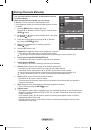
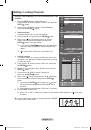
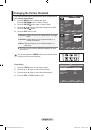
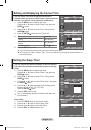
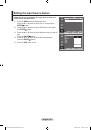
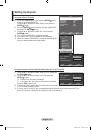
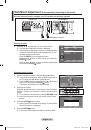
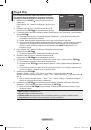
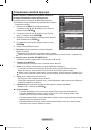
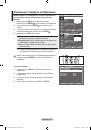
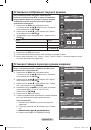
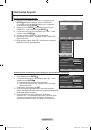
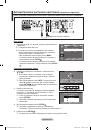
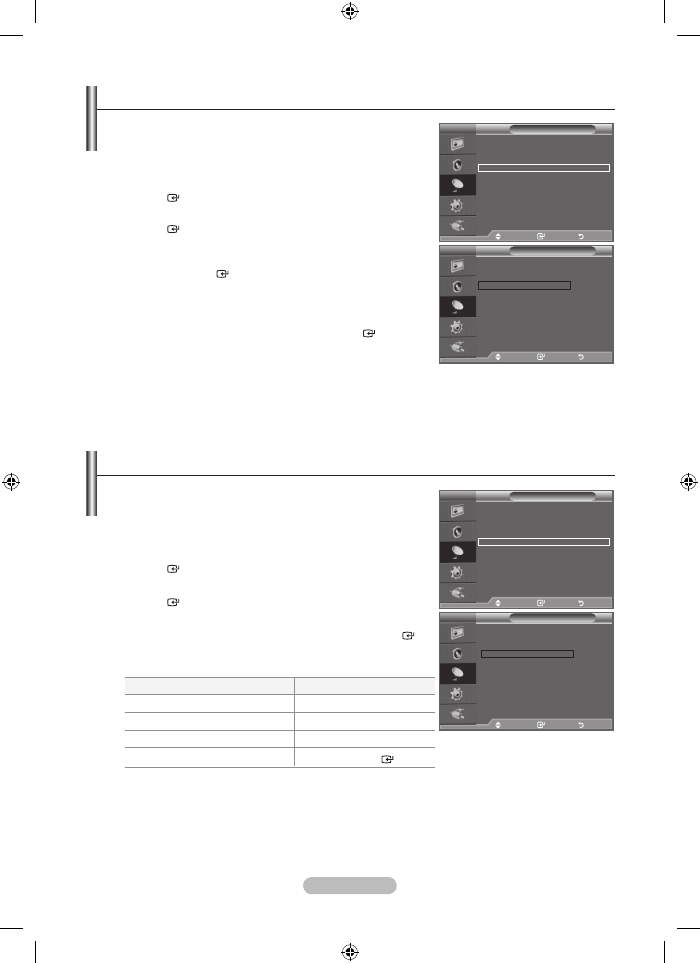
this operation allows you to change the programme numbers
of the stored channels.
this operation may be necessary after using the auto store.
1.
Press the
MENU
button to display the menu.
Press the ▲ or ▼ button to select "Channel", then press the
ENtER
button.
.
Press the
▲
or
▼
button to select "Sort", then press the
ENtER
button.
.
Select the channel number that you wish to change by
pressing the
▲
or
▼
button repeatedly.
Press the
ENtER
button.
The selected channel number and name are moved to
right side.
.
Press the
▲
or
▼
button to move to the position in which you
would like to change and then press the
ENtER
button.
The selected channel is exchanged with the one
previously stored to the chosen number.
5.
Repeat steps
to
for another channel to be sorted.
6.
Press the
EXIt
button to exit.
➣
➣
Sorting the Stored Channels
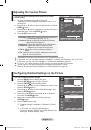
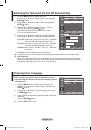
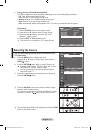
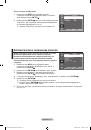
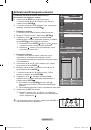
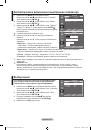
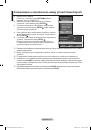
Assigning Channels Names
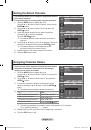
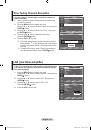
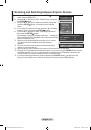
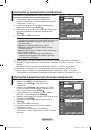
Channel names will be assigned automatically when channel
information is broadcast. these names can be changed,
allowing you to assign new names.
1.
Press the
MENU
button to display the menu.
Press the
▲
or
▼
button to select "Channel", then press the
ENtER
button.
.
Press the
▲
or
▼
button to select "Name", then press the
ENtER
button.
.
If necessary, select the channel to be assigned to a new
name by pressing the
▲
or
▼
button. Press the
ENtER
button.
The selection bar is displayed around the name box.
.
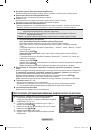
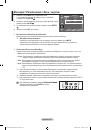
The following characters are available: Letters of the alphabet (A~Z) / Numbers
(0~9) / Special characters (+, -, *, /, space)
5.
Repeat steps
to
for each channel to be assigned to a new name.
6.
Press the
EXIt
button to exit.
➣
➣
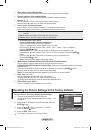
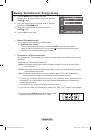
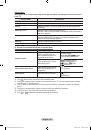
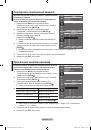
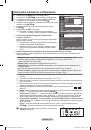
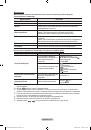
to...
Select a letter, number or symbol
Move on the next letter
Move back the previous letter
Confirm the name
then...
Press the ▲ or ▼ button
Press the ► button
Press the ◄ button
Press the
ENtER
button
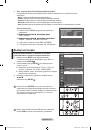
Channel
Country
: belgium
Auto Store
Manual Store
Channel Manager
Sort
Name
Fine tune
LNA
: Off
tV
Move
Enter
Return
Sort
Prog.
Ch.
Name
0
C--
-----
1
C
-----
S06
-----
S07
-----
S09
-----
5
S1
-----
6
S1
-----
7
S1
-----
S17
-----
9
C1
-----
tV
Move
Enter
Return
Channel
Country
: belgium
Auto Store
Manual Store
Channel Manager
Sort
Name
Fine tune
LNA
: Off
Move
Enter
Return
tV
Name
Move
Enter
Return
Prog.
Ch.
Name
0
C--
-----
1
C
-----
S06
-----
S07
-----
S09
-----
5
S1
-----
6
S1
-----
7
S1
-----
S17
-----
9
C1
-----
tV
BN68-01425D-Eng-0227.indd 14
2008-03-18 ¿ÀÈÄ 7:42:11
Оглавление инструкции
- Cover
- Eng
- Connecting and Preparing Your TV
- List of Parts
- Installing the Stand
- Installing the Wall Mount Kit
- Viewing the Control Panel
- Viewing the Connection Panel
- Viewing the Remote Control
- Installing Batteries in the Remote Control
- Switching On and Off
- Placing Your Television in Standby Mode
- Viewing the Menus
- Using the TOOLS Button
- Plug & Play
- Setting the Channels
- Setting the Picture
- Setting the Sound
- Setting the Time
- Function Description
- Setting the PC
- About Anynet+
- Recommendations For Use
- Connecting and Preparing Your TV
- Rus