Инструкция для Samsung LE40A454C1, LE40A451C1, LE40A450C2, LE37A451C1, LE37A450C2
 1
 2
 3
 4
 5
 6
 7
 8
 9
 10
 11
 12
 13
 14
 15
 16
 17
 18
 19
 20
 21
 22
 23
 24
 25
 26
 27
 28
 29
 30
 31
 32
 33
 34
 35
 36
 37
 38
 39
 40
 41
 42
 43
 44
 45
 46
 47
 48
 49
 50
 51
 52
 53
 54
 55
 56
 57
 58
 59
 60
 61
 62
 63
 64
 65
 66
 67
 68
 69
 70
 71
 72
 73
 74
 75
 76
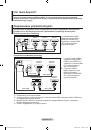 77
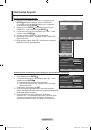 78
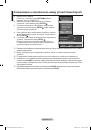 79
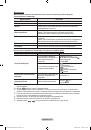 80
 81
 82
 83
 84
 85
 86
 87
 88
 89
 90
 91
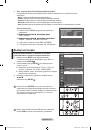
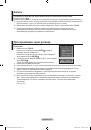
English - 6
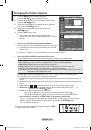
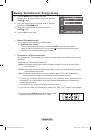
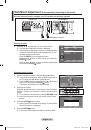
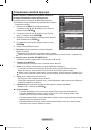
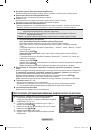
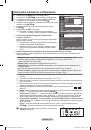
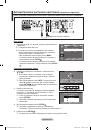
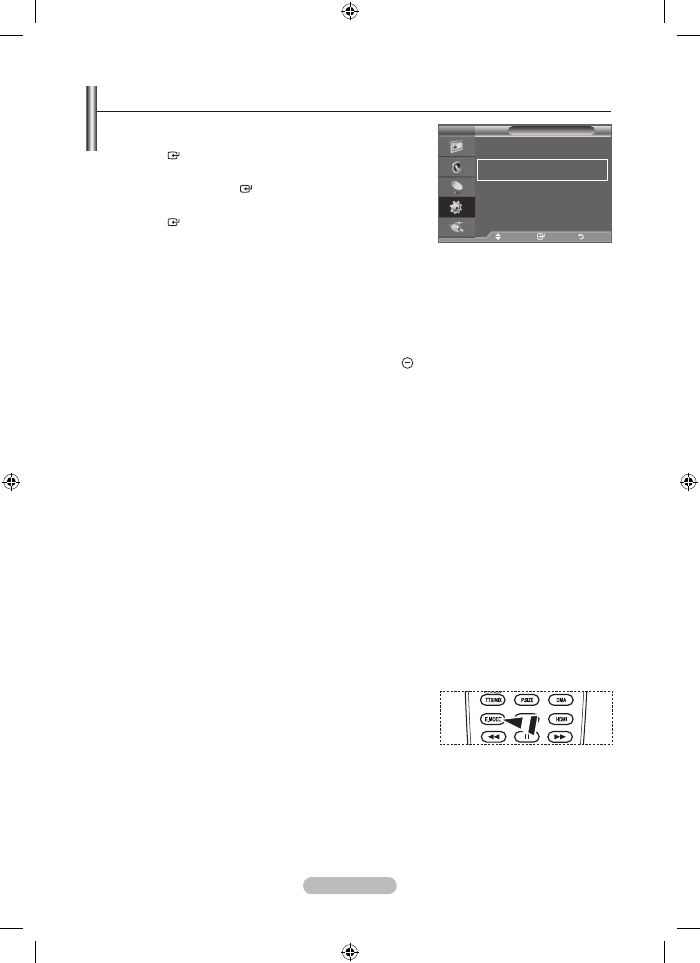
Melody / Entertainment / Energy Saving
1.
Press the
MENU
button to display the menu.
Press the ▲ or ▼ button to select "Setup", then press the
ENtER
button.
.
Select the required option by pressing the ▲ or ▼ button,
then press the
ENtER
button.
.
When you are satisfied with your setting, press the
ENtER
button.
.
Press the
EXIt
button to exit.
♦
Melody: Off/Low/Medium/high
The TV power on/off melody sound can be adjusted.
the Melody does not play
- When no sound is output from the TV because the
MUtE
button has been pressed
- When no sound is output from the TV because the
(Volume) button has been pressed
- When the TV is turned off by Sleep Timer function.
♦
Entertainment: Off/Sports/Cinema/Game
The “Entertainment” mode enables you to select the optimal display and sound for sports, cinema
and games.
-
Off
: Switch the "Entertainment" function off.
-
Sports
: Provides the optimal picture and sound quality for sports. You can enjoy more thrilling
Colour and sound.
-
Cinema
: Provides the optimal picture and sound quality for cinema. You can experience a richer
picture and enhanced sound.
-
Game
: Provides the optimal picture and sound quality for games. This mode accelerates the
playing speed when using an external game console connected to the TV.
If you set any of the three “Entertainment” modes to On, the settings will be locked and can not
be adjusted. If you want to make Picture and Sound mode adjustments, the “Entertainment”
mode must be turned off.
The “Entertainment” settings are saved for each input source.
If you set any of the three “Entertainment” modes to On, “SRS TS XT” function is not available.
O
You can press the
E.MODE
button on the remote control
repeatedly to change the “Entertainment” setting.
➣
➣
➣
➣
tV
Setup
Plug & Play
Language
: English
time
Melody
: Off
Entertainment
: Off
Energy Saving
: Off
PIP
Move
Enter
Return
TOOLS
BN68-01425D-Eng-0227.indd 26
2008-03-18 ¿ÀÈÄ 7:42:18
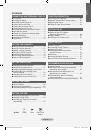
Оглавление инструкции
- Cover
- Eng
- Connecting and Preparing Your TV
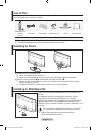
- List of Parts
- Installing the Stand
- Installing the Wall Mount Kit
- Viewing the Control Panel
- Viewing the Connection Panel
- Viewing the Remote Control
- Installing Batteries in the Remote Control
- Switching On and Off
- Placing Your Television in Standby Mode
- Viewing the Menus
- Using the TOOLS Button
- Plug & Play
- Setting the Channels
- Setting the Picture
- Setting the Sound
- Setting the Time
- Function Description
- Setting the PC
- About Anynet+
- Recommendations For Use
- Connecting and Preparing Your TV
- Rus


