Инструкция для Samsung LE40A454C1, LE40A451C1, LE40A450C2, LE37A451C1, LE37A450C2
 1
 2
 3
 4
 5
 6
 7
 8
 9
 10
 11
 12
 13
 14
 15
 16
 17
 18
 19
 20
 21
 22
 23
 24
 25
 26
 27
 28
 29
 30
 31
 32
 33
 34
 35
 36
 37
 38
 39
 40
 41
 42
 43
 44
 45
 46
 47
 48
 49
 50
 51
 52
 53
 54
 55
 56
 57
 58
 59
 60
 61
 62
 63
 64
 65
 66
 67
 68
 69
 70
 71
 72
 73
 74
 75
 76
 77
 78
 79
 80
 81
 82
 83
 84
 85
 86
 87
 88
 89
 90
 91
English - 1
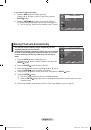
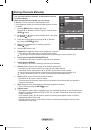
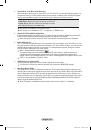
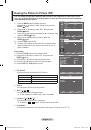
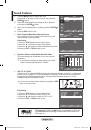
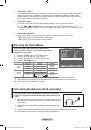
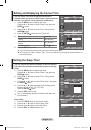
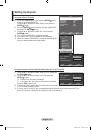
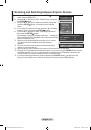
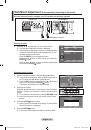
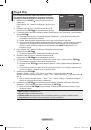
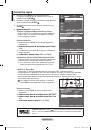
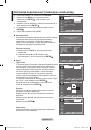
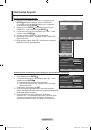
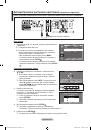
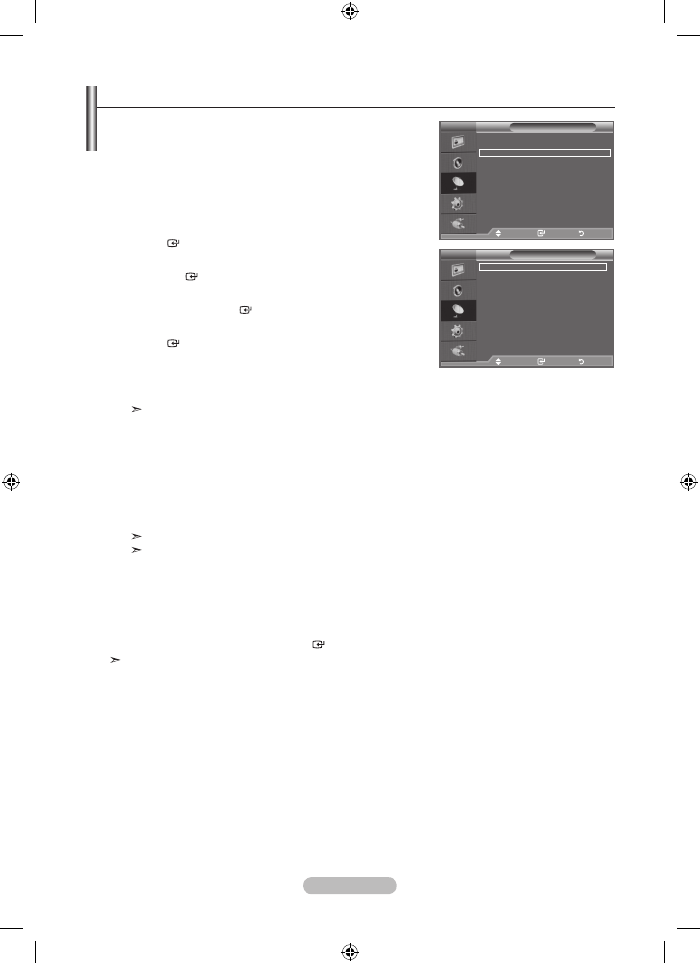
Storing Channels Manually
You can store television channels, including those received
via cable networks.
When storing channels manually, you can choose:
♦
Whether or not to store each of the channels found.
♦
The programme number of each stored channel which you wish
to identify.
1.
Press the
MENU
button to display the menu.
Press the ▲ or ▼ button to select "Channel", then press the
ENtER
button.
.
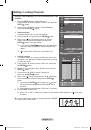
Press the ▲ or ▼ button to select "Manual Store", then press
the
ENtER
button.
.
Select the required option by pressing the ▲ or ▼ button,
then press the
ENtER
button.
.
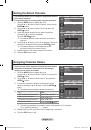
When you are satisfied with your setting, press the
ENtER
button.
5.
Press the
EXIt
button to exit.
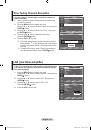
♦
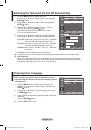
Programme
(Programme number to be assigned to a channel)
− Press the ▲ or ▼ button until you find the correct number.
You can also select the channel number directly by pressing the numeric buttons (0~9).
♦
Colour System: Auto/PAL/SECAM/NtSC.
− Press the ▲ or ▼ button to select the required colour standard.
♦
Sound System: bG/DK/I/L
− Press the ▲ or ▼ button to select the required sound standard.
♦
Channel
(When you know the number of the channel to be stored)
− Press the ▲ or ▼ button to select
C
(Air channel) or
S
(Cable channel).
− Press the ► button, then press the ▲ or ▼ button to select the required number.
You can also select the channel number directly by pressing the numeric buttons (0~9).
If there is abnormal sound or no sound, re-select the sound standard required.
♦
Search
(When you do not know the channel numbers)
− Press the ▲ or ▼ button to start the search.
− The tuner scans the frequency range until the first channel or the channel that you selected is
received on the screen.
♦
Store
(When you store the channel and associated programme number)
− Set to "OK" by pressing the
ENtER
button.
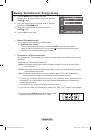
Channel mode
−
P
(Programme mode): When completing tuning, the broadcasting stations in your area have been
assigned to position numbers from P00 to P99. You can select a channel by entering the position
number in this mode.
−
C
(Air channel mode): You can select a channel by entering the assigned number to each air
broadcasting station in this mode.
−
S
(Cable channel mode): You can select a channel by entering the assigned number for each
cable channel in this mode.
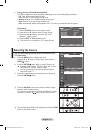
Channel
Country
: belgium
Auto Store
Manual Store
Channel Manager
Sort
Name
Fine tune
LNA
: Off
Move
Enter
Return
tV
Manual Store
Programme
: P 1
Colour System
: Auto
Sound System
: bG
Channel
: S 6
Search
: 10 Mhz
Store
: ?
Move
Enter
Return
tV
BN68-01425D-Eng-0227.indd 12
2008-03-18 ¿ÀÈÄ 7:42:09
Оглавление инструкции
- Cover
- Eng
- Connecting and Preparing Your TV
- List of Parts
- Installing the Stand
- Installing the Wall Mount Kit
- Viewing the Control Panel
- Viewing the Connection Panel
- Viewing the Remote Control
- Installing Batteries in the Remote Control
- Switching On and Off
- Placing Your Television in Standby Mode
- Viewing the Menus
- Using the TOOLS Button
- Plug & Play
- Setting the Channels
- Setting the Picture
- Setting the Sound
- Setting the Time
- Function Description
- Setting the PC
- About Anynet+
- Recommendations For Use
- Connecting and Preparing Your TV
- Rus