Инструкция для Samsung LE40A454C1, LE40A451C1, LE40A450C2, LE37A451C1, LE37A450C2
 1
 2
 3
 4
 5
 6
 7
 8
 9
 10
 11
 12
 13
 14
 15
 16
 17
 18
 19
 20
 21
 22
 23
 24
 25
 26
 27
 28
 29
 30
 31
 32
 33
 34
 35
 36
 37
 38
 39
 40
 41
 42
 43
 44
 45
 46
 47
 48
 49
 50
 51
 52
 53
 54
 55
 56
 57
 58
 59
 60
 61
 62
 63
 64
 65
 66
 67
 68
 69
 70
 71
 72
 73
 74
 75
 76
 77
 78
 79
 80
 81
 82
 83
 84
 85
 86
 87
 88
 89
 90
 91
English - 9
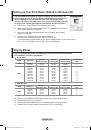
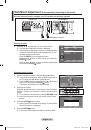
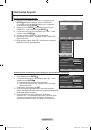
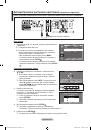
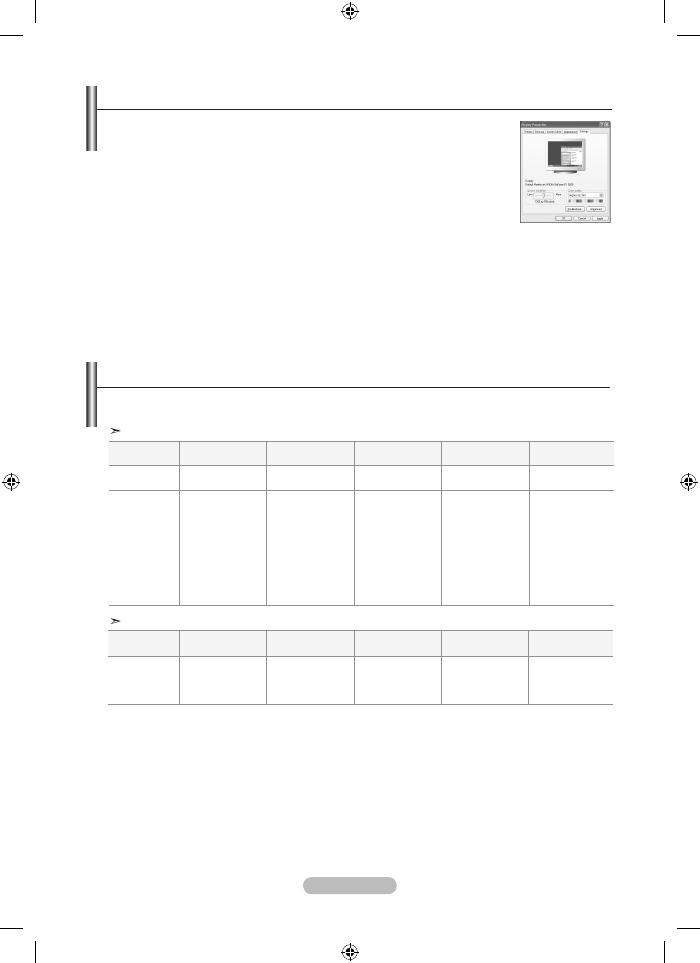
the Windows display-settings for a typical computer are shown below. the
actual screens on your PC may be different depending upon your particular
version of Windows and your particular video card. Even if your actual
screens look different, the same, basic set-up information will apply in almost
all cases. (If not, contact your computer manufacturer or Samsung Dealer.)
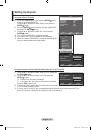
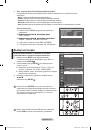
1.
First, click on "Control Panel" on the Windows start menu.
.
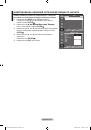
When the control panel window appears, click on "Appearance and Themes"
and a display dialog-box will appear.
.
When the control panel window appears, click on "Display" and a display
dialog-box will appear.
.
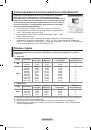
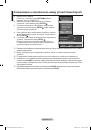
Navigate to the "Settings" tab on the display dialog-box.
The correct size setting (resolution): Optimum- 1360 X 768
If a vertical-frequency option exists on your display settings dialog box, the correct value is
"60" or "60 Hz". Otherwise, just click "OK" and exit the dialog box.
Setting up Your PC Software (based on Windows XP)
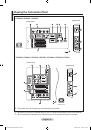
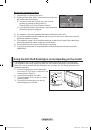
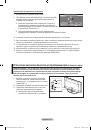
When using an HDMI/DVI cable connection, you must use the HDMI IN 2 jack.
The interlace mode is not supported.
The set might operate abnormally if a non-standard video format is selected.
Separate and Composite modes are supported. SOG is not supported.
➣
➣
➣
➣
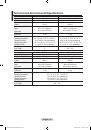
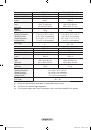
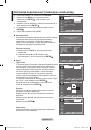
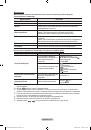
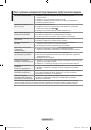
Display Modes
both screen position and size will vary depending on the type of PC monitor and its resolution.
the resolutions in the table are recommended.
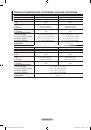
Mode
Resolution
horizontal
Frequency (khz)
Vertical
Frequency (hz)
Pixel Clock
Frequency (Mhz)
Sync Polarity
(h/V)
VESA
640×480
800×600
1024×768
1360 x 768
31.469
37.879
48.363
47.712
59.940
60.317
60.004
60.015
25.175
40.000
65.000
85.500
-/-
+/+
-/-
+/+
D-Sub Input
hDMI/DVI Input
Mode
Resolution
horizontal
Frequency (khz)
Vertical
Frequency (hz)
Pixel Clock
Frequency (Mhz)
Sync Polarity
(h/V)
IbM
640x350
720×400
31.469
31.469
70.086
70.087
25.175
28.322
+/-
-/+
VESA
640×480
640×480
640×480
800×600
800×600
800×600
1024×768
1024×768
1024×768
1360 x 768
31.469
37.861
37.500
37.879
48.077
46.875
48.363
56.476
60.023
47.712
59.940
72.809
75.000
60.317
72.188
75.000
60.004
70.069
75.029
60.015
25.175
31.500
31.500
40.000
50.000
49.500
65.000
75.000
78.750
85.500
-/-
-/-
-/-
+/+
+/+
+/+
-/-
-/-
+/+
+/+
BN68-01425D-Eng-0227.indd 29
2008-03-18 ¿ÀÈÄ 7:42:20
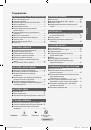
Оглавление инструкции
- Cover
- Eng
- Connecting and Preparing Your TV
- List of Parts
- Installing the Stand
- Installing the Wall Mount Kit
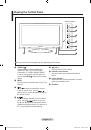
- Viewing the Control Panel
- Viewing the Connection Panel
- Viewing the Remote Control
- Installing Batteries in the Remote Control
- Switching On and Off
- Placing Your Television in Standby Mode
- Viewing the Menus
- Using the TOOLS Button
- Plug & Play
- Setting the Channels
- Setting the Picture
- Setting the Sound
- Setting the Time
- Function Description
- Setting the PC
- About Anynet+
- Recommendations For Use
- Connecting and Preparing Your TV
- Rus


