Инструкция для Samsung LE40A454C1, LE40A451C1, LE40A450C2, LE37A451C1, LE37A450C2
 1
 2
 3
 4
 5
 6
 7
 8
 9
 10
 11
 12
 13
 14
 15
 16
 17
 18
 19
 20
 21
 22
 23
 24
 25
 26
 27
 28
 29
 30
 31
 32
 33
 34
 35
 36
 37
 38
 39
 40
 41
 42
 43
 44
 45
 46
 47
 48
 49
 50
 51
 52
 53
 54
 55
 56
 57
 58
 59
 60
 61
 62
 63
 64
 65
 66
 67
 68
 69
 70
 71
 72
 73
 74
 75
 76
 77
 78
 79
 80
 81
 82
 83
 84
 85
 86
 87
 88
 89
 90
 91
English - 1
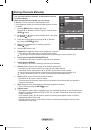
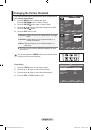
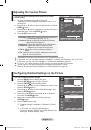
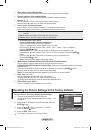
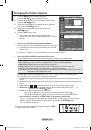
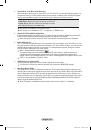
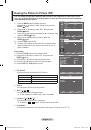
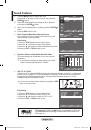
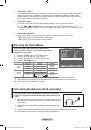
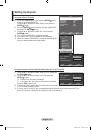
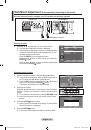
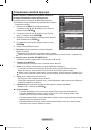
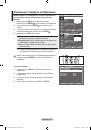
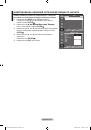
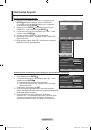
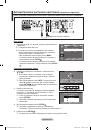
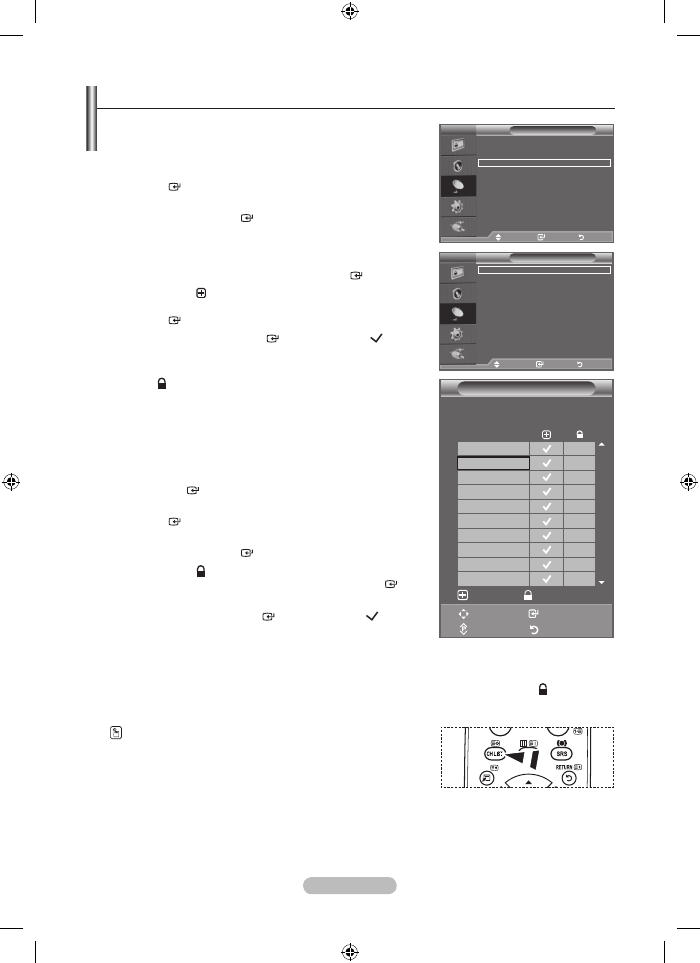
Using the Channel Manager, you can conveniently lock or add
channels.
1.
Press the
MENU
button to display the menu.
Press the
▲
or
▼
button to select "Channel", then press the
ENtER
button.
.
Press the
▲
or
▼
button to select "Channel Manager",
then press the
ENtER
button.
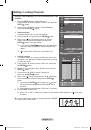
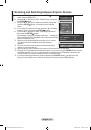
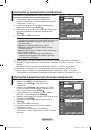
♦ Adding channels
Using the Channel List, you can add channels.
.
Select "Channel List" by pressing the
ENtER
button.
.
Move to the (
) field by pressing the ▲, ▼, ◄ or ►
button, select a channel to be added, and press the
ENtER
button to add the channel.
If you press the
ENtER
button again, the ( ) symbol
next to the channel disappears and the channel is not
added.
" " is active when "Child Lock" is selected to "On".
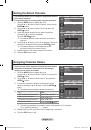
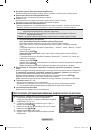
♦ Locking channels
This feature allows you to prevent unauthorized users, such
as children, from watching unsuitable programmes by muting
out video and audio.
5.
Press the
▲
or
▼
button to select "Child Lock", then press
the
ENtER
button.
6.
Select "On" by pressing the ▲ or ▼ button, then press the
ENtER
button.
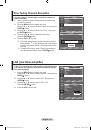
7.
Press the
▲
or
▼
button to select "Channel List",
then press the
ENtER
button.
.
Move to the "
" field by pressing the ▲, ▼, ◄ or ► button,
select a channel to be locked, and press the
ENtER
button.
If you press the
ENtER
button again, the ( ) symbol
next to the channel disappears and the channel lock is
cancelled.
A blue screen is displayed when "Child Lock" is activated.
9.
Press the
EXIt
button to exit.
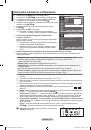
Select "On" or "Off" in "Child Lock" to easily turn the channels which selected on " " to be active
or inactive.
You can select these options by simply pressing the
Ch LISt
button on the remote control.
➣
➣
➣
➣
➣
Adding / Locking Channels
P 1 C
Channel List
Move
Enter
Page
Return
Add
Lock
1 / 10
Prog.
0 C--
1 C
bbC 1
C7
C75
5 C76
6 S
7 S
S6
9 S7
TOOLS
Channel
Country
: belgium
Auto Store
Manual Store
Channel Manager
Sort
Name
Fine tune
LNA
: Off
Move
Enter
Return
tV
tV
Channel Manager
Channel List
Child Lock
: Off
Move
Enter
Return
BN68-01425D-Eng-0227.indd 13
2008-03-18 ¿ÀÈÄ 7:42:10
Оглавление инструкции
- Cover
- Eng
- Connecting and Preparing Your TV
- List of Parts
- Installing the Stand
- Installing the Wall Mount Kit
- Viewing the Control Panel
- Viewing the Connection Panel
- Viewing the Remote Control
- Installing Batteries in the Remote Control
- Switching On and Off
- Placing Your Television in Standby Mode
- Viewing the Menus
- Using the TOOLS Button
- Plug & Play
- Setting the Channels
- Setting the Picture
- Setting the Sound
- Setting the Time
- Function Description
- Setting the PC
- About Anynet+
- Recommendations For Use
- Connecting and Preparing Your TV
- Rus