Инструкция для Samsung LE40A454C1, LE40A451C1, LE40A450C2, LE37A451C1, LE37A450C2
 1
 2
 3
 4
 5
 6
 7
 8
 9
 10
 11
 12
 13
 14
 15
 16
 17
 18
 19
 20
 21
 22
 23
 24
 25
 26
 27
 28
 29
 30
 31
 32
 33
 34
 35
 36
 37
 38
 39
 40
 41
 42
 43
 44
 45
 46
 47
 48
 49
 50
 51
 52
 53
 54
 55
 56
 57
 58
 59
 60
 61
 62
 63
 64
 65
 66
 67
 68
 69
 70
 71
 72
 73
 74
 75
 76
 77
 78
 79
 80
 81
 82
 83
 84
 85
 86
 87
 88
 89
 90
 91
English -
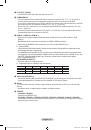
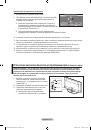
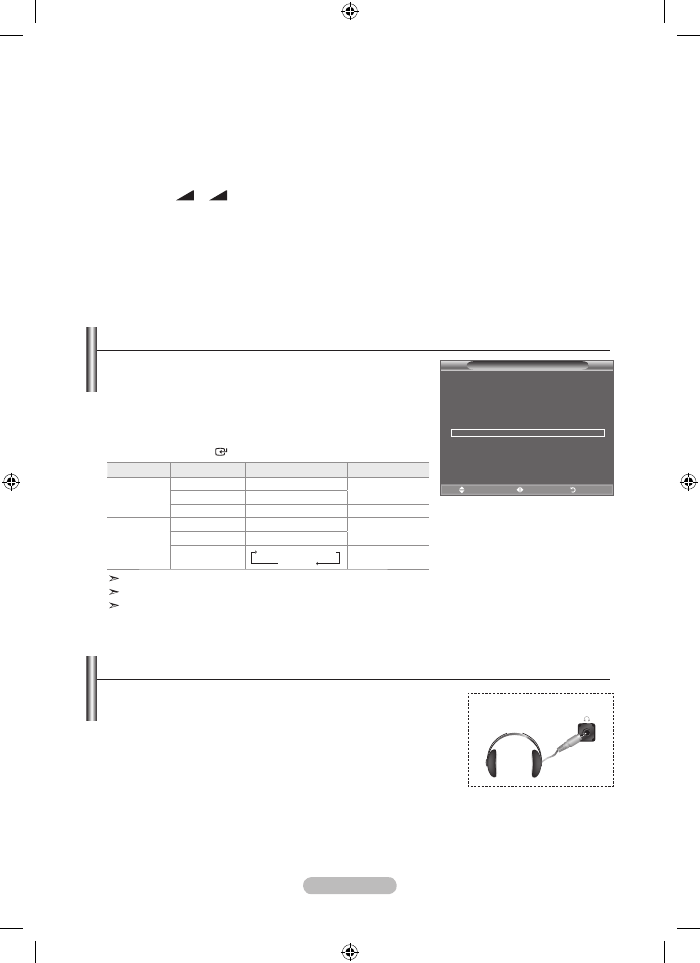
You can connect a set of headphones to your set if you wish to
watch a tV programme without disturbing the other people in the
room.
When you insert the head set jack into the corresponding port, you
can operate only “Auto Volume” and “Sound Select”(in PIP mode) in
Sound menu.
Prolonged use of headphones at a high volume may damage your
hearing.
You will not receive sound from the speakers when you connect headphones to the system.
The headphone volume and TV volume are adjusted differently.
➣
➣
➣
➣
Connecting headphones (Sold separately)
TV Side Panel
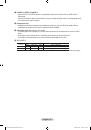
You can set the sound mode in the tOOLS menu.
When you set to "Dual I-II", the current sound mode is
displayed on the screen.
1.
Press the
tOOLS
button on the remote control.
.
Press the ▲ or ▼ button to select “Dual I-II".
.
Press the ◄ or ► button to select required option.
.
Press the
ENtER
button.
Audio Type
Dual 1/2
Default
A2
Stereo
Mono
MONO
Automatic
change
Stereo
STEREO
↔
MONO
Dual
DUAL
1 ↔
DUAL 2
DUAL 1
NICAM
Stereo
Mono
MONO
Automatic
change
Stereo
MONO
↔
STEREO
Dual
MONO
↔
DUAL 1
DUAL 2
DUAL 1
If the stereo signal is weak and an automatic switching occurs, then switch to the Mono.
This function is only activated in stereo sound signal. It is deactivated in mono sound signal.
This function is only available in TV mode.
Selecting the Sound Mode
Anynet+ (hDMI-CEC)
Picture Mode
: Standard
Sound Mode
: Custom
Sleep timer
: Off
SRS tS Xt
: Off
Energy Saving
: Off
Dual l-ll
◄ Mono ►
Move
Adjust
Exit
tools
♦ Auto Volume: Off/On
Each broadcasting station has its own signal conditions, and so it is not easy to adjust the volume
every time the channel is changed. This feature lets you automatically adjust the volume of the
desired channel by lowering the sound output when the modulation signal is high or by raising the
sound output when the modulation signal is low.
♦ TV Speaker: Off/On
If you want to hear the sound through separate speakers, cancel the internal amplifier.
The
+,
- and
MUtE
buttons do not operate when the "TV Speaker" is set to "Off".
When "TV Speaker" is set to "Off", you can operate only “Sound Select” (in PIP mode) in Sound
menu.
♦ Sound Select: Main/Sub
When the PIP feature is activated, you can listen to the sound of the sub (PIP) picture.
−
Main
: Used to listen to the sound of the main picture.
−
Sub
: Used to listen to the sound of the sub picture.
➣
➣
BN68-01425D-Eng-0227.indd 23
2008-03-18 ¿ÀÈÄ 7:42:16
Оглавление инструкции
- Cover
- Eng
- Connecting and Preparing Your TV
- List of Parts
- Installing the Stand
- Installing the Wall Mount Kit
- Viewing the Control Panel
- Viewing the Connection Panel
- Viewing the Remote Control
- Installing Batteries in the Remote Control
- Switching On and Off
- Placing Your Television in Standby Mode
- Viewing the Menus
- Using the TOOLS Button
- Plug & Play
- Setting the Channels
- Setting the Picture
- Setting the Sound
- Setting the Time
- Function Description
- Setting the PC
- About Anynet+
- Recommendations For Use
- Connecting and Preparing Your TV
- Rus