Инструкция для Samsung LE40A454C1, LE40A451C1, LE40A450C2, LE37A451C1, LE37A450C2
 1
 2
 3
 4
 5
 6
 7
 8
 9
 10
 11
 12
 13
 14
 15
 16
 17
 18
 19
 20
 21
 22
 23
 24
 25
 26
 27
 28
 29
 30
 31
 32
 33
 34
 35
 36
 37
 38
 39
 40
 41
 42
 43
 44
 45
 46
 47
 48
 49
 50
 51
 52
 53
 54
 55
 56
 57
 58
 59
 60
 61
 62
 63
 64
 65
 66
 67
 68
 69
 70
 71
 72
 73
 74
 75
 76
 77
 78
 79
 80
 81
 82
 83
 84
 85
 86
 87
 88
 89
 90
 91
English -
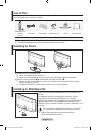
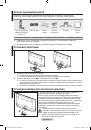
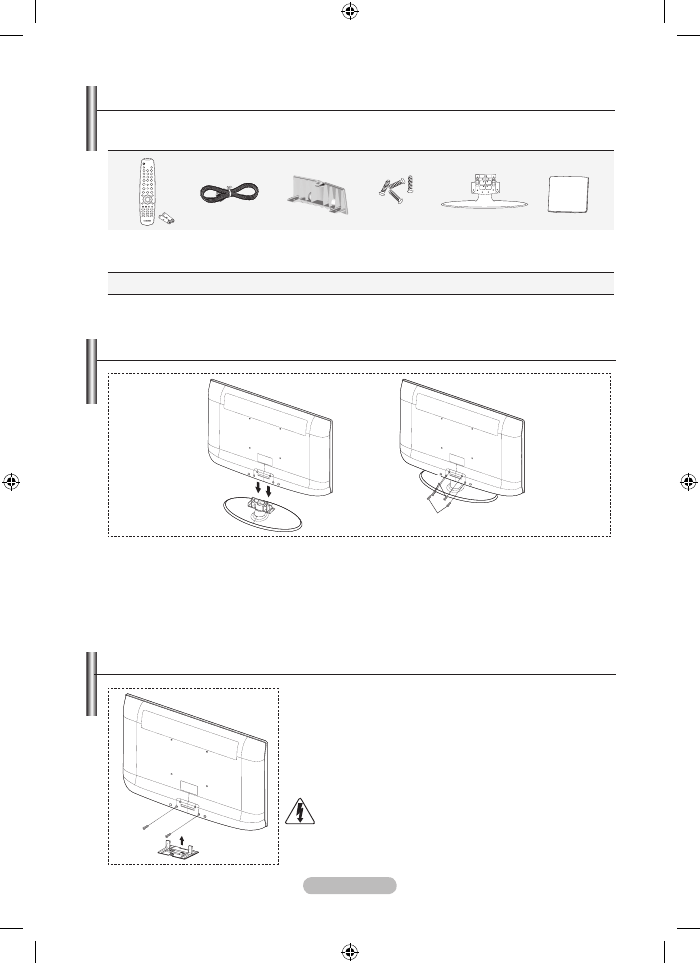
List of Parts
Please make sure the following items are included with your LCD TV.
If any items are missing, contact your dealer.
Remote Control &
Batteries
(AAA x 2)
Power Cord
Cover-Bottom
Stand Screw X 4
Stand
Cleaning Cloth
Wall mount items (sold separately) allow you to mount the TV on
the wall.
For detailed information on installing the wall mount, see the
instructions provided with the Wall Mount items. Contact a
technician for assistance when installing the wall mounted bracket.
Samsung Electronics is not responsible for any damage to the
product or injury to yourself or others if you elect to install the TV on
your own.
Do not install your Wall Mount Kit while your TV is turned
on. It may result in personal injury due to electric shock.
Remove the stand and cover the bottom hole with a
cap and fasten with two screws.
➣
Owner’s Instructions
Warranty card
Safety Guide
Registration Cards
Warranty card / Safety Guide / Registration Cards (Not available in all locations)
The stand and stand screw may not be included depending on the model.
➣
➣
1.
Connect your LCD TV and the stand.
Two or more people should carry the TV.
Make sure to distinguish between the front and back of the stand when assembling them.
.
Fasten two screws at position
1
and then fasten two screw at position
2
.
Stand the product up and fasten the screws. If you fasten the screws with the LCD TV placed
down, it may lean to one side.
The stand is installed for models with the screen size of 37 inch and above.
➣
➣
➣
➣
1
2
M4XL16
Installing the Stand
Installing the Wall Mount Kit
BN68-01425D-Eng-0227.indd 2
2008-03-18 ¿ÀÈÄ 7:42:06
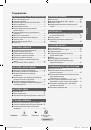
Оглавление инструкции
- Cover
- Eng
- Connecting and Preparing Your TV
- List of Parts
- Installing the Stand
- Installing the Wall Mount Kit
- Viewing the Control Panel
- Viewing the Connection Panel
- Viewing the Remote Control
- Installing Batteries in the Remote Control
- Switching On and Off
- Placing Your Television in Standby Mode
- Viewing the Menus
- Using the TOOLS Button
- Plug & Play
- Setting the Channels
- Setting the Picture
- Setting the Sound
- Setting the Time
- Function Description
- Setting the PC
- About Anynet+
- Recommendations For Use
- Connecting and Preparing Your TV
- Rus