Инструкция для Clavia NORD Lead 2X
 1
 2
 3
 4
 5
 6
 7
 8
 9
 10
 11
 12
 13
 14
 15
 16
 17
 18
 19
 20
 21
 22
 23
 24
 25
 26
 27
 28
 29
 30
 31
 32
 33
 34
 35
 36
 37
 38
 39
 40
 41
 42
 43
 44
 45
 46
 47
 48
 49
 50
 51
 52
 53
 54
 55
 56
 57
 58
 59
 60
 61
 62
 63
 64
 65
 66
 67
 68
 69
 70
 71
 72
 73
 74
 75
 76
 77
 78
 79
 80
 81
 82
 83
 84
 85
 86
 87
 88
 89
 90
 91
 92
 93
 94
 95
 96
 97
 98
 99
 100
 101
 102
 103
 104
 105
 106
 107
 108
 109
 110
 111
 112
 113
 114
 115
 116
 117
 118
 119
NORD LEAD 2X V1.0x
9. Shift functions: Out Mode
Page 65
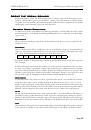
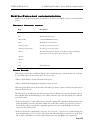
The Out Mode function allows you to set different output modes for Slots A/B and C/D:
• To set the output mode for Slot A and B, hold down
S
HIFT
and press the “
O
UT
M
ODE
” button once.
Note however, that the setting you make for Slot A and B can affect Slot C and D as well, if the setting
‘-cd’ is selected for Slot C and D, as described below.
• To set the output mode for Slot C and D, hold down
S
HIFT
and press the “
O
UT
M
ODE
” button
twice. Pressing the button repeatedly will toggle between the settings for Slots A/B and C/D.
S
S
S
S
E
E
E
ET
T
T
TT
T
T
TIIIIN
N
N
NG
G
G
GS
S
S
S
F
F
F
FO
O
O
OR
R
R
R
S
S
S
S
L
L
L
LO
O
O
OT
T
T
T
A
A
A
A
A
A
A
AN
N
N
ND
D
D
D
B:
B:
B:
B:
S
S
S
S
E
E
E
ET
T
T
TT
T
T
TIIIIN
N
N
NG
G
G
GS
S
S
S
F
F
F
FO
O
O
OR
R
R
R
S
S
S
S
L
L
L
LO
O
O
OT
T
T
T
C
C
C
C
A
A
A
AN
N
N
ND
D
D
D
D:
D:
D:
D:
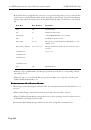
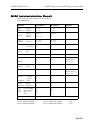
Mode 1 (1.Ab or 1.cd) is not recommended when using the Nord Lead 2X multitimbrally since one Pro-
gram can be set to Unison and another not, which might lead to a stereo image you might not expect.
Display
Description
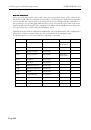
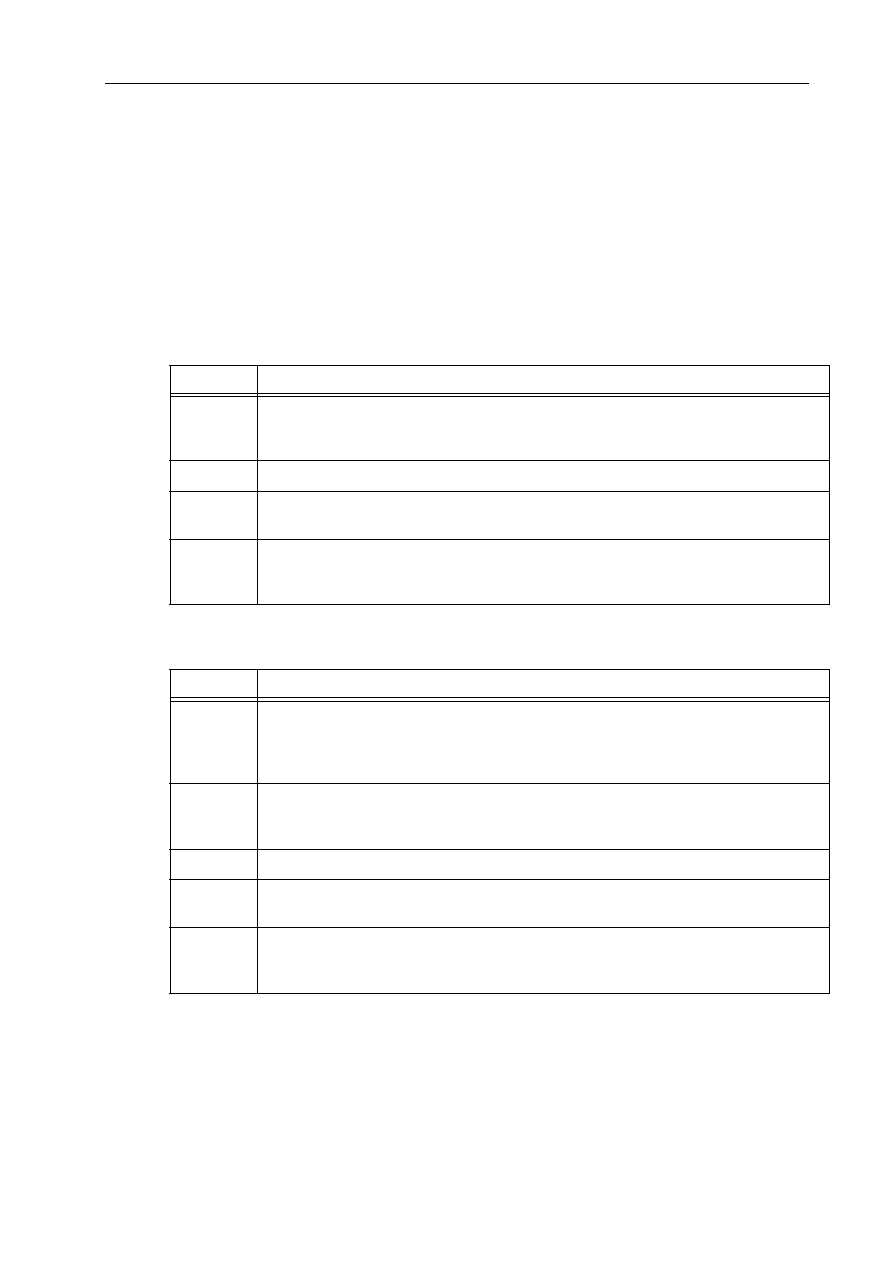
1.Ab
In this mode, all sounds are mono (as described above), except if Unison is activated in which
case the instrument automatically switches to stereo, using Outputs A and B. If one Unison and
one non-unison Program are layered,
stereo
is used.
2.Ab
This is a straight Mono mode. All Programs always appear with equal level at Outputs A and B.
3.Ab
This is a straight stereo mode. All Program always appear with voices alternating between Out-
puts A and B.
4.Ab
In this mode Programs assigned to slot A will appear at Output A, while Program assigned to slot
B will appear at Output B. This mode can be used when it is desired to treat two sounds differ-
ently in an external mixer, for example in multitimbral MIDI work or when layering sounds.
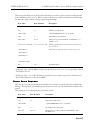
Display
Description
–.cd
In this mode, Slot C and D use the settings made for Slot A and B. If for example mode “ab2” is
selected, all four slots will appear in Mono at Outputs A and B.
This is the setting you should use if you have connected Nord Lead 2 in stereo to your sound
equipment (using Outputs A and B), or if you are using headphones.
1.cd
In this mode, all sounds are output in mono at Outputs C and D, except if Unison is activated.
If that is the case, the instrument automatically switches to stereo, using Outputs C and D. If one
Unison and one non-unison Program are layered,
stereo
is used.
2.cd
This is a straight Mono mode. All Programs always appear with equal level at Outputs C and D.
3.cd
This is a straight stereo mode. All Program always appear with voices alternating between Out-
puts C and D.
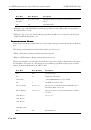
4.cd
In this mode Programs assigned to slot C will appear at Output C, while Program assigned to slot
D will appear at Output D. This mode can be used when it is desired to treat two sounds differ-
ently in an external mixer, for example in multitimbral MIDI work or when layering sounds.
Оглавление инструкции
- 1. Introduction
- 2. Connections
- 3. Basic operation
- Demo play function
- Basic MIDI Settings for the Nord Rack 2X
- Selecting Programs
- Selecting Percussion Kits
- Using the Slots to switch Programs
- Layering
- Splitting the Keyboard
- Performances
- Monophonic and polyphonic operation
- Stereo/Mono
- Pitch Stick and Modulation Wheel
- Master Tune
- Using a sustain pedal
- Using a control (expression) pedal
- The “Panic” button
- 4. Editing Programs
- 5. Programming Velocity Sensitivity
- 6. Percussion Kits
- 7. Performances
- 8. Panel Reference
- 9. Shift functions
- Accessing the Shift functions
- Shift function list
- Tune (Master Tune)
- Out Mode
- Local
- Prog/Ctrl
- MIDI Channel
- Special
- Accessing the Special functions
- Function “1” – Synchronizing LFO 1 to MIDI Clock
- Function “2” – Synchronizing LFO2/Arpeggio to MIDI Clock
- Function “F” – External triggering of Filter envelope
- Function “A” – External triggering of Amplifier Envelope
- Function “S” – External Velocity Morph
- Aftertouch and Expression Pedal Settings
- System
- 10. MIDI
- 11. Synthesis basics
- 12. Factory presets
- 13. MIDI implementation
- Index