Инструкция для Clavia NORD Lead 2X
 1
 2
 3
 4
 5
 6
 7
 8
 9
 10
 11
 12
 13
 14
 15
 16
 17
 18
 19
 20
 21
 22
 23
 24
 25
 26
 27
 28
 29
 30
 31
 32
 33
 34
 35
 36
 37
 38
 39
 40
 41
 42
 43
 44
 45
 46
 47
 48
 49
 50
 51
 52
 53
 54
 55
 56
 57
 58
 59
 60
 61
 62
 63
 64
 65
 66
 67
 68
 69
 70
 71
 72
 73
 74
 75
 76
 77
 78
 79
 80
 81
 82
 83
 84
 85
 86
 87
 88
 89
 90
 91
 92
 93
 94
 95
 96
 97
 98
 99
 100
 101
 102
 103
 104
 105
 106
 107
 108
 109
 110
 111
 112
 113
 114
 115
 116
 117
 118
 119
4. Editing Programs: Changing an existing Program
NORD LEAD 2X V1.0x
Page 22
4. E
4. E
4. E
4. E
D
D
D
DIIIIT
T
T
TIIIIN
N
N
NG
G
G
G
P
P
P
P
R
R
R
RO
O
O
OG
G
G
GR
R
R
RA
A
A
AM
M
M
MS
S
S
S
C
C
C
C
H
H
H
HA
A
A
AN
N
N
NG
G
G
GIIIIN
N
N
NG
G
G
G
A
A
A
AN
N
N
N
E
E
E
EX
X
X
XIIIIS
S
S
ST
T
T
TIIIIN
N
N
NG
G
G
G
P
P
P
P
R
R
R
RO
O
O
OG
G
G
GR
R
R
RA
A
A
AM
M
M
M
Actually, how to change a programmed sound can be described in one sentence: “twist the knobs and
press the buttons”. It
is
as simple as that!
• For information about editing Percussion Kits, refer to
.
• Don’t be afraid to edit and overwrite the RAM Programs in the internal memory (Program 1 - 3.99).
If you want to restore any of the original RAM factory programs later on, they can be fetched as stand-
ard MIDI files at http://www.clavia.se and downloaded to the Nord Lead 2X from a MIDI sequencer.
C
C
C
C
H
H
H
HA
A
A
AN
N
N
NG
G
G
GIIIIN
N
N
NG
G
G
G
O
O
O
ON
N
N
NE
E
E
E
P
P
P
P
R
R
R
RO
O
O
OG
G
G
GR
R
R
RA
A
A
AM
M
M
M
IIIIN
N
N
N
A
A
A
A
L
L
L
LA
A
A
AY
Y
Y
YE
E
E
ER
R
R
R
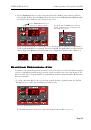
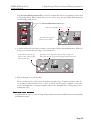
If you have layered Programs you can still edit one of the Programs from the front panel. Proceed as fol-
lows:
1. Press the Slot button that you want to edit. Its LED will flash to indicate it is the
active Slot
.
2. Use the front panel knobs and buttons to change the Program in the active Slot.
R
R
R
R
E
E
E
EV
V
V
VE
E
E
ER
R
R
RT
T
T
TIIIIN
N
N
NG
G
G
G
T
T
T
TO
O
O
O
T
T
T
TH
H
H
HE
E
E
E
O
O
O
OR
R
R
RIIIIG
G
G
GIIIIN
N
N
NA
A
A
AL
L
L
L
P
P
P
P
R
R
R
RO
O
O
OG
G
G
GR
R
R
RA
A
A
AM
M
M
M
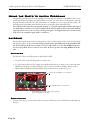
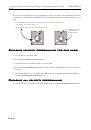
If you have edited a Program and want to get back to the programmed original, proceed as follows:
1. Select another Program for the Slot with the
U
P
/D
OWN
buttons.
2. Select the first Program again. It will now have reverted back to the way it was when you last selected
it.
U
U
U
U
S
S
S
SIIIIN
N
N
NG
G
G
G
M
M
M
M
A
A
A
AN
N
N
NU
U
U
UA
A
A
AL
L
L
L
M
M
M
MO
O
O
OD
D
D
DE
E
E
E
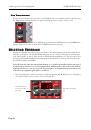
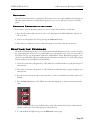
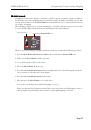
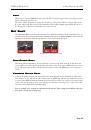
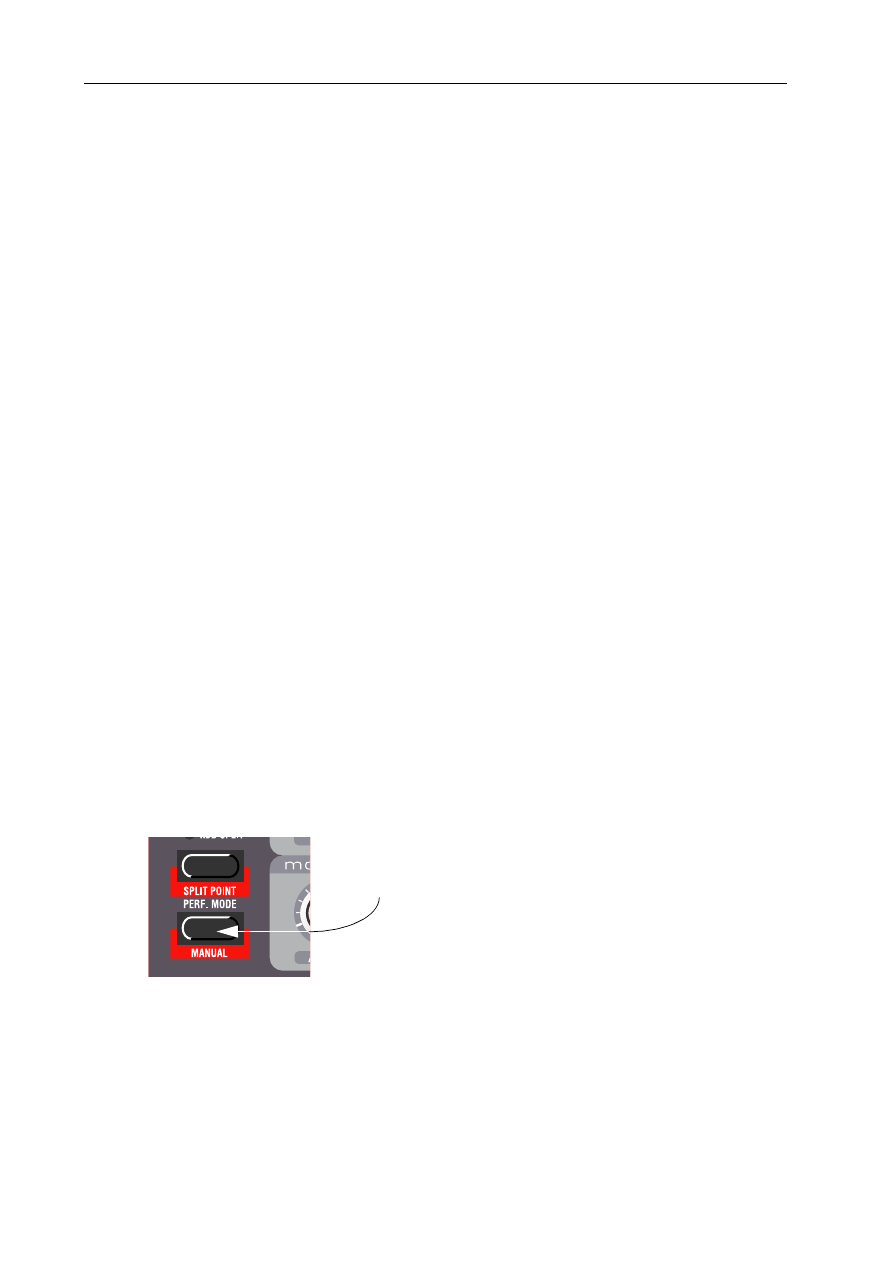
If you want to use the front panel to make up a sound from scratch, hold down
S
HIFT
and press the Man-
ual (
P
ERF
.
MODE
) button. This leaves you with exactly the sound that the knobs and buttons on the panel
currently indicate (just as if the Nord Lead 2X was a non-programmable instrument). In Manual mode,
the instrument can play only one sound - layering is not possible.
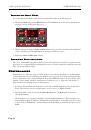
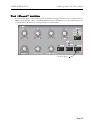
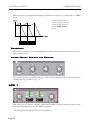
The Performance/Manual button.
Оглавление инструкции
- 1. Introduction
- 2. Connections
- 3. Basic operation
- Demo play function
- Basic MIDI Settings for the Nord Rack 2X
- Selecting Programs
- Selecting Percussion Kits
- Using the Slots to switch Programs
- Layering
- Splitting the Keyboard
- Performances
- Monophonic and polyphonic operation
- Stereo/Mono
- Pitch Stick and Modulation Wheel
- Master Tune
- Using a sustain pedal
- Using a control (expression) pedal
- The “Panic” button
- 4. Editing Programs
- 5. Programming Velocity Sensitivity
- 6. Percussion Kits
- 7. Performances
- 8. Panel Reference
- 9. Shift functions
- Accessing the Shift functions
- Shift function list
- Tune (Master Tune)
- Out Mode
- Local
- Prog/Ctrl
- MIDI Channel
- Special
- Accessing the Special functions
- Function “1” – Synchronizing LFO 1 to MIDI Clock
- Function “2” – Synchronizing LFO2/Arpeggio to MIDI Clock
- Function “F” – External triggering of Filter envelope
- Function “A” – External triggering of Amplifier Envelope
- Function “S” – External Velocity Morph
- Aftertouch and Expression Pedal Settings
- System
- 10. MIDI
- 11. Synthesis basics
- 12. Factory presets
- 13. MIDI implementation
- Index