Инструкция для Clavia NORD Lead 2X
Инструкция в формате - PDF
Количество страниц - 119 страниц
Размер - 3.3 МБ
Доступно - Бесплатное скачивание
Доступно - Онлайн чтение
 1
 2
 3
 4
 5
 6
 7
 8
 9
 10
 11
 12
 13
 14
 15
 16
 17
 18
 19
 20
 21
 22
 23
 24
 25
 26
 27
 28
 29
 30
 31
 32
 33
 34
 35
 36
 37
 38
 39
 40
 41
 42
 43
 44
 45
 46
 47
 48
 49
 50
 51
 52
 53
 54
 55
 56
 57
 58
 59
 60
 61
 62
 63
 64
 65
 66
 67
 68
 69
 70
 71
 72
 73
 74
 75
 76
 77
 78
 79
 80
 81
 82
 83
 84
 85
 86
 87
 88
 89
 90
 91
 92
 93
 94
 95
 96
 97
 98
 99
 100
 101
 102
 103
 104
 105
 106
 107
 108
 109
 110
 111
 112
 113
 114
 115
 116
 117
 118
 119
NORD LEAD 2X V1.0x
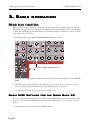
3. Basic operation: Basic MIDI Settings for the Nord Rack 2X
Page 11
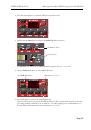
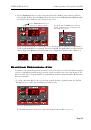
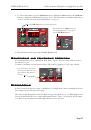
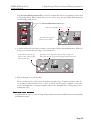
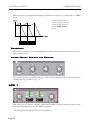
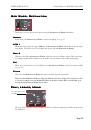
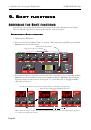
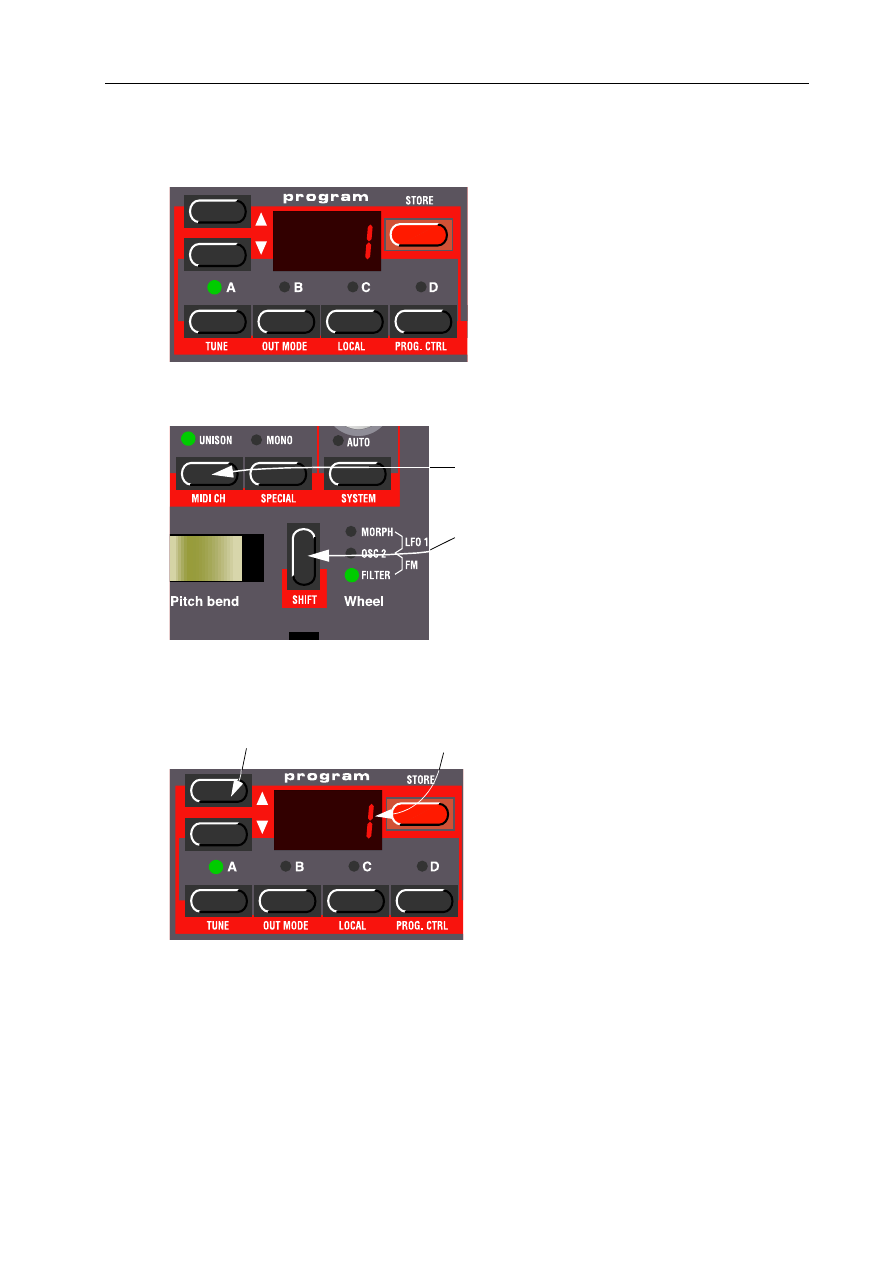
2. Press the
S
LOT
A
button, so that the LED above the button is lit.
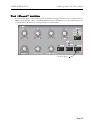
3. Hold down the
S
HIFT
button and press the
MIDI C
H
(Unison) button.
The
D
ISPLAY
will now show the MIDI Channel setting for Slot A (1 – 16 or off).
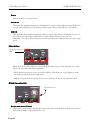
4. Use the
U
P
/D
OWN
buttons to select MIDI Channel 1.
5. Press Shift again to return to the normal play mode.
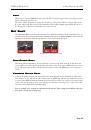
If you use Slot A when you play the Nord Rack 2X (if you like, together with other Slots), this sim-
ple setting should be sufficient in most situations - even when playing Layers and Performances, as
described later in this manual. For more information, see
.
The MIDI Ch button
The Shift button
The
U
P
/D
OWN
buttons
MIDI Channel 1 selected.
Оглавление инструкции
- 1. Introduction
- 2. Connections
- 3. Basic operation
- Demo play function
- Basic MIDI Settings for the Nord Rack 2X
- Selecting Programs
- Selecting Percussion Kits
- Using the Slots to switch Programs
- Layering
- Splitting the Keyboard
- Performances
- Monophonic and polyphonic operation
- Stereo/Mono
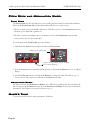
- Pitch Stick and Modulation Wheel
- Master Tune
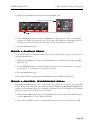
- Using a sustain pedal
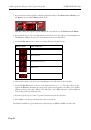
- Using a control (expression) pedal
- The “Panic” button
- 4. Editing Programs
- 5. Programming Velocity Sensitivity
- 6. Percussion Kits
- 7. Performances
- 8. Panel Reference
- 9. Shift functions
- Accessing the Shift functions
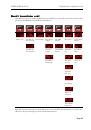
- Shift function list
- Tune (Master Tune)
- Out Mode
- Local
- Prog/Ctrl
- MIDI Channel
- Special
- Accessing the Special functions
- Function “1” – Synchronizing LFO 1 to MIDI Clock
- Function “2” – Synchronizing LFO2/Arpeggio to MIDI Clock
- Function “F” – External triggering of Filter envelope
- Function “A” – External triggering of Amplifier Envelope
- Function “S” – External Velocity Morph
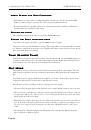
- Aftertouch and Expression Pedal Settings
- System
- 10. MIDI
- 11. Synthesis basics
- 12. Factory presets
- 13. MIDI implementation
- Index