Инструкция для Clavia NORD Lead 2X
 1
 2
 3
 4
 5
 6
 7
 8
 9
 10
 11
 12
 13
 14
 15
 16
 17
 18
 19
 20
 21
 22
 23
 24
 25
 26
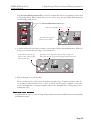 27
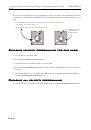 28
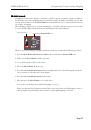 29
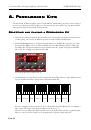 30
 31
 32
 33
 34
 35
 36
 37
 38
 39
 40
 41
 42
 43
 44
 45
 46
 47
 48
 49
 50
 51
 52
 53
 54
 55
 56
 57
 58
 59
 60
 61
 62
 63
 64
 65
 66
 67
 68
 69
 70
 71
 72
 73
 74
 75
 76
 77
 78
 79
 80
 81
 82
 83
 84
 85
 86
 87
 88
 89
 90
 91
 92
 93
 94
 95
 96
 97
 98
 99
 100
 101
 102
 103
 104
 105
 106
 107
 108
 109
 110
 111
 112
 113
 114
 115
 116
 117
 118
 119
8. Panel Reference: Settings for both Oscillators
NORD LEAD 2X V1.0x
Page 42
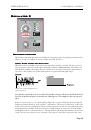
means that changing the pitch of Oscillator 2 basically does not affect the pitch of the sound, but the
timbre. The
FM A
MOUNT
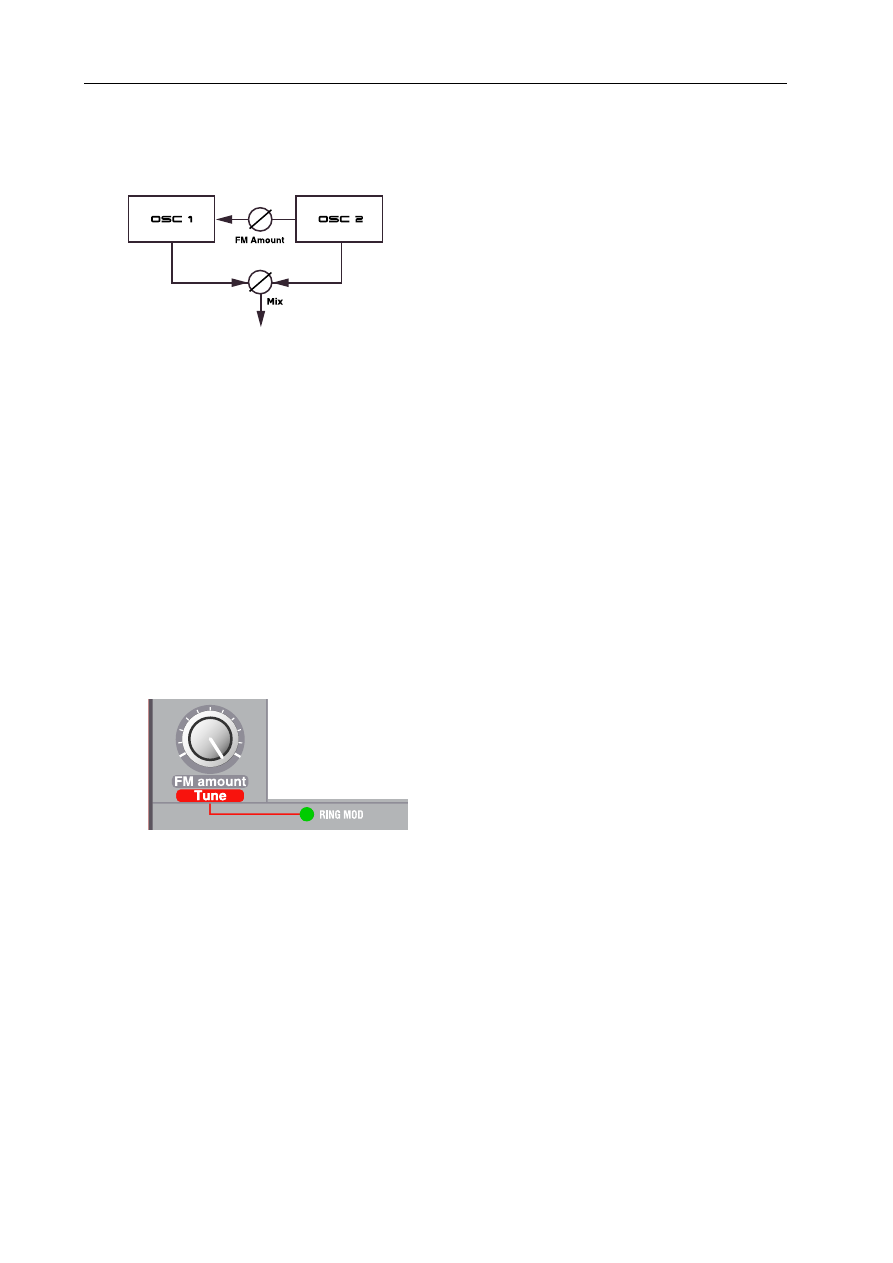
knob controls the amount of FM from Oscillator 2 to Oscillator 1.
For classic FM sounds, use sine wave on oscillator 1 and triangle wave on oscillator 2.
M
M
M
M
O
O
O
OD
D
D
DU
U
U
UL
L
L
LA
A
A
AT
T
T
TIIIIO
O
O
ON
N
N
N
O
O
O
OF
F
F
F
FM A
FM A
FM A
FM A
M
M
M
MO
O
O
OU
U
U
UN
N
N
NT
T
T
T
Please note that the amount of FM can be modulated from the Mod Env and LFO 1, and also controlled
manually from the
M
OD
W
HEEL
.
R
R
R
R
IIIIN
N
N
NG
G
G
G
M
M
M
M
O
O
O
OD
D
D
D
Activate Ring Modulation by pressing the
R
ING
M
OD
/S
YNC
button until the
R
ING
M
OD
LED
is lit.
This is a function (also known as amplitude modulation), where the waveforms of the two oscillators are
multiplied. The result is a inharmonic sound, that is great for metallic or bell-like timbres.
When trying out Ring Modulation, make sure you listen to Oscillator 2, since it is mainly this that is
affected by the timbre changes!
Turning the Oscillator 2
S
EMITONES
knob will change the timbre, much as with FM. However, with
Ring Modulation, this will
also
affect the pitch of the sound! This means that activating Ring Modulation
may result in a sound with a completely different pitch than the “normal” sounds. To remedy this, you
should use the Ring Mod
T
UNE
knob:
When Ring Modulation is activated, the FM Amount knob works as a Tune knob with a range of roughly
one octave. To set the pitch to “normal”, turn off Ring Modulation and play a note, then activate Ring
Modulation, play the same note and adjust the Tune knob until the pitch is the same. Please note that
the pitch will change again if you change the timbre by adjusting the Semitones knob.
When Ring Modulation is activated, you cannot manually control the FM Amount, since that knob
serves as a Tune knob. Instead you can use the Modulation Wheel, with its destination set to FM.
Оглавление инструкции
- 1. Introduction
- 2. Connections
- 3. Basic operation
- Demo play function
- Basic MIDI Settings for the Nord Rack 2X
- Selecting Programs
- Selecting Percussion Kits
- Using the Slots to switch Programs
- Layering
- Splitting the Keyboard
- Performances
- Monophonic and polyphonic operation
- Stereo/Mono
- Pitch Stick and Modulation Wheel
- Master Tune
- Using a sustain pedal
- Using a control (expression) pedal
- The “Panic” button
- 4. Editing Programs
- 5. Programming Velocity Sensitivity
- 6. Percussion Kits
- 7. Performances
- 8. Panel Reference
- 9. Shift functions
- Accessing the Shift functions
- Shift function list
- Tune (Master Tune)
- Out Mode
- Local
- Prog/Ctrl
- MIDI Channel
- Special
- Accessing the Special functions
- Function “1” – Synchronizing LFO 1 to MIDI Clock
- Function “2” – Synchronizing LFO2/Arpeggio to MIDI Clock
- Function “F” – External triggering of Filter envelope
- Function “A” – External triggering of Amplifier Envelope
- Function “S” – External Velocity Morph
- Aftertouch and Expression Pedal Settings
- System
- 10. MIDI
- 11. Synthesis basics
- 12. Factory presets
- 13. MIDI implementation
- Index