Инструкция для Kawasaki VULCAN 2000 (2003)
Инструкция в формате - PDF
Количество страниц - 633 страницы
Размер - 13 МБ
Доступно - Бесплатное скачивание
Доступно - Онлайн чтение
 1
 2
 3
 4
 5
 6
 7
 8
 9
 10
 11
 12
 13
 14
 15
 16
 17
 18
 19
 20
 21
 22
 23
 24
 25
 26
 27
 28
 29
 30
 31
 32
 33
 34
 35
 36
 37
 38
 39
 40
 41
 42
 43
 44
 45
 46
 47
 48
 49
 50
 51
 52
 53
 54
 55
 56
 57
 58
 59
 60
 61
 62
 63
 64
 65
 66
 67
 68
 69
 70
 71
 72
 73
 74
 75
 76
 77
 78
 79
 80
 81
 82
 83
 84
 85
 86
 87
 88
 89
 90
 91
 92
 93
 94
 95
 96
 97
 98
 99
 100
 101
 102
 103
 104
 105
 106
 107
 108
 109
 110
 111
 112
 113
 114
 115
 116
 117
 118
 119
 120
 121
 122
 123
 124
 125
 126
 127
 128
 129
 130
 131
 132
 133
 134
 135
 136
 137
 138
 139
 140
 141
 142
 143
 144
 145
 146
 147
 148
 149
 150
 151
 152
 153
 154
 155
 156
 157
 158
 159
 160
 161
 162
 163
 164
 165
 166
 167
 168
 169
 170
 171
 172
 173
 174
 175
 176
 177
 178
 179
 180
 181
 182
 183
 184
 185
 186
 187
 188
 189
 190
 191
 192
 193
 194
 195
 196
 197
 198
 199
 200
 201
 202
 203
 204
 205
 206
 207
 208
 209
 210
 211
 212
 213
 214
 215
 216
 217
 218
 219
 220
 221
 222
 223
 224
 225
 226
 227
 228
 229
 230
 231
 232
 233
 234
 235
 236
 237
 238
 239
 240
 241
 242
 243
 244
 245
 246
 247
 248
 249
 250
 251
 252
 253
 254
 255
 256
 257
 258
 259
 260
 261
 262
 263
 264
 265
 266
 267
 268
 269
 270
 271
 272
 273
 274
 275
 276
 277
 278
 279
 280
 281
 282
 283
 284
 285
 286
 287
 288
 289
 290
 291
 292
 293
 294
 295
 296
 297
 298
 299
 300
 301
 302
 303
 304
 305
 306
 307
 308
 309
 310
 311
 312
 313
 314
 315
 316
 317
 318
 319
 320
 321
 322
 323
 324
 325
 326
 327
 328
 329
 330
 331
 332
 333
 334
 335
 336
 337
 338
 339
 340
 341
 342
 343
 344
 345
 346
 347
 348
 349
 350
 351
 352
 353
 354
 355
 356
 357
 358
 359
 360
 361
 362
 363
 364
 365
 366
 367
 368
 369
 370
 371
 372
 373
 374
 375
 376
 377
 378
 379
 380
 381
 382
 383
 384
 385
 386
 387
 388
 389
 390
 391
 392
 393
 394
 395
 396
 397
 398
 399
 400
 401
 402
 403
 404
 405
 406
 407
 408
 409
 410
 411
 412
 413
 414
 415
 416
 417
 418
 419
 420
 421
 422
 423
 424
 425
 426
 427
 428
 429
 430
 431
 432
 433
 434
 435
 436
 437
 438
 439
 440
 441
 442
 443
 444
 445
 446
 447
 448
 449
 450
 451
 452
 453
 454
 455
 456
 457
 458
 459
 460
 461
 462
 463
 464
 465
 466
 467
 468
 469
 470
 471
 472
 473
 474
 475
 476
 477
 478
 479
 480
 481
 482
 483
 484
 485
 486
 487
 488
 489
 490
 491
 492
 493
 494
 495
 496
 497
 498
 499
 500
 501
 502
 503
 504
 505
 506
 507
 508
 509
 510
 511
 512
 513
 514
 515
 516
 517
 518
 519
 520
 521
 522
 523
 524
 525
 526
 527
 528
 529
 530
 531
 532
 533
 534
 535
 536
 537
 538
 539
 540
 541
 542
 543
 544
 545
 546
 547
 548
 549
 550
 551
 552
 553
 554
 555
 556
 557
 558
 559
 560
 561
 562
 563
 564
 565
 566
 567
 568
 569
 570
 571
 572
 573
 574
 575
 576
 577
 578
 579
 580
 581
 582
 583
 584
 585
 586
 587
 588
 589
 590
 591
 592
 593
 594
 595
 596
 597
 598
 599
 600
 601
 602
 603
 604
 605
 606
 607
 608
 609
 610
 611
 612
 613
 614
 615
 616
 617
 618
 619
 620
 621
 622
 623
 624
 625
 626
 627
 628
 629
 630
 631
 632
 633
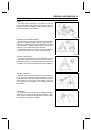
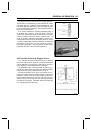
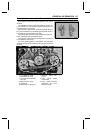
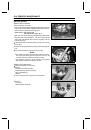
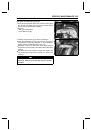
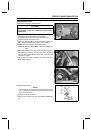
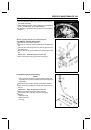
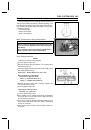
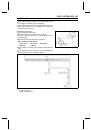
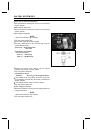
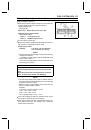
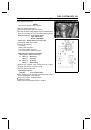
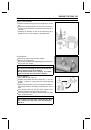
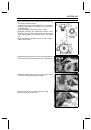
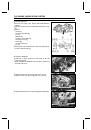
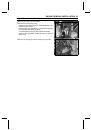
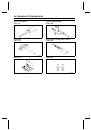
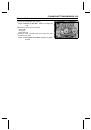
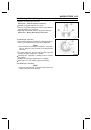
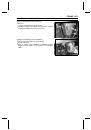
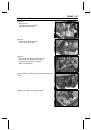
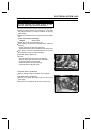
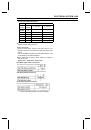
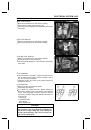
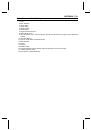
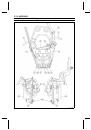
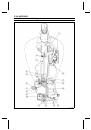
16-34 ELECTRICAL SYSTEM
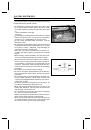
Charging System
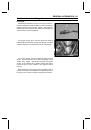
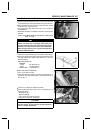
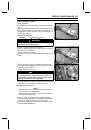
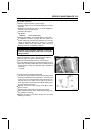
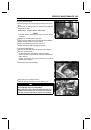
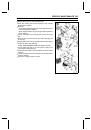
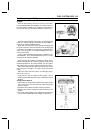
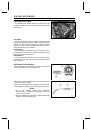
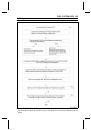
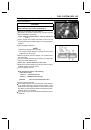
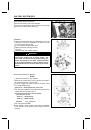
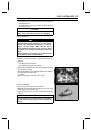
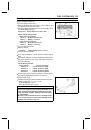
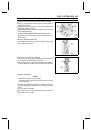
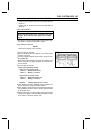
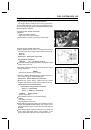
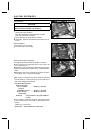
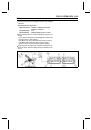
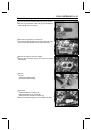
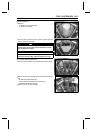
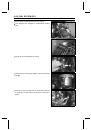
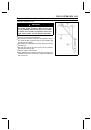
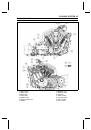
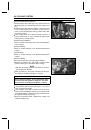
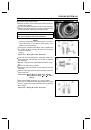
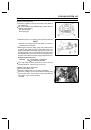
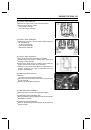
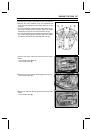
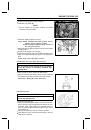
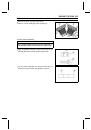
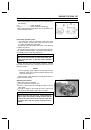
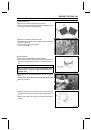
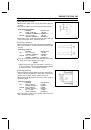
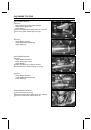
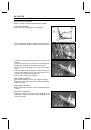
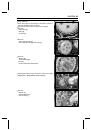
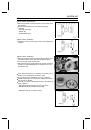
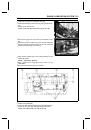
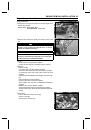
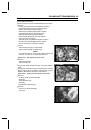
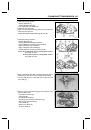
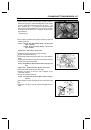
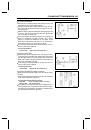
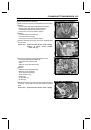
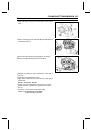
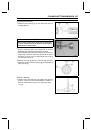
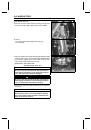
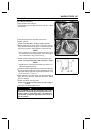
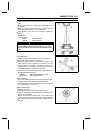
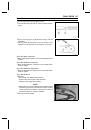
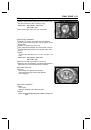
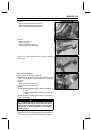
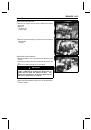
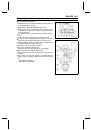
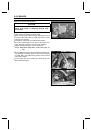
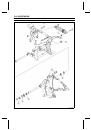
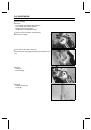
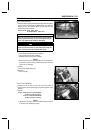
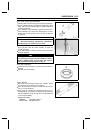
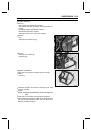
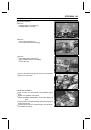
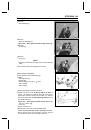
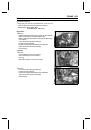
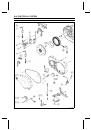
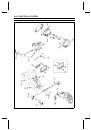
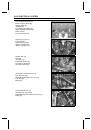
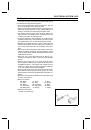
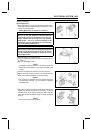
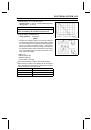
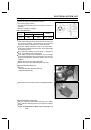
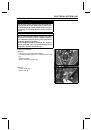
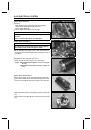
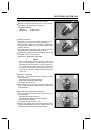
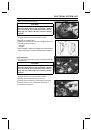
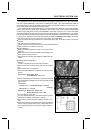
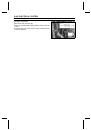
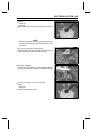
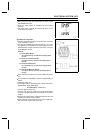
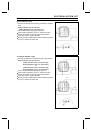
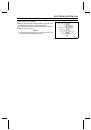
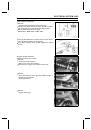
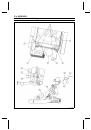
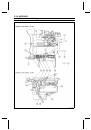
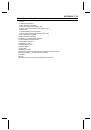
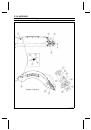
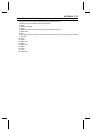
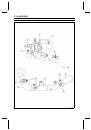
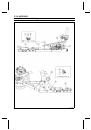
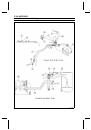
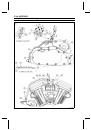
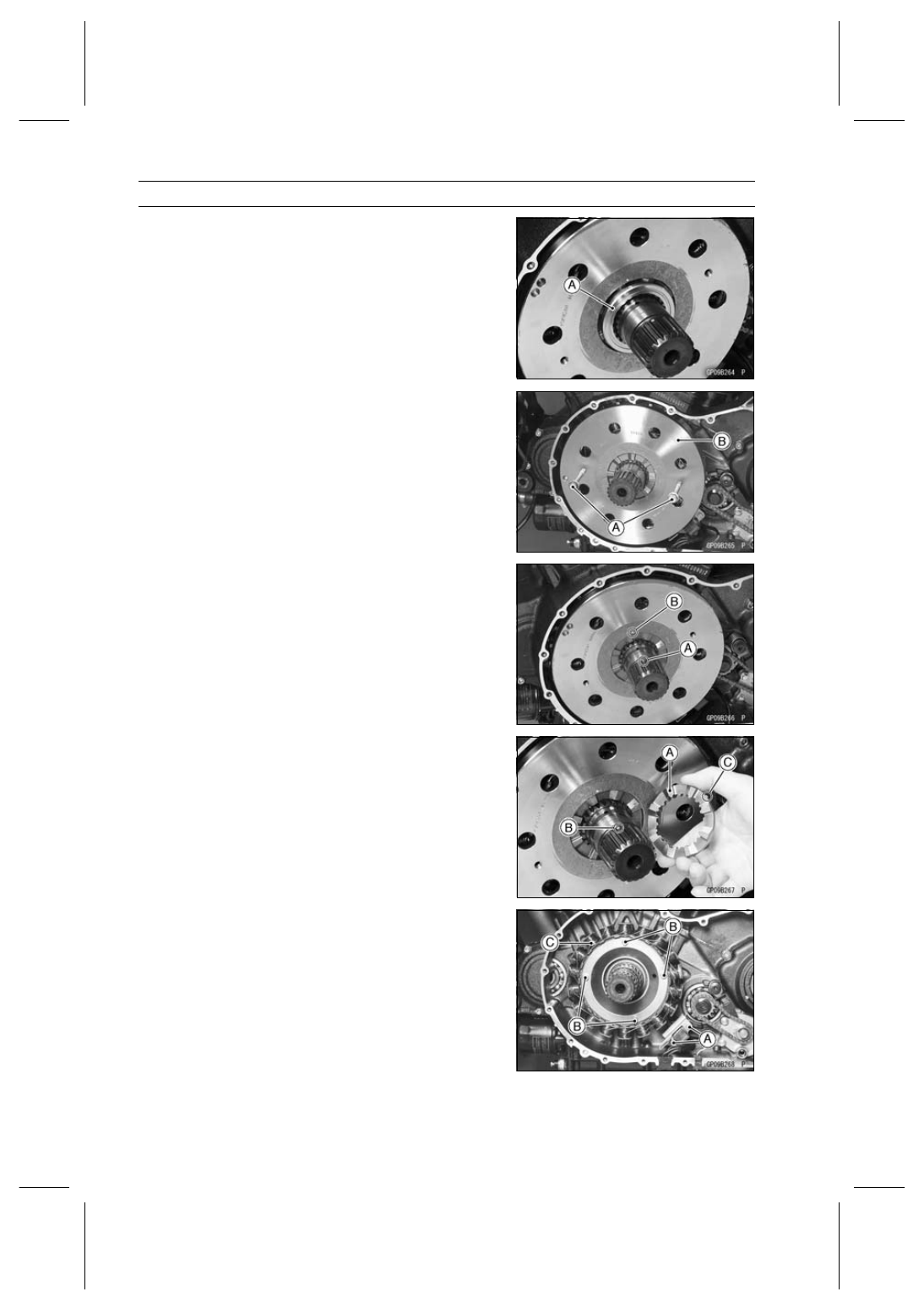
Alternator Rotor Removal
•
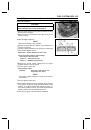
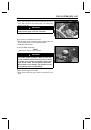
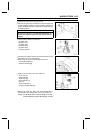
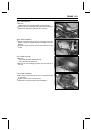
Remove:
Clutch and Damper Cam (see Clutch chapter)
Washer [A]
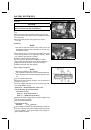
•
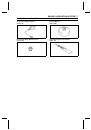
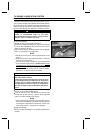
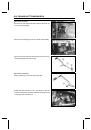
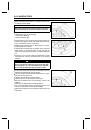
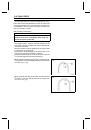
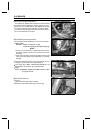
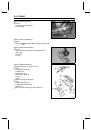
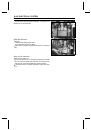
Install suitable 2 bolts (M8) [A] in the rotor [B], and remove
the rotor.
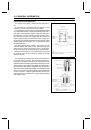
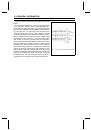
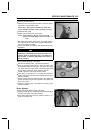
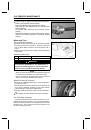
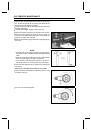
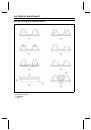
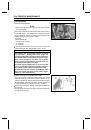
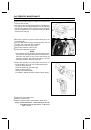
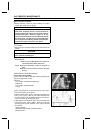
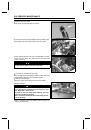
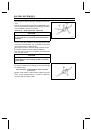
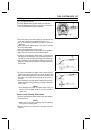
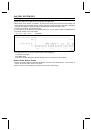
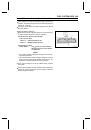
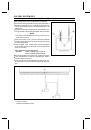
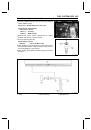
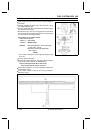
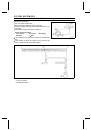
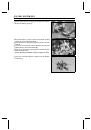
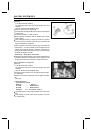
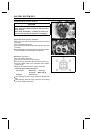
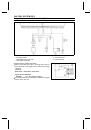
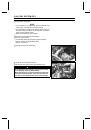
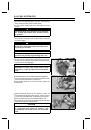
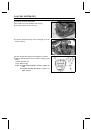
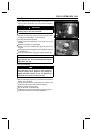
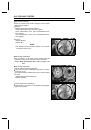
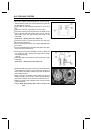
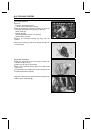
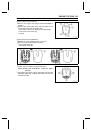
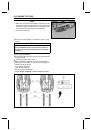
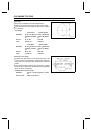
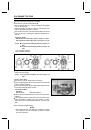
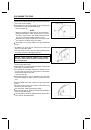
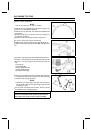
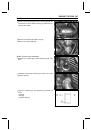
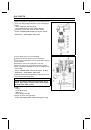
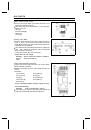
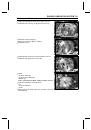
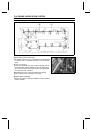
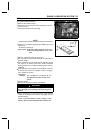
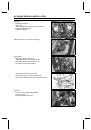
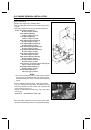
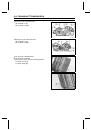
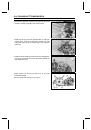
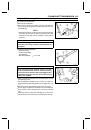
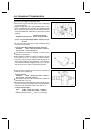
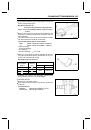
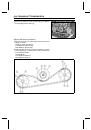
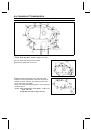
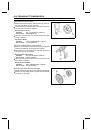
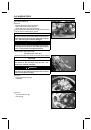
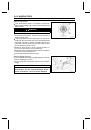
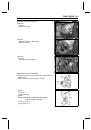
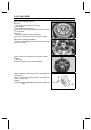
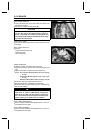
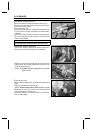
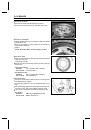
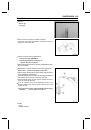
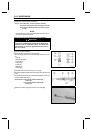
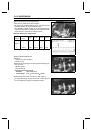
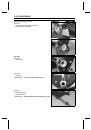
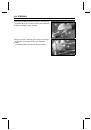
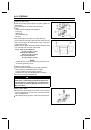
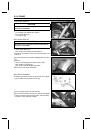
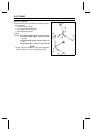
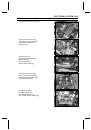
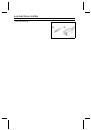
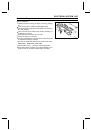
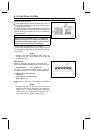
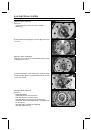
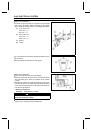
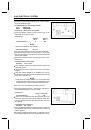
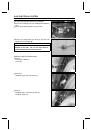
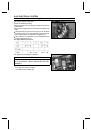
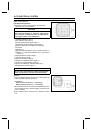
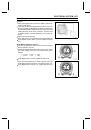
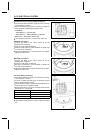
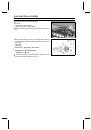
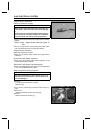
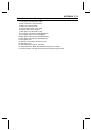
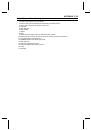
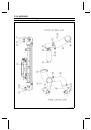
Alternator Rotor Installation
•
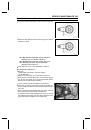
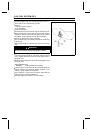
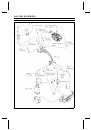
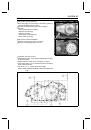
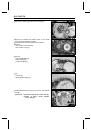
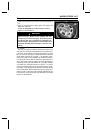
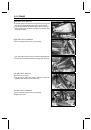
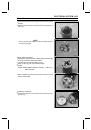
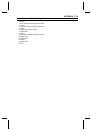
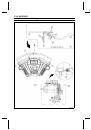
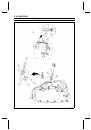
Align the punch mark [A] on the crankshaft with the punch
mark [B] on the rotor.
•
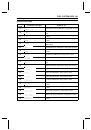
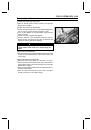
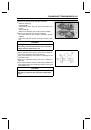
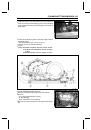
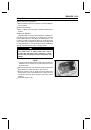
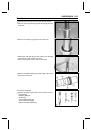
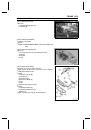
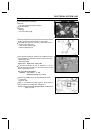
Face the projections of the washer [A] to inside and align
the punch mark [B] on the crankshaft with the punch mark
[C] on the washer.
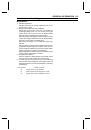
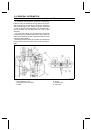
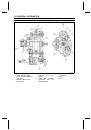
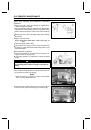
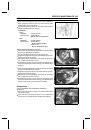
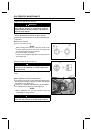
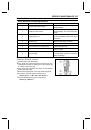
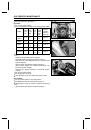
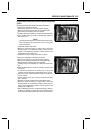
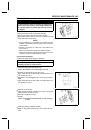
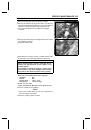
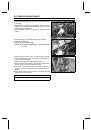
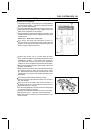
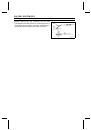
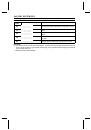
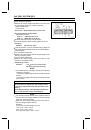
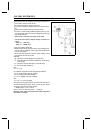
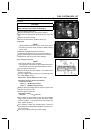
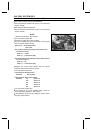
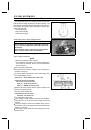
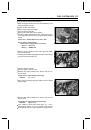
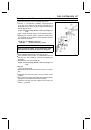
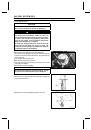
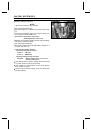
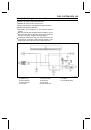
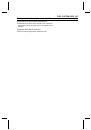
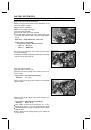
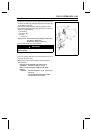
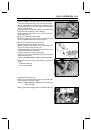
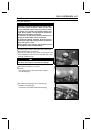
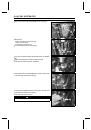
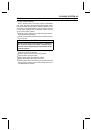
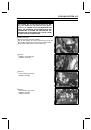
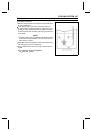
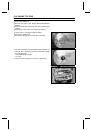
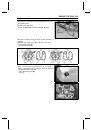
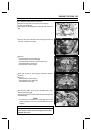
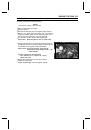
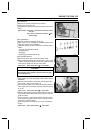
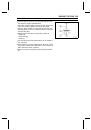
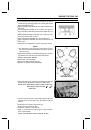
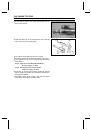
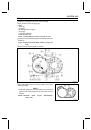
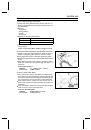
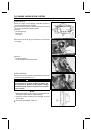
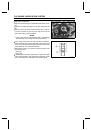
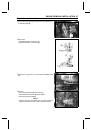
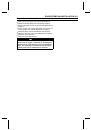
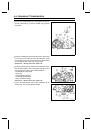
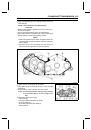
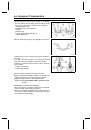
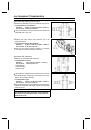
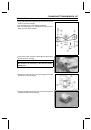
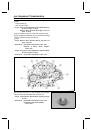
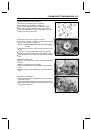
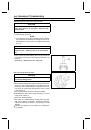
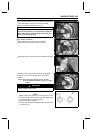
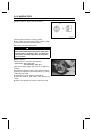
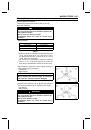
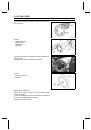
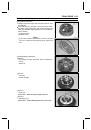
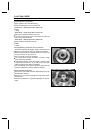
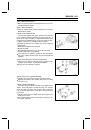
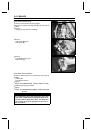
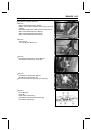
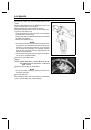
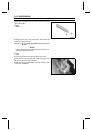
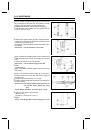
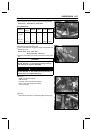
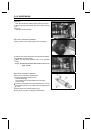
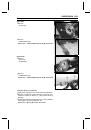
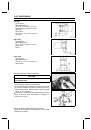
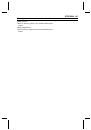
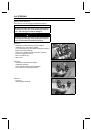
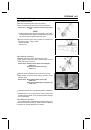
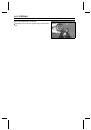
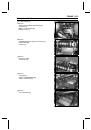
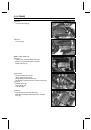
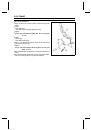
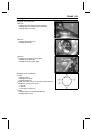
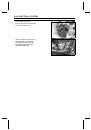
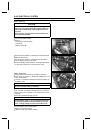
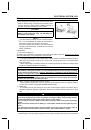
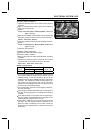
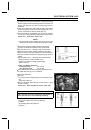
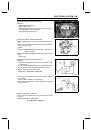
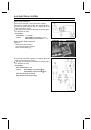
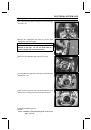
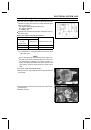
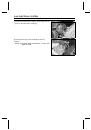
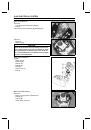
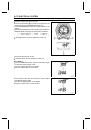
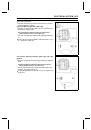
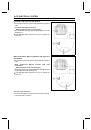
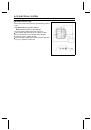
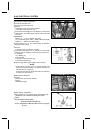
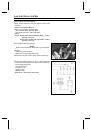
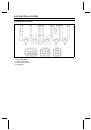
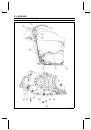
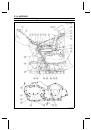
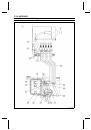
Alternator Stator Removal
•
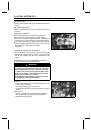
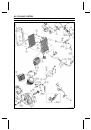
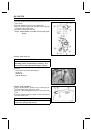
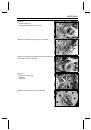
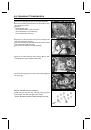
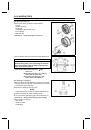
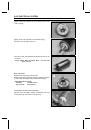
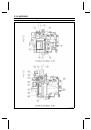
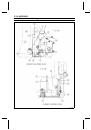
Remove:
Regulator/Rectifier
Crankshaft Sensor Lead Connector
Oil Pressure Switch Lead Connector
Alternator Rotor (see Alternator Rotor Removal)
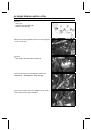
Crankshaft Sensor Mounting Bolts [A], Crankshaft Sen-
sor and Clamp
Alternator Stator Coil Mounting Bolts [B]
Alternator Stator Coil [C]
Оглавление инструкции
- tables
- LIST OF ABBREVIATIONS
- Units of Mass:
- Units of Volume:
- Units of Force:
- Units of Length:
- Units of Torque:
- Units of Pressure:
- Units of Speed:
- Units of Power:
- Periodic Inspection:
- Periodic Replacement Parts:
- Basic Torque for General Fasteners
- Pad Lining Thickness
- Air Pressure (when cold)
- Tread Depth
- Clutch Lever Free Play
- Drive Belt Wear and Damage Analysis
- Sidestand Switch Operation
- Throttle Grip Free Play
- Idle Speed
- Engine Oil
- Water and Coolant Mixture Ratio (when shipping)
- Sample Diagnosis Sheet
- Engine Doesn't Start, Starting Difficulty
- Poor Running at Low Speed
- Poor Running or No Power at High Speed:
- Main Throttle Sensor Input Voltage
- Input Voltage at ECU Connector
- Main Throttle Sensor Output Voltage
- Idle Speed
- Output Voltage at ECU
- Main Throttle Sensor Resistance
- Inlet Air Pressure Sensor Input Voltage
- Input Voltage at ECU
- Inlet Air Pressure Sensor Output Voltage
- Output Voltage at ECU
- Inlet Air Pressure Sensor Output Voltage Connection to Sensor
- Inlet Air Temperature Sensor Output Voltage
- Output Voltage at ECU
- Inlet Air Temperature Sensor Resistance
- Water Temperature Sensor Output Voltage
- Water Temperature Sensor Resistance
- Atmospheric Pressure Sensor Input Voltage
- Input Voltage at ECU
- Atmospheric Pressure Sensor Output Voltage
- Output Voltage
- Speed Sensor Input Voltage
- Input Voltage at Sensor
- Speed Sensor Input Voltage
- Input Voltage at Sensor
- Throttle Sensor Output Voltage
- Output Voltage at Sensor
- Gear Position Switch Input Voltage at Neutral Position
- Gear Position Switch Input Voltage at Other Gear Positions
- Input Voltage at Neutral Position
- Input Voltage at Other Gear Positions
- Vehicle-down Sensor Power Source Voltage
- Vehicle-down Sensor Output Voltage
- Subthrottle Sensor Input Voltage
- Input Voltage at ECU Connector
- Subthrottle Sensor Output Voltage
- Output Voltage at ECU
- Throttle Sensor Resistance
- Oxygen Sensor Output Voltage
- Oxygen Sensor Output Voltage (with Plugs)
- Oxygen Sensor Output Voltage (without Plugs)
- Oxygen Sensor Resistance
- Injector Fuel Line Maximum Pressure
- Injector Power Source Voltage at ECU Main Relay
- Injector Output Voltage at ECU
- Injector Wiring Inspection
- Injector Resistance
- Pump Operating Voltage at Pump
- Pump Power Source Voltage
- Pump Operating Voltage at Pump Connector
- Ignition Coil Input Voltage at ECU
- Subthrottle Valve Actuator Resistance
- Subthrottle Valve Actuator Input Voltage
- Input Voltage at Sensor
- Oxygen Sensor Resistance
- Oxygen Sensor Power Source Voltage
- Oxygen Sensor Resistance
- Oxygen Sensor Output Voltage
- Oxygen Sensor Output Voltage (with Plugs)
- Oxygen Sensor Output Voltage (without Plugs)
- Oxygen Sensor Resistance
- ECU Grounding Inspection
- ECU Power Source Inspection
- Fuel Pressure
- Fuel Pressure (idling)
- Amount of Fuel Flow
- Radiator Cap Relief Pressure
- Thermostat Valve Opening Temperature
- Spring Free Length
- Cam Height
- Camshaft Chain 20-link Length
- Cylinder Compression (Usable Range)
- Temporary Torque
- Cylinder Head Warp
- Valve-to-Guide Clearance (Wobble Method)
- Valve Seat Surface Outside Diameter (Seat O.D.)
- Valve Seat Surface Width (or Seat Width)
- [For Exhaust Valve Seat]
- [For Inlet Valve Seat]
- Cylinder Inside Diameter
- Piston Diameter
- Piston Ring/Groove Clearance
- Piston Ring Groove Width
- Piston Ring Thickness
- Piston Ring End Gap
- Primary Chain 20–Link Length
- Clutch Plate Assembly
- Friction Plate Thickness
- Friction or Steel Plate Warp
- Clutch Spring Free Length
- Oil Pressure
- Connecting Rod Bend
- Connecting Rod Twist
- Connecting Rod Big End Side Clearance
- Connecting Rod Big End Bearing/Crankpin Clearance
- Crankpin Diameter
- Crankpin Diameter Marks
- Connecting Rod Big End Bore Diameter Marks
- Big End Bearing Insert Selection
- Crankshaft Runout
- Crankshaft Main Journal Diameter
- Crankcase Main Bearing Bore Diameter
- Crankshaft Side Clearance
- Crankshaft Web Length
- Shift Fork Ear Thickness
- Gear Groove Width
- Shift Fork Guide Pin Diameter
- Shift Drum Groove Width
- Rim Runout
- Axle Runout/100 mm (3.94 in.)
- Balance Weight
- Pedal Position
- Front Disc Thickness
- Rear Disk Thickness
- Disc Runout
- Front Fork Oil Level (Fully compressed without fork spring)
- Spring Free Length
- Rebound Damping Force Adjustment
- Spring Preload Setting Length
- Spring Adjustment
- Kawasaki-recommended chargers:
- Battery Terminal Voltage
- Terminal Voltage: 11.5 ~ less than 12.6 V
- Terminal Voltage: less than 11.5 V
- Battery Charging Voltage
- Alternator Output Voltage
- Stator Coil Resistance
- Regulator/Rectifier Resistance (Unit: kΩ)
- 3 Needle Arcing Distance
- Ignition Coil Winding Resistance
- Recommended Tool: Peak Voltage Adapter
- Primary Lead Connections:
- Ignition Coil Primary Peak Voltage
- Recommended Tool: Peak Voltage Adapter
- Connections:
- Crankshaft Sensor Peak Voltage
- Connections:
- Crankshaft Sensor Resistance
- Condition:
- Condition:
- Condition:
- Starter Motor Brush Length
- Commutator Diameter
- Testing Relay
- Testing Relay
- Connections
- Testing Turn Signal Control Relay Inspection
- Connections
- Example:
- Connections
- Fuel Level Warning Indicator LED Light Connections:
- Oil Pressure Warning Indicator LED Light Connections:
- FI Indicator LED Light Connections:
- Water Temperature Warning Indicator LED Light Connections:
- Neutral Indicator Light Connections:
- Neutral Indicator Light Connections:
- High Beam Indicator Light Connections:
- Air Switching Valve Resistance
- Decompression Solenoid Resistance
- Fuel Level Sensor Resistance
- Water Temperature Sensor Resistance
- Gear Position Switch Resistance
- Relay Circuit Inspection (with the battery disconnected)
- Relay Circuit Inspection (with the battery connected)
- Diode Circuit Inspection
- toc
- Read OWNER'S MANUAL before operating.
- EMISSION CONTROL INFORMATION
- TAMPERING WITH NOISE CONTROL SYSTEM PROHIBITED
- Foreword
- General Information
- Before starting to perform an inspection service or carry out a
- Battery Ground
- Edges of Parts
- Solvent
- Cleaning vehicle before disassembly
- Arrangement and Cleaning of Removed Parts
- Storage of Removed Parts
- Inspection
- Replacement Parts
- Assembly Order
- Tightening Sequence
- Tightening Torque
- Force
- Gasket, O‐ring
- Liquid Gasket, Locking Agent
- Press
- Ball Bearing and Needle Bearing
- Oil Seal, Grease Seal
- Circlips, Cotter Pins
- Lubrication
- Direction of Engine Rotation
- Electrical Wires
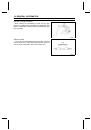
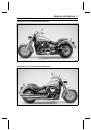
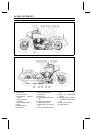
- VN2000-A1 (US, and Canada) Left Side View:
- VN2000-A1 (US, and Canada) Right Side View:
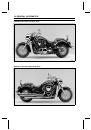
- VN2000-A1 (Europe) Left Side View:
- VN2000-A1 (Europe) Right Side View:
- Overview
- An automatic decompressor (Automatic Compression Reliese) system
- Dual balancers harmonize primary balance and reduce vibration.
- Prefixes for Units:
- Units of Temperature:
- Before starting to perform an inspection service or carry out a
- Periodic Maintenance
- The scheduled maintenance must be done in accordance with this c
- The following tables list the tightening torque for the major fa
- Inside Circlip Pliers: 57001–143
- Steering Stem Nut Wrench: 57001–1100
- Jack: 57001–1238
- Oil Filter Wrench: 57001–1249
- Spark Plug Wrench, Hex 16: 57001–1262
- Jack Attachment : 57001–1571
- Drive Belt Tension Gauge: 57001– 1585
- Steering System:
- Steering Play Inspection
- Steering Play Adjustment
- Steering Stem Bearing Lubrication
- Brake System:
- Wheel and Tires:
- Suspensions
- Clutch and Drive Train:
- Electrical System:
- Fuel System (DFI):
- Cooling System
- Evaporative Emission Control System Inspection (CAL):
- Air Suction System:
- Others:
- Replacement Parts:
- Fuel System (DFI)
- Oil Pressure Gauge, 5 kg/cm² : 57001–125
- Fork Oil Level Gauge : 570101–1290
- Hand Tester : 57001–1394
- Fuel Pressure Gauge Adapter : 57001–1593
- Needle Adapter Set : 57001–1457
- Kawasaki Bond (Silicone Sealant) : 56019–120
- Throttle Sensor Setting Adapter: 57001–1400
- Fuel Hoses: 57001–1607
- DFI System Wiring Diagram
- There are a number of important precautions that should be follo
- Outline
- NOTE
- Self-diagnosis Outline
- The main throttle sensor is a rotating variable resistor that ch
- Removal
- Removal/Installation
- Removal/Installation
- Removal
- Start the engine and switch the diagnosis mode to Dealer 1 mode
- Camshaft Position Sensor Removal/Installation
- Speed Sensor Removal/Installation
- Gear Position Switch Removal/Installation
- Vehicle-down Sensor Removal
- The subthrottle sensor is a rotating variable resistor that chan
- Oxygen Sensor Removal/Installation
- Fuel Injector ##1: Front Fuel Injector for Front Cylinder (Servic
- Fuel Pump Removal
- Ignition Coil ##1: Ignition Coil for Front Cylinder (Service Code
- Starter Control Relay Removal and Installation
- Radiator Fan Relay Removal/Installation
- Subthrottle Valve Actuator Removal
- Air Switching Valve Removal/Instalation
- Decompression Solenoid Removal/Installation
- Oxygen Sensor Heater Removal/Installation
- Subthrottle Motor Driver Removal/Installation
- Oxygen Sensor Removal/Installation
- Inspection Flow Chart
- ECU Removal
- Fuel Pressure Inspection
- Throttle Grip Free Play Inspection
- Idle Speed Check
- Element Removal
- Fuel Tank Removal
- The Evaporative Emission Control System for California Model rou
- Cooling System
- Engine Top End
- Cam Height
- Push Rod Length and Runout
- Valve Head Thickness
- Valve Stem Bend
- Camshaft Journals
- Valve Guide Reamer, ϕ6 : 57001–1596
- Valve Guide Arbor, ϕ5.7 : 57001–1564
- Compression Gauge : 57001–221
- Valve Spring Compressor Assembly : 57001–241
- Valve Spring Compressor Adapter, ϕ28.2 : 57001–243
- Compression Gauge Adapter, M14 x 1.25 : 57001–1590
- Spark Plug Wrench, Hex 16 : 57001–1262
- Piston Ring Compressor Grip : 57001–1095
- Valve Seat Cutter, 45° – ϕ41.5 : 57001–1117
- Valve Seat Cutter, 32° – ϕ38.5 : 57001–1122
- Valve Seat Cutter, 60° – ϕ41 : 57001–1124
- Valve Seat Cutter Holder, ϕ6 : 57001–1576
- Valve Seat Cutter Holder Bar : 57001–1128
- Piston Ring Compressor Belt, ϕ95 ~ ϕ108 : 57001–1358
- Valve Seat Cutter 45° – ϕ40 : 57001–1496
- Valve Seat Cutter 32° – ϕ44 : 57001–1515
- Piston Pin Puller Assembly: 57001–1568
- Bearing Driver Set: 57001–1129
- Air Suction Valve Removal
- Rocker Case Cover Removal
- Rocker Case Removal
- Decompression Mechanism Removal
- Camshaft Removal
- Cylinder Compression Measurement
- Cylinder Removal
- Upper Muffler Removal
- Clutch
- Clutch Holder: 57001–1243
- Flywheel & Pulley Holder: 57001–1343
- Flywheel & Pulley Holder Adapter: 57001–1547
- Kawasaki Bond (Liquid Gasket-Black): 92104–1064
- Lever Free Play Inspection
- Outer Clutch Cover Removal
- Outer Clutch Cover Installation
- Release Shaft Removal
- Release Shaft Installation
- Clutch Removal
- Clutch Installation
- Starter Clutch Disassembly
- Starter Clutch Assembly
- Starter Clutch Inspection
- Starter Torque Limiter Check
- Primary Chain Wear
- Clutch Plate Assembly Inspection
- Torque -
- Clutch Plate Assembly Adjustment
- Friction and Steel Plate Wear, and Damage Inspection
- Friction or Steel Plate Warp
- Clutch Housing Finger Inspection
- Outer Clutch Hub Spline Inspection
- Cam Damper Inspection
- Clutch Spring Free Length Measurement
- Engine Lubrication System
- Engine Removal/Installation
- Crankshaft/Transmission
- Outside Circlip Pliers : 57001–144
- Gear Holder : 57001–1574
- Bearing Driver Set : 57001–1129
- Flywheel & Pulley Holder : 57001–1343
- Kawasaki Bond (Liquid Gasket – Black) : 92104–1064
- Flywheel & Pulley Holder Adapter 57001–1547
- Crankcase Disassembly
- Connecting Rod Removal
- Balancer Mechanism Removal
- Shift Pedal Removal
- Shift Pedal Installation
- External Shift Mechanism Removal
- External Shift Mechanism Installation
- External Shift Mechanism Inspection
- Transmission Removal
- Transmission Installation
- Shift Drum Disassembly
- Shift Drum Assembly
- Transmission Disassembly
- Transmission Assembly
- Shift Fork Bending
- Shift Fork/Gear Groove Wear
- Shift Fork Guide Pin/Drum Groove Wear
- Gear Dog and Gear Dog Hole Damage
- Ball Bearing and Outer Race Replacement
- Wheels/Tires
- Inside Circlip Pliers : 57001–143
- Bearing Driver Set : 57001–1129
- Jack : 57001–1238
- Bearing Remover Head, 20 x 22 : 57001–1293
- Bearing Remover Head, 25 x 28 : 57001–1346
- Bearing Remover Shaft, 13 : 57001–1377
- Jack Attachment : 57001–1571
- Front Wheel Removal
- Air Pressure Inspection/Adjustment
- Hub Bearings Removal
- Final Drive
- Inside Circlip Priers : 57001–143
- Oil Seal & Bearing Remover: 57001–1058
- Bearing Driver Set : 57001–1129
- Pulley Holder : 57001–1572
- Grip : 57001–1591
- The drive belt must be checked, and adjusted in accordance with
- Engine Pulley Cover Removal
- Engine Pulley Cover Installation
- Engine Pulley Removal
- Engine Pulley Installation
- Rear Pulley Removal
- Rear Pulley Installation
- Rear Pulley Coupling Removal
- Rear Pulley Coupling Installation
- Pulley Wear Inspection
- Coupling Bearing Removal
- Coupling Bearing Installation
- Coupling Bearing Inspection and Lubrication
- Rubber Damper Inspection
- Brakes
- Suspension
- Inside Circlip Pliers: 57001–143
- Fork Cylinder Holder Handle : 57001–183
- Fork Cylinder Holder Adapter : 57001–1057
- Oil Seal & Bearing Remover : 57001–1058
- Bearing Driver Set : 57001–1129
- Jack : 57001–1238
- Fork Oil Level Gauge : 570101–1290
- Jack Attachment : 57001–1571
- Hook Wrench : 57001–1580
- Fork Oil Seal Driver, 49 : 57001–1589
- Fork Oil Change
- Rebound Damping Force Adjustment
- Swingarm Removal
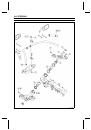
- Steering
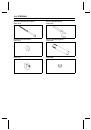
- Head Pipe Outer Race Press Shaft : 57001–1075
- Head Pipe Outer Race Driver : 57001–1077
- Head Pipe Outer Race Remover : 57001–1107
- Steering Stem Nut Wrench : 57001–1100
- Steering Stem Bearing Driver : 57001–1344
- Steering Stem Bearing Driver Adapter : 57001–1345
- Handlebar Removal
- Steering Check
- Steering Stem Removal
- Stem Bearing Removal
- Frame
- Electrical System
- Spark Plug Wrench, Hex 16 : 57001–1262
- Jack : 57001–1238
- Hand Tester : 57001–1394
- Flywheel & Pulley Holder: 57001–1343
- Filler Cap Driver : 57001–1454
- Needle Adapter Set: 57001–1457
- Flywheel & Pulley Holder Adapter: 57001–1547
- Jack Attachment : 57001–1571
- Left Handlebar Switches [A]
- There are a number of important precautions that should be follo
- Wiring Inspection
- Battery Removal
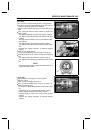
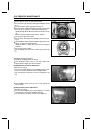
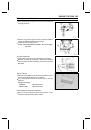
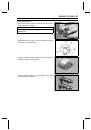
- Alternator Rotor Removal
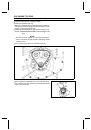
- Alternator Rotor Installation
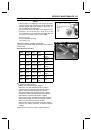
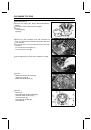
- Alternator Stator Removal
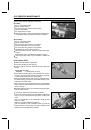
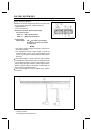
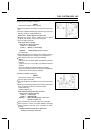
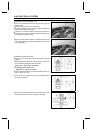
- Alternator Stator Installation
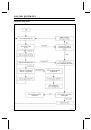
- Charging Voltage Inspection
- Alternator Inspection
- Regulator/Rectifier Removal
- Regulator/Rectifier Installation
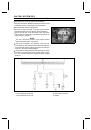
- Regulator/Rectifier Inspection
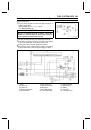
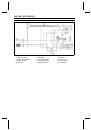
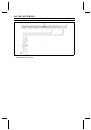
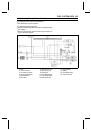
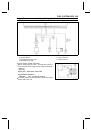
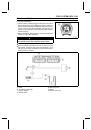
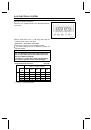
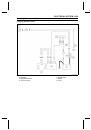
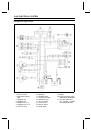
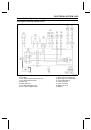
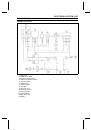
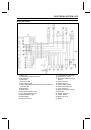
- Charging System Circuit
- Ignition Coil Removal
- Ignition Coil Installation
- Ignition Coil Inspection
- Spark Plug Removal
- Spark Plug Installation
- Spark Plug Cleaning/Inspection
- Ignition Coil Primary Peak Voltage
- Crankshaft Sensor Removal
- Crankshaft Sensor Installation
- Crankshaft Sensor Inspection
- Camshaft Position Sensor Removal
- Camshaft Position Sensor Installation
- Camshaft Position Sensor Inspection
- Interlock Operation Inspection
- IC Igniter Inspection
- Ignition System Circuit
- Starter Motor Removal
- This model adopts the daylight system and has a headlight relay
- Automobiles use a turn signal canceling system actuated by steer
- Fan Motor Inspection
- Meter Unit Removal
- Air Switching Valve Operation Test
- Decompression Solenoid Inspection
- Fuel Level Sensor Inspection
- Special Tool -
- Torque -
- Fuel Reserve Switch Inspection
- Speed Sensor Removal
- Speed Sensor Installation
- Speed Sensor Inspection
- Oxygen Sensor Removal
- Oxygen Sensor Installation
- Oxygen Sensor Inspection
- Front Brake Light Switch Inspection
- Rear Brake Light Switch Check/Adjustment
- Water Temperature Sensor Removal
- Water Temperature Sensor Installation
- Water Temperature Sensor Inspection
- Gear Position Switch Removal
- Gear Position Switch Installation
- Gear Position Switch Inspection
- Switch Inspection
- Rear Brake Light Switch Connections
- Side Stand Switch Connections
- Oil Pressure Switch Connections*
- The relay box [A] has relays and diodes. The relays and diodes c
- Main Fuse Removal
- Appendix
- NOTE
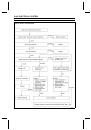
- Engine Doesn't Start, Starting Difficulty:
- Poor Running at Low Speed:
- Poor Running or No Power at High Speed:
- Overheating:
- Over Cooling:
- Clutch Operation Faulty:
- Gear Shifting Faulty:
- Abnormal Engine Noise:
- Abnormal Drive Train Noise:
- Abnormal Frame Noise:
- Oil Pressure Warning Light Goes On:
- Exhaust Smokes Excessively:
- Handling and/or Stability Unsatisfactory:
- Brake Doesn't Hold:
- Battery Trouble:
- NOTE
- Read OWNER'S MANUAL before operating.