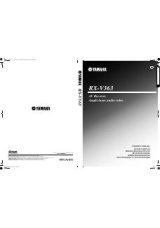
Инструкция для Yamaha RX-V365
 1
 2
 3
 4
 5
 6
 7
 8
 9
 10
 11
 12
 13
 14
 15
 16
 17
 18
 19
 20
 21
 22
 23
 24
 25
 26
 27
 28
 29
 30
 31
 32
 33
 34
 35
 36
 37
 38
 39
 40
 41
 42
 43
 44
 45
 46
 47
 48
 49
 50
 51
 52
 53
 54
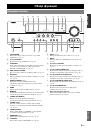 55
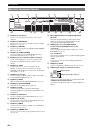 56
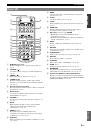 57
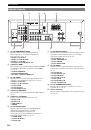 58
 59
 60
 61
 62
 63
 64
 65
 66
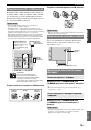 67
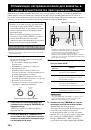 68
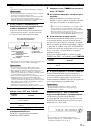 69
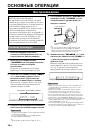 70
 71
 72
 73
 74
 75
 76
 77
 78
 79
 80
 81
 82
 83
 84
 85
 86
 87
 88
 89
 90
 91
 92
 93
 94
 95
 96
 97
 98
 99
 100

41
En
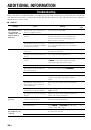
Troubleshooting
English
INTR
ODUCTION
AD
DITIONAL
INFORMA
T
ION
APPENDIX
PRE
P
ARA
T
ION
BA
S
IC
OPERA
T
ION
AD
V
ANCED
OPERA
T
ION
■
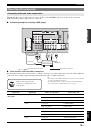
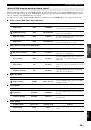
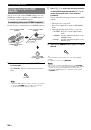
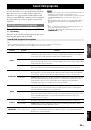
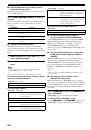
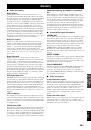
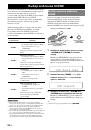
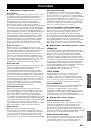
AUTO SETUP
Before AUTO SETUP
During AUTO SETUP
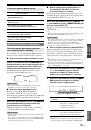
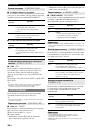
AM
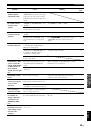
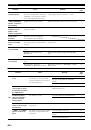
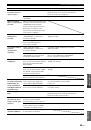
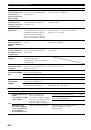
The desired station
cannot be tuned into
with the automatic
tuning method.
The signal is weak or the antenna
connections are loose.
Tighten the AM loop antenna connections and
orient it for the best reception.
—
Use the manual tuning method.
There are continuous
crackling and hissing
noises.
Noises result from lightning,
fluorescent lamps, motors, thermostats
and other electrical equipment.
Use an outdoor antenna and a ground wire.
This will help somewhat, but it is difficult to
eliminate all noise.
—
There are buzzing and
whining noises.
A TV set is being used nearby.
Move this unit away from the TV set.
—
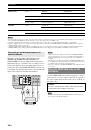
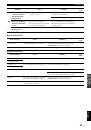
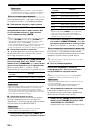
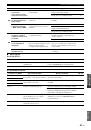
Error message
Cause
Remedy
See
page
Connect MIC!
Optimizer microphone is not connected.
Connect the supplied optimizer microphone to the
OPTIMIZER MIC jack on the front panel.
Unplug HP!
Headphones are connected.
Unplug the headphones.
—
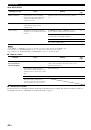
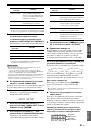
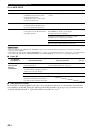
Error message
Cause
Remedy
See
page
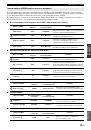
NO FRONT L SP
Front L/R channel signals are not detected.
Check the front L/R speaker connections.
NO FRONT R SP
NO SUR.L SP
A surround channel signal is not detected.
Check the surround speaker connections.
NO SUR.R SP
NOISY
Background noise is too loud.
Try running “AUTO SETUP” in a quiet environment.
—
Turn off noisy electric equipment like air conditioners
or move them away from the optimizer microphone.
—
NO MIC
The optimizer microphone was unplugged
during the “AUTO SETUP” procedure.
Connect the supplied optimizer microphone to
OPTIMIZER MIC jack on the front panel.
USER CANCEL
The “AUTO SETUP” procedure was
cancelled due to user activity.
Run “AUTO SETUP” again.
Problem
Cause
Remedy
See
page
Оглавление инструкции
- English
- INTRODUCTION
- PREPARATION
- BASIC OPERATION
- ADVANCED OPERATION
- ADDITIONAL INFORMATION
- Русский
- ВВЕДЕНИЕ
- ПОДГОТОВКА
- ОСНОВНЫЕ ОПЕРАЦИИ
- ДОПОЛНИТЕЛЬНЫЕ ОПЕРАЦИИ
- ДОПОЛНИТЕЛЬНАЯ ИНФОРМАЦИЯ