Инструкция для Yamaha RX-V365
 1
 2
 3
 4
 5
 6
 7
 8
 9
 10
 11
 12
 13
 14
 15
 16
 17
 18
 19
 20
 21
 22
 23
 24
 25
 26
 27
 28
 29
 30
 31
 32
 33
 34
 35
 36
 37
 38
 39
 40
 41
 42
 43
 44
 45
 46
 47
 48
 49
 50
 51
 52
 53
 54
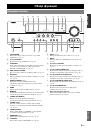 55
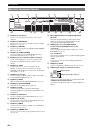 56
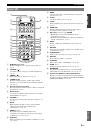 57
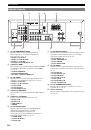 58
 59
 60
 61
 62
 63
 64
 65
 66
 67
 68
 69
 70
 71
 72
 73
 74
 75
 76
 77
 78
 79
 80
 81
 82
 83
 84
 85
 86
 87
 88
 89
 90
 91
 92
 93
 94
 95
 96
 97
 98
 99
 100
13
En
Connections
English
INTR
ODUCTION
AD
DITIONAL
INFORMA
T
ION
APPENDIX
PRE
P
ARA
T
ION
BA
S
IC
OPERA
T
ION
AD
V
ANCED
OPERA
T
ION
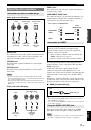
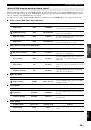
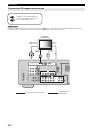
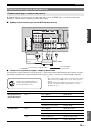
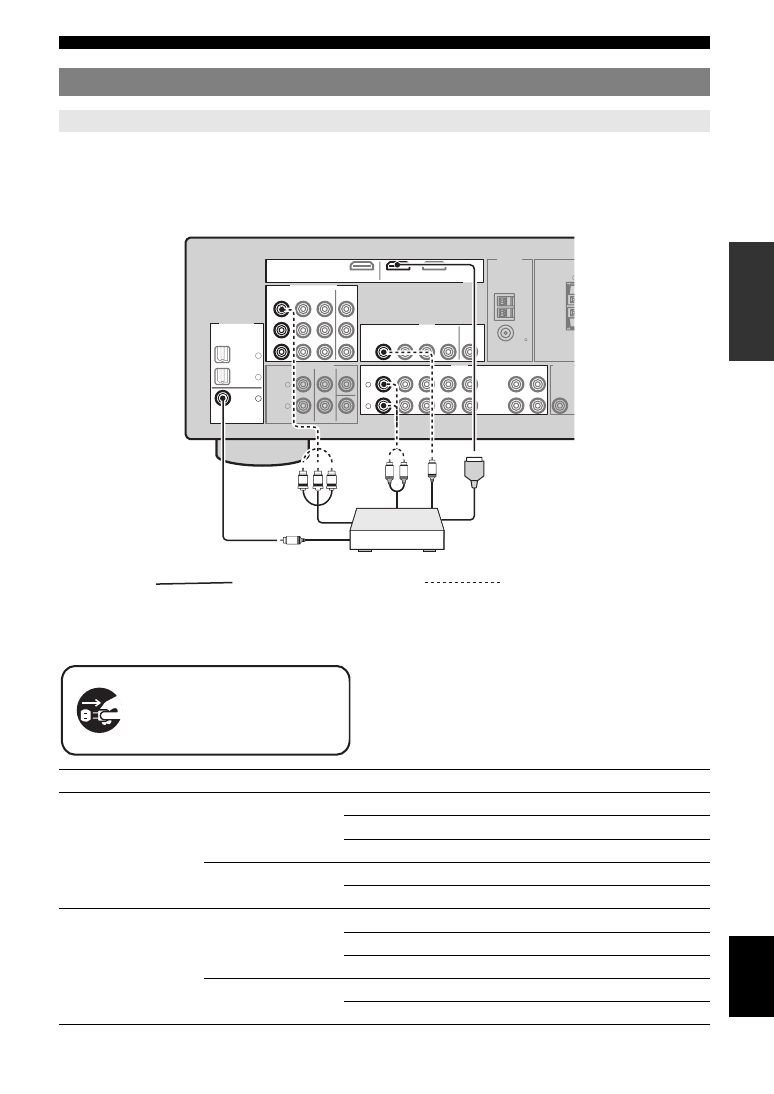
This unit has three types of audio jacks, two types of video jacks and HDMI jacks. You can choose the connection
method depending on the component to be connected.
■
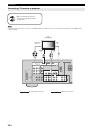
Connecting example (connecting a DVD player)
■
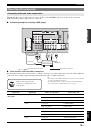
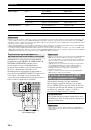
Jacks used for audio and video connections
Recommended connections are indicated by (*). When connecting a recording component, you need to make additional
connections for recording (signal transmission from this unit to the recording component).
y
•
You can also use the VIDEO AUX jacks (see page 14) on the front panel
to connect an additional component.
•
To confirm the positions of “jacks on this unit” in the following table,
refer to “Rear panel” in “Functional overview” on page 6.
Connecting other components
Connecting audio and video components
R
L
R
L
R
COMPONENT VIDEO
HDMI
VIDEO
AUDIO
MULTI CH INPUT
DIGITAL INPUT
OUTPUT
ANTENNA
1
2
3
DVD
DTV/CBL
DVR
DVD
DVD
COAXIAL
OPTICAL
CD
DTV/CBL
DTV/
CBL
DVD
OUT
DTV/CBL
SU
MONITOR
OUT
MD/
CD-R
SUB
WOOFER
OUT
(REC)
IN
(PLAY)
DVR
DVD
FRONT
CENTER
SUBWOOFER
SURROUND
DTV/CBL
DVR
CD
IN
OUT
IN
OUT
MONITOR
OUT
AM
GND
FM
75
UNBAL.
Y
P
R
P
B
P
R
P
B
Y
L
R
C
V
C
o
mp
one
nt
o
u
t
Au
di
o o
u
t
V
id
eo ou
t
Coaxial out
HDMI out
Recommended connections
Alternative connections
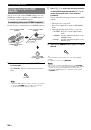
Make sure that this unit and other
components are unplugged from the
AC wall outlets.
Component
Signal type
Jacks on component
Jacks on this unit
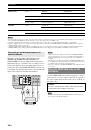
DVD player or Blu-ray
Disc player
Video
HDMI out*
HDMI (DVD)*
Component out
COMPONENT VIDEO (DVD)
Video out (composite)
VIDEO (DVD)
Audio
Optical out*
COAXIAL (DVD)*
Audio out (analog)
AUDIO (DVD)
Set-top box
Video
HDMI out*
HDMI (DTV/CBL)*
Component out
COMPONENT VIDEO (DTV/CBL)
Video out (composite)
VIDEO (DTV/CBL)
Audio
Optical out*
OPTICAL (DTV/CBL)*
Analog out (analog)
AUDIO (DTV/CBL)
Оглавление инструкции
- English
- INTRODUCTION
- PREPARATION
- BASIC OPERATION
- ADVANCED OPERATION
- ADDITIONAL INFORMATION
- Русский
- ВВЕДЕНИЕ
- ПОДГОТОВКА
- ОСНОВНЫЕ ОПЕРАЦИИ
- ДОПОЛНИТЕЛЬНЫЕ ОПЕРАЦИИ
- ДОПОЛНИТЕЛЬНАЯ ИНФОРМАЦИЯ