Инструкция для Yamaha RX-V365
 1
 2
 3
 4
 5
 6
 7
 8
 9
 10
 11
 12
 13
 14
 15
 16
 17
 18
 19
 20
 21
 22
 23
 24
 25
 26
 27
 28
 29
 30
 31
 32
 33
 34
 35
 36
 37
 38
 39
 40
 41
 42
 43
 44
 45
 46
 47
 48
 49
 50
 51
 52
 53
 54
 55
 56
 57
 58
 59
 60
 61
 62
 63
 64
 65
 66
 67
 68
 69
 70
 71
 72
 73
 74
 75
 76
 77
 78
 79
 80
 81
 82
 83
 84
 85
 86
 87
 88
 89
 90
 91
 92
 93
 94
 95
 96
 97
 98
 99
 100

26
En
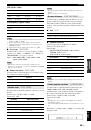
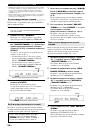
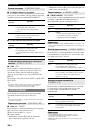
Sound field programs
■
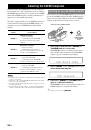
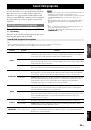
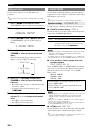
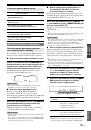
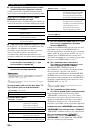
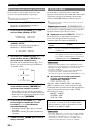
Selecting decoders for 2-channel sources
(surround decode mode)
Signals input from 2-channel sources can also be played
back on multi-channels.
Press
r
SUR. DECODE
repeatedly to select a
decoder.
You can select from the following decoders depending on
the type of source you are playing and your personal
preference.
■
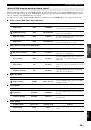
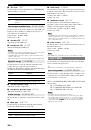
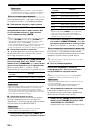
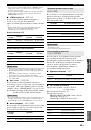
Editing sound field parameters
Although you can enjoy good quality sound with the
factory default parameters, you can change some of the
parameters to better suit the input source or your listening
room.
1
While listening to a source, press
o
k
/
n
to
select desired parameter.
2
Press
o
l
/
h
to change the parameter
value.
Note
•
You cannot change parameter values when “MEM.GUARD” in
“OPTION MENU” is set to “ON” (see page 35).
y
•
Initial settings are indicated by (*) in the following each parameter.
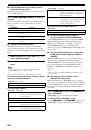
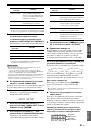
For Pop/Rock, Hall, Jazz, Game, TV Sports, Movie
Spacious and Movie Dramatic:
For PRO LOGIC II Music:
For Music Enh. 2ch and Music Enh. 5ch
■
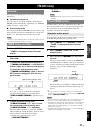
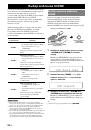
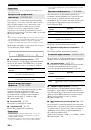
Using sound field programs without
surround speakers (Virtual CINEMA DSP)
Virtual CINEMA DSP allows you to enjoy the CINEMA
DSP sound field programs without surround speakers.
When you set “SUR. L/R” to “NONE” (see page 33),
Virtual CINEMA DSP is activated automatically
whenever you select a CINEMA DSP sound field program
(see page 25).
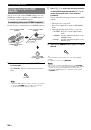
■
Enjoying multi-channel sources and sound
field programs with headphones (SILENT
CINEMA)
SILENT CINEMA allows you to enjoy multi-channel
music or movie sound through ordinary headphones.
SILENT CINEMA is activated automatically whenever
you connect headphones to the PHONES jack while
listening to CINEMA DSP sound field programs (see
page 25).
y
•
When it is activated, the SILENT CINEMA indicator lights up on the
front panel display.
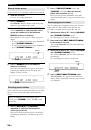
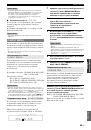
■
Enjoying unprocessed input sources
(Straight decoding mode)
When this unit is in the “STRAIGHT” mode, 2-channel
stereo sources are output from only the front left and right
speakers. Multi-channel sources are decoded straight into
the appropriate channels without any additional effect
processing.
Press
M
STRAIGHT
(or press
t
STRAIGHT
) to
select “STRAIGHT.”
“STRAIGHT” appears on the front panel display.
To deactivate the “STRAIGHT” mode
Press
M
STRAIGHT
(or
t
STRAIGHT
) again so that
“STRAIGHT” disappears from the front panel display.
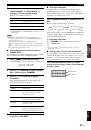
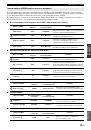
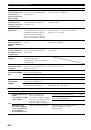
STANDARD
Function
PRO LOGIC
Dolby Pro Logic processing for any sources
PLII Movie
Dolby Pro Logic II processing for movie
sources
PLII Music
Dolby Pro Logic II processing for music
sources
PLII Game
Dolby Pro Logic II processing for game
sources
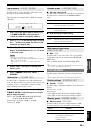
DSP level
DSP LEVEL
Function:
Adjusts the effect level.
Choices:
MIN, MID*, MAX
Panorama
PANORAMA
Function:
Sends stereo signals to the surround
speakers as well as the front speakers for a
wraparound effect.
Choices:
OFF*, ON
Dimension
DIMENSION
Function:
Gradually adjusts the sound field either
towards the front or towards the rear.
Control range:
–3 (towards the rear) to +3 (towards the
front), initial setting is STD (standard).
Center width
CT WIDTH
Function:
Adjusts the center image from all three front
speakers to varying degrees. A larger value
adjusts the center image towards the front
left and right speakers.
Control range:
0 (center channel sound is output only from
center speaker) to 7 (center channel sound is
output only from front left and right
speakers), initial setting is 3.
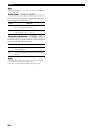
Effect level
Function:
Adjusts the effect level.
Choices:
LOW, HIGH*
Оглавление инструкции
- English
- INTRODUCTION
- PREPARATION
- BASIC OPERATION
- ADVANCED OPERATION
- ADDITIONAL INFORMATION
- Русский
- ВВЕДЕНИЕ
- ПОДГОТОВКА
- ОСНОВНЫЕ ОПЕРАЦИИ
- ДОПОЛНИТЕЛЬНЫЕ ОПЕРАЦИИ
- ДОПОЛНИТЕЛЬНАЯ ИНФОРМАЦИЯ