Инструкция для Yamaha RX-V365
 1
 2
 3
 4
 5
 6
 7
 8
 9
 10
 11
 12
 13
 14
 15
 16
 17
 18
 19
 20
 21
 22
 23
 24
 25
 26
 27
 28
 29
 30
 31
 32
 33
 34
 35
 36
 37
 38
 39
 40
 41
 42
 43
 44
 45
 46
 47
 48
 49
 50
 51
 52
 53
 54
 55
 56
 57
 58
 59
 60
 61
 62
 63
 64
 65
 66
 67
 68
 69
 70
 71
 72
 73
 74
 75
 76
 77
 78
 79
 80
 81
 82
 83
 84
 85
 86
 87
 88
 89
 90
 91
 92
 93
 94
 95
 96
 97
 98
 99
 100
9
En
English
INTR
ODUCTION
AD
DITIONAL
INFORMA
T
ION
APPENDIX
PRE
P
ARA
T
ION
BA
S
IC
OPERA
T
ION
AD
V
ANCED
OPERA
T
ION
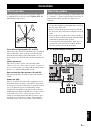
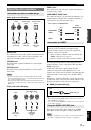
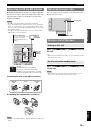
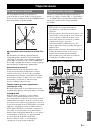
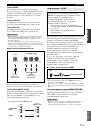
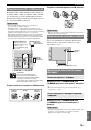
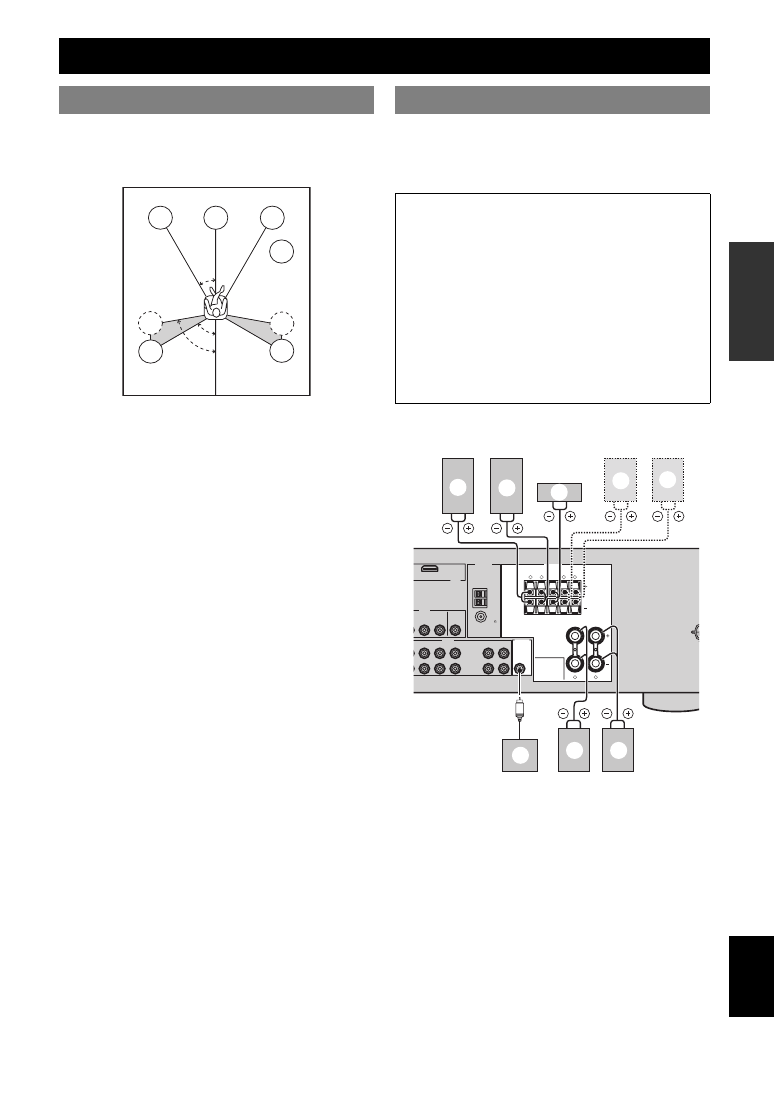
The speaker layout below shows the speaker setting we
recommend. You can use it to enjoy CINEMA DSP and
multi-channel audio sources.
Front left and right speakers (FL and FR)
The front speakers are used for the main source sound plus
effect sounds. Place these speakers at an equal distance
from the ideal listening position. The distance of each
speaker from each side of the video monitor should be the
same.
Center speaker (C)
The center speaker is for the center channel sounds
(dialog, vocals, etc.). If for some reason it is not practical
to use a center speaker, you can do without it. Best results,
however, are obtained with the full system.
Surround left and right speakers (SL and SR)
The surround speakers are used for effect and surround
sounds.
Subwoofer (SW)
The use of a subwoofer with a built-in amplifier, such as
the Yamaha Active Servo Processing Subwoofer System,
is effective not only for reinforcing bass frequencies from
any or all channels, but also for high fidelity sound
reproduction of the LFE (low-frequency effect) channel
included in Dolby Digital and DTS sources. The position
of the subwoofer is not so critical, because low bass
sounds are not highly directional. But it is better to place
the subwoofer near the front speakers. Turn it slightly
toward the center of the room to reduce wall reflections.
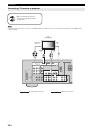
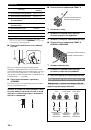
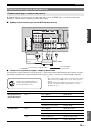
Be sure to connect the left channel (L), right channel (R),
“+” (red) and “–” (black) properly. If the connections are
faulty, this unit cannot reproduce the input sources
accurately.
■
5.1-channel speaker connection
Connections
Placing speakers
60˚
30˚
FL
FR
C
SL
SR
SR
80˚
SL
SW
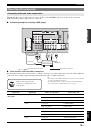
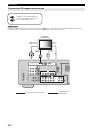
Connecting speakers
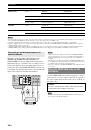
Caution
•
Use speakers with the specified impedance shown on
the rear panel of this unit.
•
Before connecting the speakers, make sure that this
the AC power plug is disconnected from the AC wall
outlet.
•
Do not let the bare speakers wires touch each other or
do not let them touch any metal part of this unit. This
could damage this unit and/or speakers.
•
Use magnetically shielded speakers. If this type of
speaker still creates interference with the monitor,
place the speakers away from the monitor.
L
R
L
R
L
R
HDMI
VIDEO
AUDIO
OUTPUT
ANTENNA
SPEAKERS
BL
D
DTV/CBL
SURROUND
CENTER
FRONT B
FRONT A
MONITOR
OUT
MD/
CD-R
SUB
WOOFER
OUT
(REC)
IN
(PLAY)
DVR
BL
DVR
CD
IN
OUT
IN
OUT
AM
GND
FM
75
UNBAL.
a
b
c
d
f
g
e
h
Оглавление инструкции
- English
- INTRODUCTION
- PREPARATION
- BASIC OPERATION
- ADVANCED OPERATION
- ADDITIONAL INFORMATION
- Русский
- ВВЕДЕНИЕ
- ПОДГОТОВКА
- ОСНОВНЫЕ ОПЕРАЦИИ
- ДОПОЛНИТЕЛЬНЫЕ ОПЕРАЦИИ
- ДОПОЛНИТЕЛЬНАЯ ИНФОРМАЦИЯ