Инструкция для Yamaha RX-V365
 1
 2
 3
 4
 5
 6
 7
 8
 9
 10
 11
 12
 13
 14
 15
 16
 17
 18
 19
 20
 21
 22
 23
 24
 25
 26
 27
 28
 29
 30
 31
 32
 33
 34
 35
 36
 37
 38
 39
 40
 41
 42
 43
 44
 45
 46
 47
 48
 49
 50
 51
 52
 53
 54
 55
 56
 57
 58
 59
 60
 61
 62
 63
 64
 65
 66
 67
 68
 69
 70
 71
 72
 73
 74
 75
 76
 77
 78
 79
 80
 81
 82
 83
 84
 85
 86
 87
 88
 89
 90
 91
 92
 93
 94
 95
 96
 97
 98
 99
 100
20
En
Playback
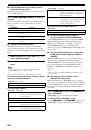
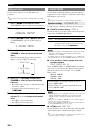
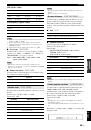
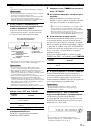
Use the following features to adjust the audio output or
speaker level.
■
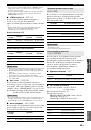
Muting the audio output
Press
h
MUTE
on the remote control to mute the
audio output. Press
h
MUTE
again to resume
the audio output.
y
•
You can also rotate
P
VOLUME
(or press
g
VOLUME +/–
) to
resume the audio output.
•
You can configure the muting level by using “MUTE TYP.” in “SOUND
MENU” (see page 34).
•
The MUTE indicator flashes on the front panel display when the audio
output is muted and disappears from the front panel display when the
audio output is resumed.
■
Adjusting the tonal quality
Use this feature to adjust the balance of bass and treble for
the front left and right speaker channels.
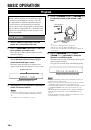
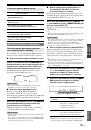
Press
K
TONE CONTROL
repeatedly to select
“BASS” or “TREBLE” and then press
L
PROGRAM
l
/
h
to adjust the corresponding
frequency response level.
Control range: –10 dB to +10 dB
Each choice is defined as follows.
Notes
•
Speaker and headphone adjustments are stored independently.
•
If you increase or decrease the high-frequency or low-frequency sound to
an extreme level, the tonal quality of the surround speakers may not
match that of the front left and right speakers.
•
This does not affect recorded material.
■
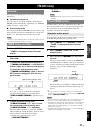
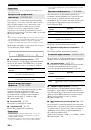
Adjusting the speaker level
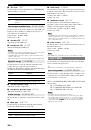
You can adjust the output level of each speaker while
listening to a music source. This is also possible when
playing sources input at the MULTI CH INPUT jacks.
Note
•
This operation will override the level adjustment made in “SP LEVEL”
(see page 33).
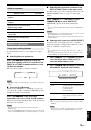
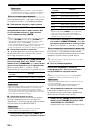
1
Press
m
LEVEL
repeatedly to select the
speaker you want to adjust.
y
•
Once you press
m
LEVEL
on the remote control, you can also
select the speaker by pressing
o
k
/
n
.
•
The available speaker channels differ depending on the speaker
settings.
2
Press
o
l
/
h
on the remote control (or
press
F
PRESET/TUNING
l
/
h
) to adjust
the speaker output level.
Control range: –10.0 dB to +10.0 dB
Use the following features to utilize various useful
functions equipped on this unit.
y
•
Initial settings are indicated by (*) in this following each parameter.
■
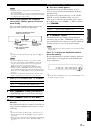
Using your headphones
Connect a pair of headphones with a stereo
analog audio cable plug to the PHONES jack on
the front panel.
y
•
When you select a sound field program, SILENT CINEMA mode is
automatically activated (see page 26).
Notes
•
When you connect headphones, no signals are output at the speaker
terminals.
•
All Dolby Digital and DTS audio signals are mixed down to the left and
right headphone channels.
■
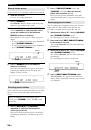
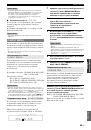
Selecting the night listening mode
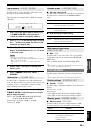
The night listening modes are designed to improve
listenability at lower volumes or at night.
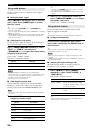
1
Press
O
NIGHT
(or press
p
NIGHT
)
repeatedly to select “NIGHT:CINEMA” or
“NIGHT:MUSIC.”
Each choice is defined as follows.
y
•
When a night listening mode is selected, the NIGHT indicator
lights up on the front panel display.
Using audio features
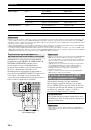
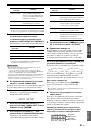
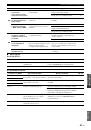
Choice
Function
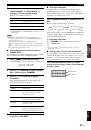
BASS
Adjusts the low-frequency response.
TREBLE
Adjusts the high-frequency response.
Choice
Description
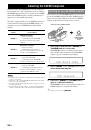
FRONT L
Front left speaker
FRONT R
Front right speaker
CENTER
Center speaker
SWFR
Subwoofer
SUR.L
Surround left speaker
SUR.R
Surround right speaker
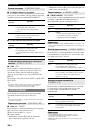
Using optional features
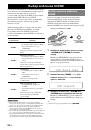
Choice
Function
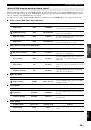
NIGHT:CINEMA
Narrows the dynamic range of film
soundtracks and makes dialog easier to
hear at lower volumes.
NIGHT:MUSIC
Preserves ease-of-listening for all
sounds.
NIGHT OFF
Disables this feature.
Оглавление инструкции
- English
- INTRODUCTION
- PREPARATION
- BASIC OPERATION
- ADVANCED OPERATION
- ADDITIONAL INFORMATION
- Русский
- ВВЕДЕНИЕ
- ПОДГОТОВКА
- ОСНОВНЫЕ ОПЕРАЦИИ
- ДОПОЛНИТЕЛЬНЫЕ ОПЕРАЦИИ
- ДОПОЛНИТЕЛЬНАЯ ИНФОРМАЦИЯ