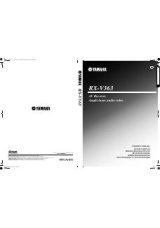
Инструкция для Yamaha RX-V365
 1
 2
 3
 4
 5
 6
 7
 8
 9
 10
 11
 12
 13
 14
 15
 16
 17
 18
 19
 20
 21
 22
 23
 24
 25
 26
 27
 28
 29
 30
 31
 32
 33
 34
 35
 36
 37
 38
 39
 40
 41
 42
 43
 44
 45
 46
 47
 48
 49
 50
 51
 52
 53
 54
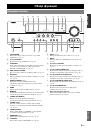 55
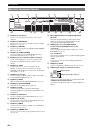 56
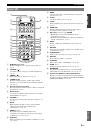 57
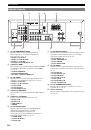 58
 59
 60
 61
 62
 63
 64
 65
 66
 67
 68
 69
 70
 71
 72
 73
 74
 75
 76
 77
 78
 79
 80
 81
 82
 83
 84
 85
 86
 87
 88
 89
 90
 91
 92
 93
 94
 95
 96
 97
 98
 99
 100

30
En
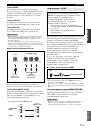
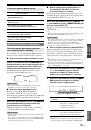
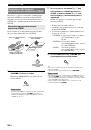
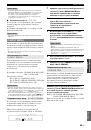
Radio Data System tuning (Europe and Russia models only)
4
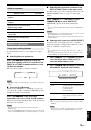
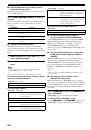
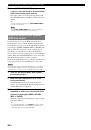
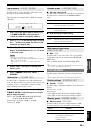
Press
w
PTY SEEK START
on the remote
control to start searching for all the available
Radio Data System preset stations.
The name of the selected program type flashes and
the PTY HOLD indicator lights up on the front panel
display.
y
•
To stop searching for stations, press
w
PTY SEEK START
on
the remote control again.
Note
•
Press
w
PTY SEEK START
again to resume searching for
another station broadcasting the same program type.
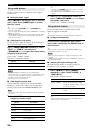
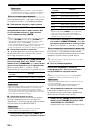
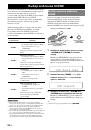
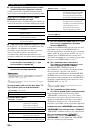
Use this feature to receive the EON (enhanced other
networks) data service of the Radio Data System station
network. Once you select one of the 4 Radio Data System
program types (NEWS, AFFAIRS, INFO or SPORT), this
unit automatically searches for all the available preset
stations that are scheduled to broadcast the EON data
service of the selected program type for a certain duration
of time. When the scheduled EON data service starts, this
unit automatically switches to the local station
broadcasting the EON data service and then switches back
to the national station once the EON data service ends.
Notes
•
You can use this feature only when the EON data service is available.
•
The EON indicator lights up on the front panel display only when the
EON data service is being received from a Radio Data System station.
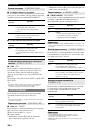
1
Tune into the desired Radio Data System
broadcasting station.
2
Make sure the EON indicator is lit on the
front panel display.
If the EON indicator is not lit on the front panel
display, select another Radio Data System program so
that the EON indicator lights up.
3
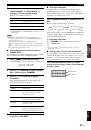
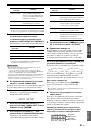
Press
w
EON
on the remote control
repeatedly to select one of the 4 Radio Data
System program types (NEWS, AFFAIRS,
INFO or SPORT).
The name of the selected program type appears on the
front panel display.
y
•
To cancel the EON feature, press
w
EON
on the remote control
repeatedly until the name of the program type disappears and
“EON OFF” appears on the front panel display.
Using the enhanced other networks
(EON) data service
Оглавление инструкции
- English
- INTRODUCTION
- PREPARATION
- BASIC OPERATION
- ADVANCED OPERATION
- ADDITIONAL INFORMATION
- Русский
- ВВЕДЕНИЕ
- ПОДГОТОВКА
- ОСНОВНЫЕ ОПЕРАЦИИ
- ДОПОЛНИТЕЛЬНЫЕ ОПЕРАЦИИ
- ДОПОЛНИТЕЛЬНАЯ ИНФОРМАЦИЯ