Инструкция для Yamaha RX-V365
 1
 2
 3
 4
 5
 6
 7
 8
 9
 10
 11
 12
 13
 14
 15
 16
 17
 18
 19
 20
 21
 22
 23
 24
 25
 26
 27
 28
 29
 30
 31
 32
 33
 34
 35
 36
 37
 38
 39
 40
 41
 42
 43
 44
 45
 46
 47
 48
 49
 50
 51
 52
 53
 54
 55
 56
 57
 58
 59
 60
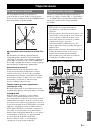 61
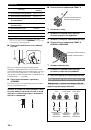 62
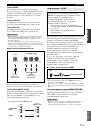 63
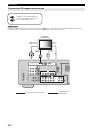 64
 65
 66
 67
 68
 69
 70
 71
 72
 73
 74
 75
 76
 77
 78
 79
 80
 81
 82
 83
 84
 85
 86
 87
 88
 89
 90
 91
 92
 93
 94
 95
 96
 97
 98
 99
 100
35
En
Set menu
English
INTR
ODUCTION
AD
DITIONAL
INFORMA
T
ION
APPENDIX
PRE
P
ARA
T
ION
BA
S
IC
OPERA
T
ION
AD
V
ANCED
OPERA
T
ION
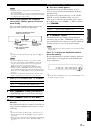
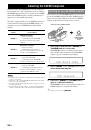
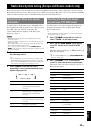
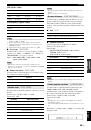
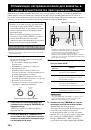
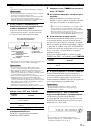
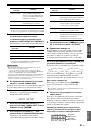
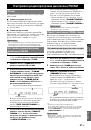
Use this feature to change the name of the input source
that appears on the front panel display.
The following is an example where “DVD” is renamed
“My DVD.”
1
Press one of the input selector buttons (
e
)
or
f
MULTI CH IN
to select the input
source you want to change the name of.
2
Press
o
l
/
h
on the remote control to place
the “_” (underscore) under the space or the
character you want to edit.
3
Press
o
k
/
n
to select the character you
want to use and then press
o
l
/
h
to move
to the next space.
Notes
•
You can use up to 8 characters for each input.
•
Press
o
n
to change the character in the following order, or press
o
k
to go in the reverse order:
A to Z, a space, 0 to 9, a space, a to z, a space, symbols (#, *, –, +,
etc.)
4
Repeat steps 1 through 3 to rename each
input source.
5
Press
k
MENU
to exit from “INPUT
RENAME.”
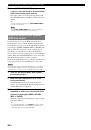
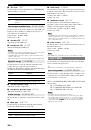
Use this feature to adjust the level of the signal input at
each jack. This is useful if you want to balance the level of
each input source to avoid sudden changes in volume
when switching between input sources.
Press one of the input selector buttons (
e
) or
v
MULTI CH IN
to select the input source you
want to adjust the level.
Choices: CD, TUNER, MD/CD-R, DVD, DTV/CBL,
V-AUX, DVR, MULTI CH IN
Control range: –6.0 dB to 0.0 dB* to +6.0 dB
Control step: 1.0 dB
■
Decoder select mode
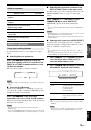
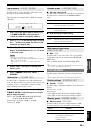
Use this feature to designate the default decoder mode for
the input sources connected to the DIGITAL INPUT
jacks.
■
DTS decoder prioritize setting
■
BGV
BGV
Use this feature to select the video source played in the
background of the sources input from the MULTI CH
INPUT jacks.
Choices: LAST*, DVR, V-AUX, DTV/CBL, DVD
y
•
Select “LAST” to set this unit to automatically select the last selected
video source as the background video source.
Use this menu to adjust the optional system parameters.
y
•
Initial settings are indicated by (*) in this following each parameter.
■
Dimmer
DIMMER
Use this feature to adjust the brightness of the front panel
display.
Control range: –4 to 0*
Control step: 1
•
Press
o
l
to make the front panel display dimmer.
•
Press
o
h
to make the front panel display brighter.
■
Memory guard
MEM.GUARD
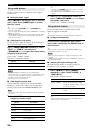
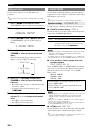
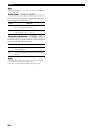
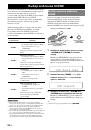
Use this feature to prevent accidental changes to DSP
program parameter values and other system settings.
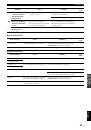
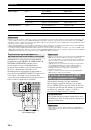
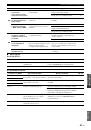
Input rename
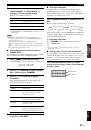
B)INPUT RENAME
Volume trim
C)VOLUME TRIM
DVR
p
DVD
CD
V-AUX
DTV/CBL
MD/CD-R
TUNER
DVD My DVD
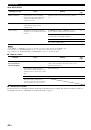
Decoder mode
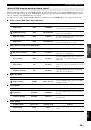
D)DECODER MODE
Choice
Function
AUTO
*
Automatically detect the type of input signals and
selects the appropriate decoder mode.
LAST
Automatically select the last decoder mode used the
connected input source.
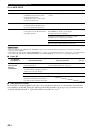
Choice
Function
AUTO
*
Automatically detect the type of input signals and
selects the appropriate input mode.
DTS
Enables to playback a DTS-CD.
Multi channel input setup
E)MULTI CH SET
3 OPTION MENU
Display settings
A)DISPLAY SET
Memory guard
B)MEMORY GUARD
Choice
Function
OFF
*
Turns off the “MEM.GUARD” feature.
ON
Protects:
–
sound field program parameters
–
all set menu items
–
SCENE template parameters
Оглавление инструкции
- English
- INTRODUCTION
- PREPARATION
- BASIC OPERATION
- ADVANCED OPERATION
- ADDITIONAL INFORMATION
- Русский
- ВВЕДЕНИЕ
- ПОДГОТОВКА
- ОСНОВНЫЕ ОПЕРАЦИИ
- ДОПОЛНИТЕЛЬНЫЕ ОПЕРАЦИИ
- ДОПОЛНИТЕЛЬНАЯ ИНФОРМАЦИЯ