Инструкция для Samsung PS42C450B1W, PS50C450B1W
 1
 2
 3
 4
 5
 6
 7
 8
 9
 10
 11
 12
 13
 14
 15
 16
 17
 18
 19
 20
 21
 22
 23
 24
 25
 26
 27
 28
 29
 30
 31
 32
 33
 34
 35
 36
 37
 38
 39
 40
 41
 42
 43
 44
 45
 46
 47
 48
 49
 50
 51
 52
 53
 54
 55
 56
 57
 58
 59
 60
 61
 62
 63
 64
 65
 66
 67
 68
 69
 70
 71
 72
 73
 74
 75
 76
 77
 78
 79
 80
 81
 82
 83
 84
 85
 86
 87
 88
 89
 90
 91
 92
 93
 94
 95
 96
 97
 98
 99
 100
 101
 102
 103
 104
 105
 106
 107
 108
 109
 110
 111
 112
 113
 114
 115
 116
 117
 118
 119
 120
 121
 122
 123
 124
 125
 126
 127
 128
 129
 130
 131
 132
 133
 134
 135
 136
 137
 138
 139
 140
 141
 142
 143
 144
 145
 146
 147
 148
 149
 150
 151
 152
 153
 154
 155
 156
 157
 158
 159
 160
 161
37
English
05
Other
Information
Issues
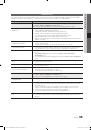
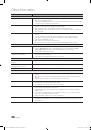
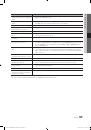
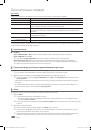
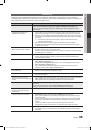
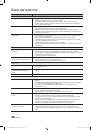
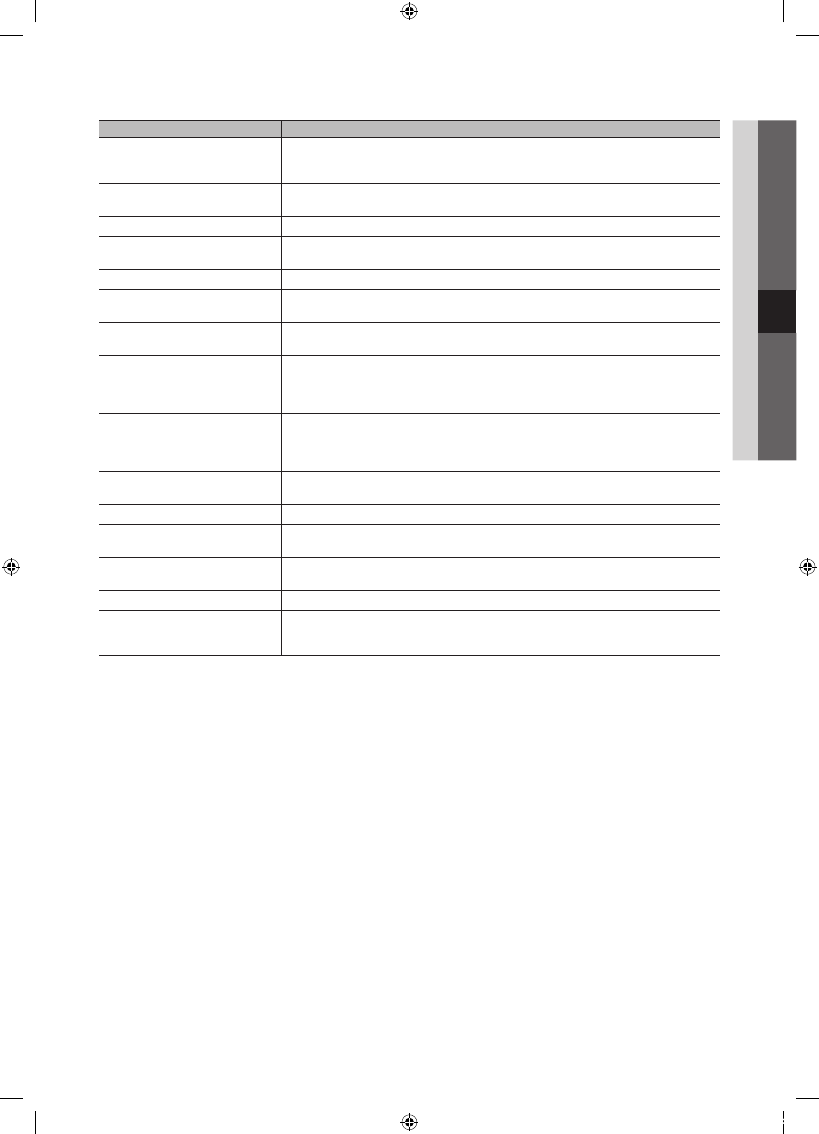
Solutions and Explanations
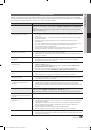
The cable/set top box remote control
doesn’t turn the TV on or off, or adjust the
volume.
• Programme the Cable/Set top box remote control to operate the TV. Refer to the Cable/Set user
manual for the SAMSUNG TV code.
A “Mode Not Supported” message
appears.
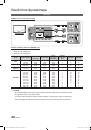
• Check the supported resolution of the TV, and adjust the external device’s output resolution
accordingly. Refer to the resolution settings on page 22 of this manual.
There is a plastic smell from the TV.
• This smell is normal and will dissipate over time.
The TV
Signal Information
is unavailable
in the Self Diagnostic Test menu.
• This function is only available with digital channels from an Antenna / RF/Coax connection (p. 20).
The TV is tilted to the side.
• Remove the base stand from the TV and reassemble it.
There are difficulties assembling the stand
base.
• Make sure the TV is placed on a flat surface. It is necessary to use magnetized screw driver if you
cannot remove the screws from the TV.
The channel menu is greyed out.
(unavailable)
• The
Channel
menu is only available when the TV source is selected.
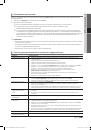
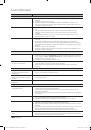
Your settings are lost after 30 minutes or
every time the TV is turned off.
• If the TV is in the
Store Demo
mode, it will reset audio and picture settings every 30 minutes. Change
the settings from
Store Demo
mode to
Home Use
mode in the
Plug & Play
(Initial setup) procedure.
Press the
SOURCE
button to select
TV
mode, and go to
MENU
→
Setup
→
Plug & Play
(Initial
setup)
→
ENTER
E
. (p. 7)
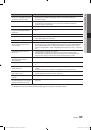
You have intermittent loss of audio or
video.
• Check the cable connections and reconnect them.
• Loss of audio or video can be caused by using overly rigid or thick cables. Make sure the cables are
flexible enough for long term use. If mounting the TV to the wall, we recommend using cables with 90
degree connectors.
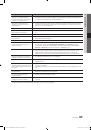
You see small particles when you look
closely at the edge of the frame of the TV.
• This is part of the product’s design and is not a defect.
The
PIP
menu is not available.
•
PIP
functionality is only available when you are using a HDMI, PC or components source (p. 20).
The message “Scramble signal” or “Weak
Signal/No Signal” appears.
• If you are using a CAM CARD (CI/CI+), check that it is installed into the common interface slot.
• If there is still a problem, pull the CAM CARD out of the TV and insert it into the slot again.
You turned the TV off 45 minutes ago, and
it turned on again.
• It is normal. The TV operates the OTA (Over The Aerial) function itself to upgrade firmware
downloaded whilst your watching TV.
There are recurrent picture/sound issues.
• Check and change the signal/source.
A reaction may occur between the rubber
cushion pads on the base stand and the
top finish of some furniture.
• To prevent this, use felt pads on any surface of the TV that comes in direct contact with furniture.
✎
Some of above pictures and functions are available at specific models only.
[450-Rus]BN68-02575B-01L04.indb 37
2010-03-02 오후 11:24:00