Инструкция для Samsung PS42C450B1W, PS50C450B1W
 1
 2
 3
 4
 5
 6
 7
 8
 9
 10
 11
 12
 13
 14
 15
 16
 17
 18
 19
 20
 21
 22
 23
 24
 25
 26
 27
 28
 29
 30
 31
 32
 33
 34
 35
 36
 37
 38
 39
 40
 41
 42
 43
 44
 45
 46
 47
 48
 49
 50
 51
 52
 53
 54
 55
 56
 57
 58
 59
 60
 61
 62
 63
 64
 65
 66
 67
 68
 69
 70
 71
 72
 73
 74
 75
 76
 77
 78
 79
 80
 81
 82
 83
 84
 85
 86
 87
 88
 89
 90
 91
 92
 93
 94
 95
 96
 97
 98
 99
 100
 101
 102
 103
 104
 105
 106
 107
 108
 109
 110
 111
 112
 113
 114
 115
 116
 117
 118
 119
 120
 121
 122
 123
 124
 125
 126
 127
 128
 129
 130
 131
 132
 133
 134
 135
 136
 137
 138
 139
 140
 141
 142
 143
 144
 145
 146
 147
 148
 149
 150
 151
 152
 153
 154
 155
 156
 157
 158
 159
 160
 161
31
English
04
Advanced
Featur
es
¦
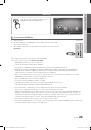
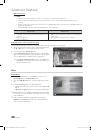
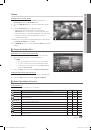
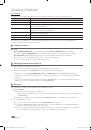
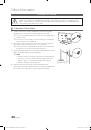
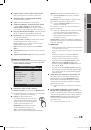
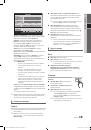
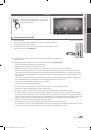
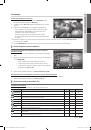
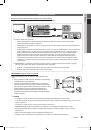
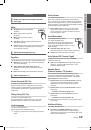
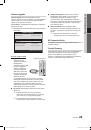
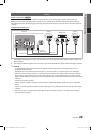
Listening through a Receiver
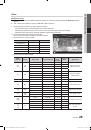
You can listen to sound through a receiver (i.e Home Theatre) instead of the
TV Speaker
.
1.
Select
Receiver
and set to
On
.
2.
Press the
EXIT
button to exit.
✎
If your receiver supports audio only, it may not appear in the device list.
✎
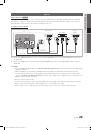
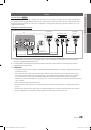
The receiver will work when you have properly connected the optical in jack of the receiver to the
DIGITAL AUDIO
OUT (OPTICAL)
jack of the TV.
✎
When the receiver (i.e Home Theatre) is set to On, you can hear sound output from the TV’s Optical jack. When the
TV is displaying a DTV (aerial) signal, the TV will send out 5.1 channel sound to the receiver. When the source is a
digital component such as a DVD and is connected to the TV via HDMI, only 2 channel sound will be heard from
the receiver.
✎
NOTE
x
You can only control Anynet+ devices using the TV remote control, not the buttons on the TV.
x
The TV remote control may not work under certain conditions. If this occurs, reselect the Anynet+ device.
x
The Anynet+ functions do not operate with other manufacturers’ products.
¦
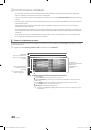
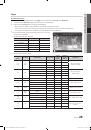
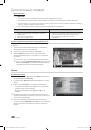
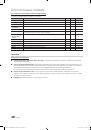
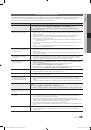
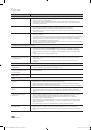
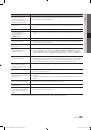
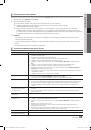
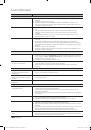
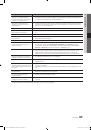
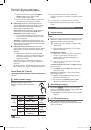
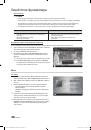
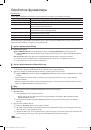
Troubleshooting for Anynet+
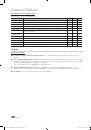
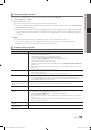
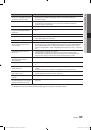
Problem
Possible Solution
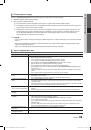
Anynet+ does not work.
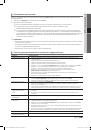
• Check if the device is an Anynet+ device. The Anynet+ system supports Anynet+ devices only.
• Connect only one receiver (home theatre).
• Check if the Anynet+ device power cord is properly connected.
• Check the Anynet+ device’s Video/Audio/HDMI cable connections.
• Check whether
Anynet+ (HDMI-CEC)
is set to
On
in the Anynet+ setup menu.
• Check whether the TV remote control is in TV mode.
• Check whether it is Anynet+ exclusive remote control.
• Anynet+ doesn’t work in certain situations. (Searching channels, operating
Media Play (USB)
or
Plug & Play
(Initial setup), etc.)
• When connecting or removing the HDMI cable, please make sure to search devices again or turn your TV off
and on again.
• Check if the Anynet+ Function of Anynet+ device is set on.
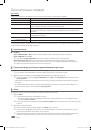
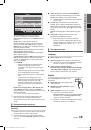
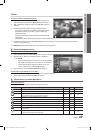
I want to start Anynet+.
• Check if the Anynet+ device is properly connected to the TV and check if the
Anynet+ (HDMI-CEC)
is set to
On
in the Anynet+ Setup menu.
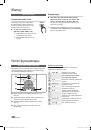
• Press the
TOOLS
button to display the Anynet+ menu and select a menu you want.
I want to exit Anynet+.
• Select
View TV
in the Anynet+ menu.
• Press the
SOURCE
button on the TV remote control and select a device other than Anynet+ devices.
• Press
P
>
/
<
and
PRE-CH
to change the TV mode. (Note that the channel button operates only when a
tuner-embedded Anynet+ device is not connected.)
The message “Connecting to
Anynet+ device...” appears on the
screen.
• You cannot use the remote control when you are configuring Anynet+ or switching to a view mode.
• Use the remote control when the Anynet+ setting or switching to view mode is complete.
The Anynet+ device does not play.
• You cannot use the play function when
Plug & Play
(Initial setup) is in progress.
The connected device is not
displayed.
• Check whether or not the device supports Anynet+ functions.
• Check whether or not the HDMI cable is properly connected.
• Check whether
Anynet+ (HDMI-CEC)
is set to
On
in the Anynet+ setup menu.
• Search Anynet+ devices again.
• You can connect an Anynet+ device using the HDMI cable only. Some HDMI cables may not support Anynet+
functions.
• If it is terminated by an abnormal situation such as disconnecting the HDMI cable or power cord or a power
failure, please repeat the device scan.
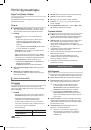
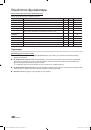
The TV programme cannot be
recorded.
• Check whether the antenna jack on the recording device is properly connected.
The TV sound is not output
through the receiver.
• Connect the optical cable between TV and the receiver.
[450-Rus]BN68-02575B-01L04.indb 31
2010-03-02 오후 11:23:56