Инструкция для Samsung PS42C450B1W, PS50C450B1W
 1
 2
 3
 4
 5
 6
 7
 8
 9
 10
 11
 12
 13
 14
 15
 16
 17
 18
 19
 20
 21
 22
 23
 24
 25
 26
 27
 28
 29
 30
 31
 32
 33
 34
 35
 36
 37
 38
 39
 40
 41
 42
 43
 44
 45
 46
 47
 48
 49
 50
 51
 52
 53
 54
 55
 56
 57
 58
 59
 60
 61
 62
 63
 64
 65
 66
 67
 68
 69
 70
 71
 72
 73
 74
 75
 76
 77
 78
 79
 80
 81
 82
 83
 84
 85
 86
 87
 88
 89
 90
 91
 92
 93
 94
 95
 96
 97
 98
 99
 100
 101
 102
 103
 104
 105
 106
 107
 108
 109
 110
 111
 112
 113
 114
 115
 116
 117
 118
 119
 120
 121
 122
 123
 124
 125
 126
 127
 128
 129
 130
 131
 132
 133
 134
 135
 136
 137
 138
 139
 140
 141
 142
 143
 144
 145
 146
 147
 148
 149
 150
 151
 152
 153
 154
 155
 156
 157
 158
 159
 160
 161
24
English
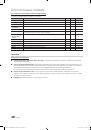
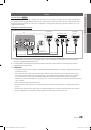
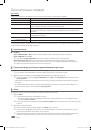
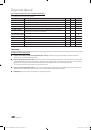
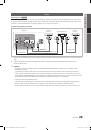
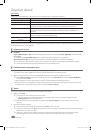
Advanced Features
x
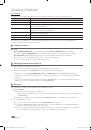
If an over-power warning message is displayed while you are connecting or using a USB device, the device may not
be recognized or may malfunction.
x
If the TV has been no input during time set in
Auto Protection Time
, the Screensaver will run.
x
The power-saving mode of some external hard disk drives may be released automatically when connected to the TV.
x
If a USB extension cable is used, the USB device may not be recognized or the files on the device may not be read.
x
If a USB device connected to the TV is not recognized, the list of files on the device is corrupted or a file in the list is
not played, connect the USB device to the PC, format the device and check the connection.
x
If a file deleted from the PC is still found when Media Play is run, use the “Empty the Recycle Bin” function on the PC
to permanently delete the file.
¦
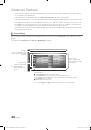
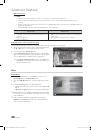
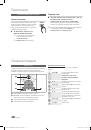
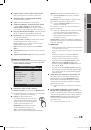
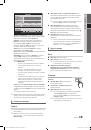
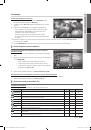
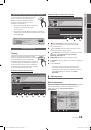
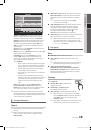
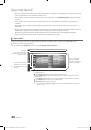
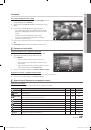
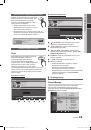
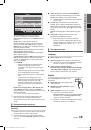
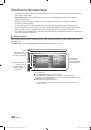
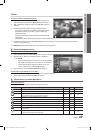
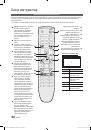
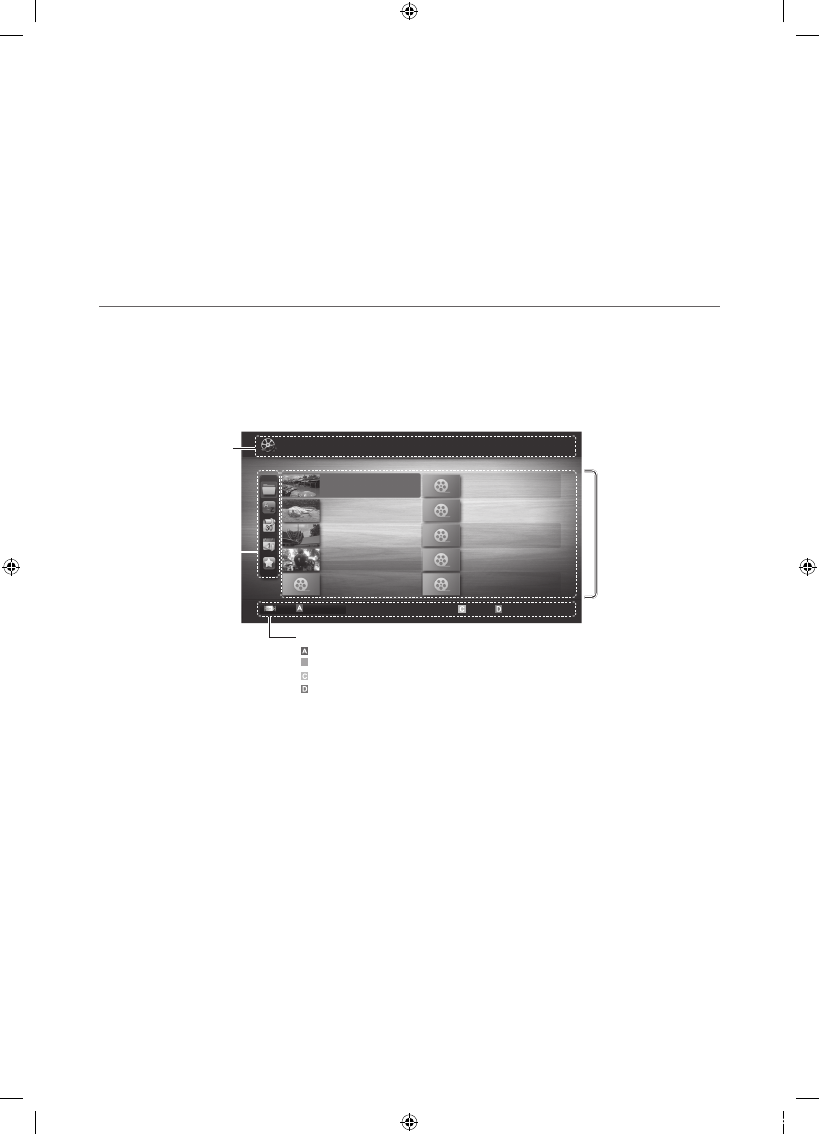
Screen Display
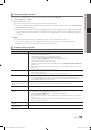
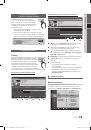
Move to the file you desired using the up/down/right/left buttons and then press the
ENTER
E
or
�
(Play) button. The file is
played.
✎
Supports the
View Devices
and
Home
in
Media Play
homepage.
Jan.10.2010
Jan.10.2010
Jan.10.2010
Jan.10.2010
Jan.10.2010
Jan.10.2010
Jan.10.2010
Jan.10.2010
Jan.10.2010
Jan.10.2010
/Movie 01.avi
1/1
Movie 01.avi
SUM
Movie 03.avi
Movie 05.avi
Movie 07.avi
Movie 09.avi
Movie 02.avi
Movie 04.avi
Movie 06.avi
Movie 08.avi
Movie 10.avi
Select
Sorting
T
Tools
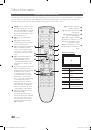
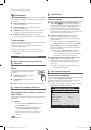
Information:
You can ascertain the selected
file name and the number of files
and page.
Sort List Section:
Displays sorting standard.
✎
Sorting standard is
different depending on the
contents.
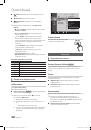
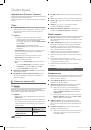
Operation Buttons
Red (
Change Device
): Selects a connected device.
B
Green (
Preference
): Sets the file preference. (not supported in Basic view)
Yellow (
Select
): Selects multiple files from file list. Selected files are marked with a symbol.
Blue (
Sorting
): Selects the sort list.
T
Tools
: Displays the option menu.
✎
Using the
�
(REW) or
µ
(FF) button, file list can move to next or previous page.
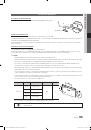
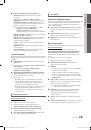
File List Section:
You can confirm the files
and groups that is sorted by
each category.
Videos
Page
Change Device
[450-Rus]BN68-02575B-01L04.indb 24
2010-03-02 오후 11:23:48