Инструкция для Samsung PS42C450B1W, PS50C450B1W
 1
 2
 3
 4
 5
 6
 7
 8
 9
 10
 11
 12
 13
 14
 15
 16
 17
 18
 19
 20
 21
 22
 23
 24
 25
 26
 27
 28
 29
 30
 31
 32
 33
 34
 35
 36
 37
 38
 39
 40
 41
 42
 43
 44
 45
 46
 47
 48
 49
 50
 51
 52
 53
 54
 55
 56
 57
 58
 59
 60
 61
 62
 63
 64
 65
 66
 67
 68
 69
 70
 71
 72
 73
 74
 75
 76
 77
 78
 79
 80
 81
 82
 83
 84
 85
 86
 87
 88
 89
 90
 91
 92
 93
 94
 95
 96
 97
 98
 99
 100
 101
 102
 103
 104
 105
 106
 107
 108
 109
 110
 111
 112
 113
 114
 115
 116
 117
 118
 119
 120
 121
 122
 123
 124
 125
 126
 127
 128
 129
 130
 131
 132
 133
 134
 135
 136
 137
 138
 139
 140
 141
 142
 143
 144
 145
 146
 147
 148
 149
 150
 151
 152
 153
 154
 155
 156
 157
 158
 159
 160
 161
36
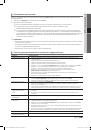
English
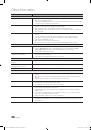
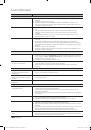
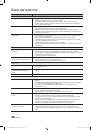
Other Information
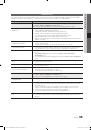
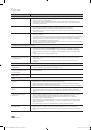
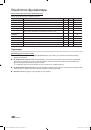
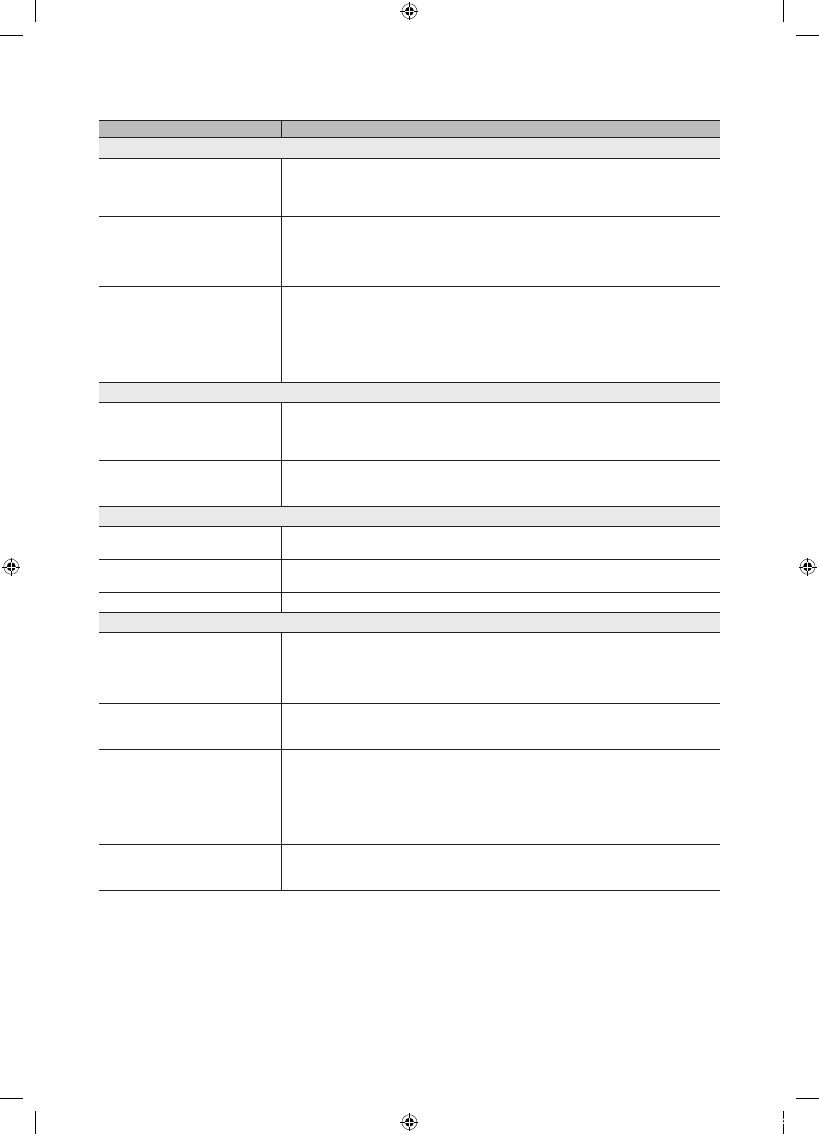
Issues
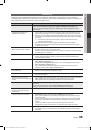
Solutions and Explanations
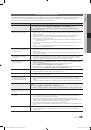
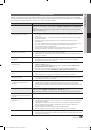
No Picture, No Video
The TV won’t turn on.
• Make sure the AC power cord is securely plugged in to the wall outlet and the TV.
• Make sure the wall outlet is working.
• Try pressing the
POWER
button on the TV to make sure the problem is not the remote. If the TV turns
on, refer to “Remote control does not work” below.
The TV turns off automatically.
• Ensure the
Sleep Timer
is set to
Off
in the
Setup
menu (p. 18).
• If your PC is connected to the TV, check your PC power settings.
• Make sure the AC power cord is plugged in securely to the wall outlet and the TV.
• When watching TV from an antenna or cable connection, the TV will turn off after 10 - 15 minutes if
there is no signal.
There is no picture/Video.
• Check cable connections (remove and reconnect all cables connected to the of TV and external
devices).
• Set your external devices’ (Cable/Set top Box, DVD, Blu-ray etc) video outputs to match the
connections to the TV input. For example, if an external device’s output is HDMI, it should be
connected to an HDMI input on the TV.
• Make sure your connected devices are powered on.
• Be sure to select the TV’s correct source by pressing the
SOURCE
button on the TV remote.
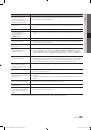
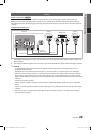
RF(Cable/Antenna) Connection
The TV is not receiving all channels.
• Make sure the Antenna cable is connected securely.
• Please try
Plug & Play
(Initial setup) to add available channels to the channel list. Go to
MENU
-
Setup - Plug & Play
(Initial setup) and wait for all available channels to be stored (p. 7).
• Verify the Antenna is positioned correctly.
The picture is distorted: macro block error
small block, dots, pixelization
• Compression of video contents may cause picture distortion, especially with fast moving pictures
such as sports and action movies.
• A low signal can cause picture distortion. This is not a TV issue.
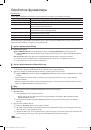
PC Connection
A “Mode Not Supported” message
appears.
• Set your PC’s output resolution and frequency so they match the resolutions supported by the TV (p.
22).
“PC” is always shown on the source list,
even if a PC is not connected.
• This is normal; “PC” is always shown on the source list, regardless of whether a PC is connected.
The video is OK but there is no audio.
• If you are using a HDMI connection, check the audio output setting on your PC.
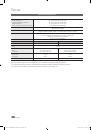
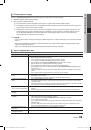
Others
The picture won’t display in full screen.
• HD channels will have black bars on either side of the screen when displaying upscaled SD (4:3)
contents.
• Black bars on the top and bottom will appear during movies that have aspect ratios different from
your TV.
• Adjust the picture size options on your external device or TV to full screen.
The remote control does not work.
• Replace the remote control batteries with the poles (+/–) in the right direction.
• Clean the sensor’s transmission window on the remote.
• Try pointing the remote directly at the TV from 5~6 feet away.
Plasma TV is making humming noise.
• Plasma TVs typically make a soft humming sound. This is normal. It’s caused by the electrical charges
that are used to create the images on the screen.
• If the humming sound is loud, you may have set the brightness on the TV too high. Try setting the
brightness lower.
• You can also have loud humming if the back of your Plasma TV is too close to a wall or other hard
surface. Also try rerouting your connection cables.
• Improper installation of wall mount can create excessive noise.
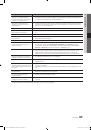
Image Retention (Burn In) Issue.
• To minimize the possibility of screen burn, this unit is equipped with screen burn reduction technology.
Pixel Shift technology enables you to set picture movement up/ down (Vertical Line) and side to side
(Horizontal Dot).
[450-Rus]BN68-02575B-01L04.indb 36
2010-03-02 오후 11:23:59