Инструкция для GIGABYTE GA-P67A-UD3P-B3 (rev. 1.1), GA P67A UD3P B3 rev 1 1
 1
 2
 3
 4
 5
 6
 7
 8
 9
 10
 11
 12
 13
 14
 15
 16
 17
 18
 19
 20
 21
 22
 23
 24
 25
 26
 27
 28
 29
 30
 31
 32
 33
 34
 35
 36
 37
 38
 39
 40
 41
 42
 43
 44
 45
 46
 47
 48
 49
 50
 51
 52
 53
 54
 55
 56
 57
 58
 59
 60
 61
 62
 63
 64
 65
 66
 67
 68
 69
 70
 71
 72
 73
 74
 75
 76
 77
 78
 79
 80
 81
 82
 83
 84
 85
 86
 87
 88
 89
 90
 91
 92
 93
 94
 95
 96
 97
 98
 99
 100
 101
 102
 103
 104

- 53 -
BIOS Setup
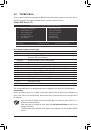
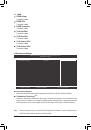
Current System/CPU Temperature
Displays current System/CPU temperature.
Current CPU/SYSTEM/POWER FAN Speed (RPM)
Displays current CPU/system/power fan speed.
CPU Warning Temperature
Sets the warning threshold for CPU temperature. When CPU temperature exceeds the threshold,
BIOS will emit warning sound. Options are: Disabled (default), 60
o
C/140
o
F, 70
o
C/158
o
F, 80
o
C/176
o
F,
90
o
C/194
o
F.
CPU/SYSTEM/POWER FAN Fail Warning
Allows the system to emit warning sound if the CPU/system/power fan is not connected or fails. Check
the fan condition or fan connection when this occurs. (Default: Disabled)
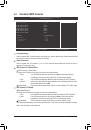
CPU Smart FAN Control
Allows you to determine whether to enable the CPU fan speed control function and adjust the fan speed.
Normal
Allows the CPU fan to run at different speeds according to the CPU temperature. You can
adjust the fan speed with EasyTune based on your system requirements. (Default)
Silent
Allows the CPU fan to run at slow speeds.
Manual Allows you to control the CPU fan speed under the
Slope PWM
item.
Disabled Allows the CPU fan to run at full speeds.
Slope PWM
Allows you to control the CPU fan speed. This item is configurable only when
CPU Smart FAN Con-
trol
is set to
Normal
. Options are: 0.75 PWM value /
o
C ~ 2.50 PWM value /
o
C.
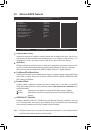
CPU Smart FAN Mode
Specifies how to control CPU fan speed. This item is configurable only when
CPU Smart FAN Control
is set to
Enabled
.
Auto
Lets the BIOS automatically detect the type of CPU fan installed and sets the optimal
CPU fan control mode. (Default)
Voltage Sets Voltage mode for a 3-pin CPU fan.
PWM
Sets PWM mode for a 4-pin CPU fan.
Note: The
Voltage
mode can be set for a 3-pin CPU fan or a 4-pin CPU fan. However, for a 4-pin CPU
fan that is not designed following Intel PWM fan specifications, selecting
PWM
mode may not effectively
reduce the fan speed.
Оглавление инструкции
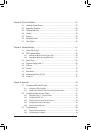
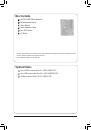
- Box Contents
- Optional Items
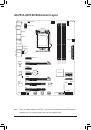
- GA-P67A-UD3P-B3 Motherboard Layout
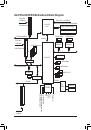
- GA-P67A-UD3P-B3 Motherboard Block Diagram
- Chapter 1 Hardware Installation
- Chapter 2 BIOS Setup
- 2-1 Startup Screen
- 2-2 The Main Menu
- 2-3 MB Intelligent Tweaker(M.I.T.)
- 2-4 Standard CMOS Features
- 2-5 Advanced BIOS Features
- 2-6 Integrated Peripherals
- 2-7 Power Management Setup
- 2-8 PC Health Status
- 2-9 Load Fail-Safe Defaults
- 2-10 Load Optimized Defaults
- 2-11 Set Supervisor/User Password
- 2-12 Save & Exit Setup
- 2-13 Exit Without Saving
- Chapter 3 Drivers Installation
- Chapter 4 Unique Features
- Chapter 5 Appendix






