Инструкция для GIGABYTE GA-P67A-UD3P-B3 (rev. 1.1), GA P67A UD3P B3 rev 1 1
 1
 2
 3
 4
 5
 6
 7
 8
 9
 10
 11
 12
 13
 14
 15
 16
 17
 18
 19
 20
 21
 22
 23
 24
 25
 26
 27
 28
 29
 30
 31
 32
 33
 34
 35
 36
 37
 38
 39
 40
 41
 42
 43
 44
 45
 46
 47
 48
 49
 50
 51
 52
 53
 54
 55
 56
 57
 58
 59
 60
 61
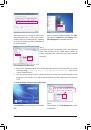 62
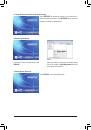 63
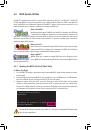 64
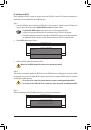 65
 66
 67
 68
 69
 70
 71
 72
 73
 74
 75
 76
 77
 78
 79
 80
 81
 82
 83
 84
 85
 86
 87
 88
 89
 90
 91
 92
 93
 94
 95
 96
 97
 98
 99
 100
 101
 102
 103
 104
Hardware Installation
- 10 -
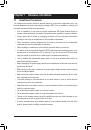
1-2 Product Specifications
CPU
Support for Intel
®
Core
™
i7 processors/Intel
®
Core
™
i5 processors/
Intel
®
Core
™
i3 processors/Intel
®
Pentium
®
processors/Intel
®
Celeron
®
processors
in the LGA1155 package
(Go to GIGABYTE's website for the latest CPU support list.)
L3 cache varies with CPU
Chipset
Intel
®
P67 Express Chipset
Memory
4 x 1.5V DDR3 DIMM sockets supporting up to 32 GB of system memory
* Due to Windows 32-bit operating system limitation, when more than 4 GB of physical
memory is installed, the actual memory size displayed will be less than 4 GB.
Dual channel memory architecture
Support for DDR3 2133/1866/1600/1333/1066 MHz memory modules
Support for non-ECC memory modules
Support for Extreme Memory Profile (XMP) memory modules
(Go to GIGABYTE's website for the latest supported memory speeds and memory
modules.)
Audio
Realtek ALC892/889 codec
High Definition Audio
2/4/5.1/7.1-channel
Support for Dolby
®
Home Theater
Support for S/PDIF Out
LAN
1 x Realtek RTL8111E chip (10/100/1000 Mbit)
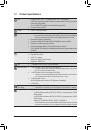
Expansion Slots
1 x PCI Express x16 slot, running at x16 (PCIEX16)
* For optimum performance, if only one PCI Express graphics card is to be installed,
be sure to install it in the PCIEX16 slot.
1 x PCI Express x16 slot, running at x4 (PCIEX4)
* The PCIe x1 slots share bandwidth with the PCIEX4 slot. When one of the PCIe x1
slots is populated, the PCIEX4 slot will operate at up to x1 mode.
3 x PCI Express x1 slots
(All PCI Express slots conform to PCI Express 2.0 standard.)
2 x PCI slots
Multi-Graphics
Technology
Support for ATI CrossFireX™ technology
* The PCIEX16 slot operates at up to x4 mode when ATI CrossFireX™ is enabled.
Storage Interface
Chipset:
- 2 x SATA 6Gb/s connectors (SATA3_0, SATA3_1) supporting up to 2 SATA
6Gb/s devices
- 4 x SATA 3Gb/s connectors (SATA2_2~SATA2_5) supporting up to 4 SATA
3Gb/s devices
- Support for SATA RAID 0, RAID 1, RAID 5, and RAID 10
* When a RAID set is built across the SATA 6Gb/s and SATA 3Gb/s channels, the system
performance of the RAID set may vary depending on the devices being connected.
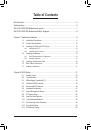
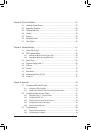
Оглавление инструкции
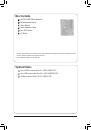
- Box Contents
- Optional Items
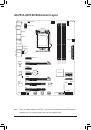
- GA-P67A-UD3P-B3 Motherboard Layout
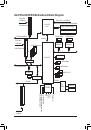
- GA-P67A-UD3P-B3 Motherboard Block Diagram
- Chapter 1 Hardware Installation
- Chapter 2 BIOS Setup
- 2-1 Startup Screen
- 2-2 The Main Menu
- 2-3 MB Intelligent Tweaker(M.I.T.)
- 2-4 Standard CMOS Features
- 2-5 Advanced BIOS Features
- 2-6 Integrated Peripherals
- 2-7 Power Management Setup
- 2-8 PC Health Status
- 2-9 Load Fail-Safe Defaults
- 2-10 Load Optimized Defaults
- 2-11 Set Supervisor/User Password
- 2-12 Save & Exit Setup
- 2-13 Exit Without Saving
- Chapter 3 Drivers Installation
- Chapter 4 Unique Features
- Chapter 5 Appendix






