Инструкция для GIGABYTE GA-P67A-UD3P-B3 (rev. 1.1), GA P67A UD3P B3 rev 1 1
 1
 2
 3
 4
 5
 6
 7
 8
 9
 10
 11
 12
 13
 14
 15
 16
 17
 18
 19
 20
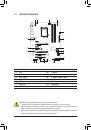 21
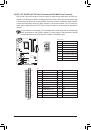 22
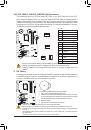 23
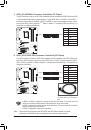 24
 25
 26
 27
 28
 29
 30
 31
 32
 33
 34
 35
 36
 37
 38
 39
 40
 41
 42
 43
 44
 45
 46
 47
 48
 49
 50
 51
 52
 53
 54
 55
 56
 57
 58
 59
 60
 61
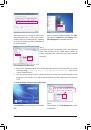 62
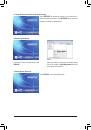 63
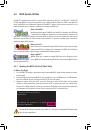 64
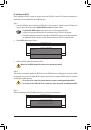 65
 66
 67
 68
 69
 70
 71
 72
 73
 74
 75
 76
 77
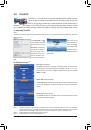 78
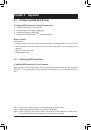 79
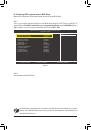 80
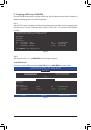 81
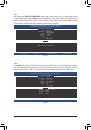 82
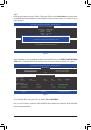 83
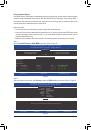 84
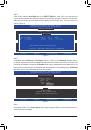 85
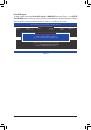 86
 87
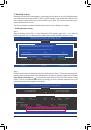 88
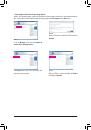 89
 90
 91
 92
 93
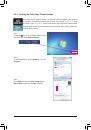 94
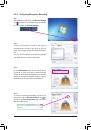 95
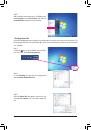 96
 97
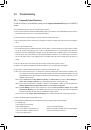 98
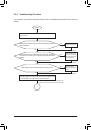 99
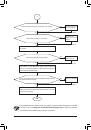 100
 101
 102
 103
 104

- 5 -
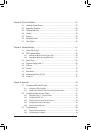
3-1 Installing Chipset Drivers ............................................................................... 57
3-2 Application Software ...................................................................................... 58
3-3 Technical Manuals .......................................................................................... 58
3-4 Contact ........................................................................................................... 59
3-5 System ........................................................................................................... 59
3-6 Download Center ........................................................................................... 60
3-7 New Utilities ................................................................................................... 60
4-1 Xpress Recovery2 .......................................................................................... 61
4-2 BIOS Update Utilities ..................................................................................... 64
4-2-1 Updating the BIOS with the Q-Flash Utility .............................................................64
4-2-2 Updating the BIOS with the @BIOS Utility .............................................................67
4-3 EasyTune 6 .................................................................................................... 68
4-4 Dynamic Energy Saver
2 .............................................................................. 69
4-5 Q-Share .......................................................................................................... 71
4-6 Smart 6
4-7 Auto Green ..................................................................................................... 76
4-8 eXtreme Hard Drive (X.H.D) .......................................................................... 77
4-9 Cloud OC ....................................................................................................... 78
5-1 Configuring SATA Hard Drive(s)
..................................................................... 79
5-1-1 Configuring SATA Controllers
................................................................................79
5-1-2 Installing the SATA RAID/AHCI Driver and Operating System ...............................87
5-2 Configuring Audio Input and Output
............................................................... 91
5-2-1 Configuring 2/4/5.1/7.1-Channel Audio
...................................................................91
..........................................................................................93
5-2-4 Configuring Microphone Recording
........................................................................95
5-3-1 Frequently Asked Questions ..................................................................................98
5-3-2 Troubleshooting Procedure ....................................................................................99
Оглавление инструкции
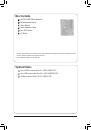
- Box Contents
- Optional Items
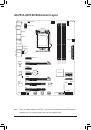
- GA-P67A-UD3P-B3 Motherboard Layout
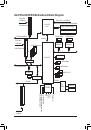
- GA-P67A-UD3P-B3 Motherboard Block Diagram
- Chapter 1 Hardware Installation
- Chapter 2 BIOS Setup
- 2-1 Startup Screen
- 2-2 The Main Menu
- 2-3 MB Intelligent Tweaker(M.I.T.)
- 2-4 Standard CMOS Features
- 2-5 Advanced BIOS Features
- 2-6 Integrated Peripherals
- 2-7 Power Management Setup
- 2-8 PC Health Status
- 2-9 Load Fail-Safe Defaults
- 2-10 Load Optimized Defaults
- 2-11 Set Supervisor/User Password
- 2-12 Save & Exit Setup
- 2-13 Exit Without Saving
- Chapter 3 Drivers Installation
- Chapter 4 Unique Features
- Chapter 5 Appendix





