Инструкция для Samsung LE40B620R3W, LE46B620R3W, LE52B620R3W
 1
 2
 3
 4
 5
 6
 7
 8
 9
 10
 11
 12
 13
 14
 15
 16
 17
 18
 19
 20
 21
 22
 23
 24
 25
 26
 27
 28
 29
 30
 31
 32
 33
 34
 35
 36
 37
 38
 39
 40
 41
 42
 43
 44
 45
 46
 47
 48
 49
 50
 51
 52
 53
 54
 55
 56
 57
 58
 59
 60
 61
 62
 63
 64
 65
 66
 67
 68
 69
 70
 71
 72
 73
 74
 75
 76
 77
 78
 79
 80
 81
 82
 83
 84
 85
 86
 87
 88
 89
 90
 91
 92
 93

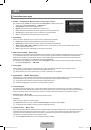
English - 23
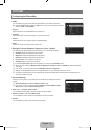
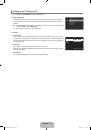
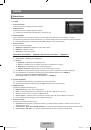
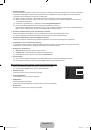
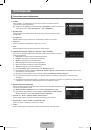
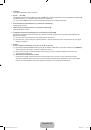
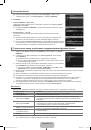
Subtitle
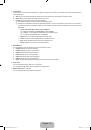
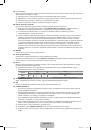
You can activate and deactivate the subtitles. Use this menu to set the Subtitle Mode.
Normal
under the menu is the basic subtitle
and
Hard of hearing
is the subtitle for a hearing-impaired person.
Subtitle → Off / On
Switches subtitles on or off.
Mode → Normal / Hard of hearing
Sets the subtitle mode.
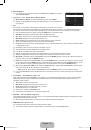
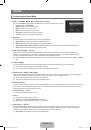
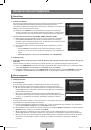
Subtitle Language
Set the subtitle language.
If the programme you are watching does not support the
Hard of hearing
function,
Normal
automatically activates even
though
Hard of hearing
mode is selected.
English is the default in cases where the selected language is unavailable in the broadcast.
You can select these options simply by pressing the
SuBT.
button on the remote control.
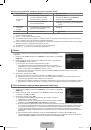
Teletext Language
You can set the Teletext language by selecting the language type.
English is the default in cases where the selected language is unavailable in the broadcast.
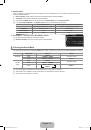
Preference
Primary Audio Language / Secondary Audio Language / Primary Subtitle Language / Secondary Subtitle Language /
Primary Teletext Language / Secondary Teletext Language
Using this feature, users can select one of the languages. The language selected here is the default when the user selects a
channel.
If you change the language setting, the Subtitle Language, Audio Language, and the Teletext Language of the Language menu are
automatically changed to the selected language.
The Subtitle Language, Audio Language, and the Teletext Language of the Language menu show a list of languages supported
by the current channel and the selection is highlighted. If you change this language setting, the new selection is only valid for the
current channel. The changed setting does not change the setting of the Primary Subtitle Language, Primary Audio Language, or
the Primary Teletext Language of the Preference menu.
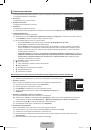
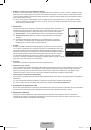
Digital Text → Disable / Enable (uK only)
If the programme is broadcast with digital text, this feature is enabled.
MHEG (Multimedia and Hypermedia Information Coding Experts Group)
An International standard for data encoding systems used in multimedia and hypermedia. This is at a higher level than the
MPEG system which includes data-linking hypermedia such as still images, character service, animation, graphic and video
files as well as multimedia data. MHEG is user runtime interaction technology and is being applied to various fields including
VOD (Video-On-Demand), ITV (Interactive TV), EC (Electronic Commerce), tele-education, tele-conferencing, digital libraries
and network games.
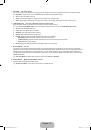
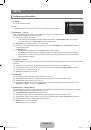
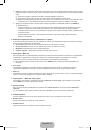
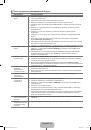
Melody → Off / Low / Medium / High
A melody sound can be set to come on when the TV is powered On or Off.
The Melody does not play
When no sound is output from the TV because the
MuTE
button has been pressed.
When no sound is output from the TV because the volume has been reduced to minimum with the volum (-) button.
When the TV is turned off by Sleep Timer function.
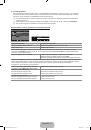
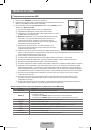
Energy Saving → Off / Low / Medium / High / Auto
This feature adjusts the brightness of the TV in order to reduce power consumption. When watching TV at night, set the
Energy
Saving
mode option to
High
to reduce eye fatigue as well as power consumption.
Press the
TooLS
button to display the
Tools
menu. You can also set the Energy Saving option by selecting
Tools → Energy
Saving
.
❑
■
■
■
N
N
O
❑
N
❑
■
❑
N
❑
N
❑
T
BN68-02097D-Eng.indd 23
2009-03-19 �� 8:15:36
Оглавление инструкции
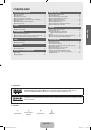
- Cover
- Eng
- Setting up Your TV
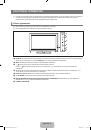
- Viewing the Control Panel
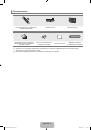
- Accessories
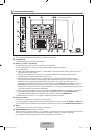
- Viewing the Connection Panel
- Viewing the Remote Control
- Installing Batteries in the Remote Control
- Viewing the menus
- Placing Your Television in Standby Mode
- Plug & Play Feature
- CHANNEL
- PICTURE
- SOUND
- SETUP
- INPUT / SUPPORT
- Media Play (USB)
- ANYNET+
- RECOMMENDATIONS
- Setting up Your TV
- Rus


