Инструкция для Samsung LE40B620R3W, LE46B620R3W, LE52B620R3W
 1
 2
 3
 4
 5
 6
 7
 8
 9
 10
 11
 12
 13
 14
 15
 16
 17
 18
 19
 20
 21
 22
 23
 24
 25
 26
 27
 28
 29
 30
 31
 32
 33
 34
 35
 36
 37
 38
 39
 40
 41
 42
 43
 44
 45
 46
 47
 48
 49
 50
 51
 52
 53
 54
 55
 56
 57
 58
 59
 60
 61
 62
 63
 64
 65
 66
 67
 68
 69
 70
 71
 72
 73
 74
 75
 76
 77
 78
 79
 80
 81
 82
 83
 84
 85
 86
 87
 88
 89
 90
 91
 92
 93

English - 10
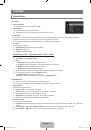
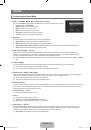
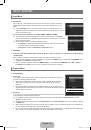
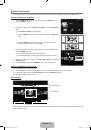
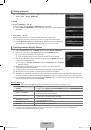
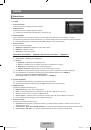
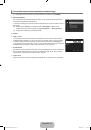
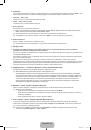
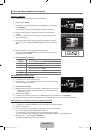
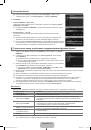
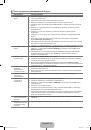
Channel
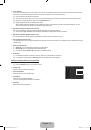
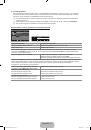
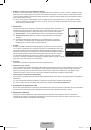
(When you know the number of the channel to be stored): Press the ▲ or ▼ button to select
C
(Air channel) or
S
(Cable channel). Press the ► button, then press the ▲, ▼ or number (0~9) buttons to select the required number.
You can also select the channel number directly by pressing the number (0~9) buttons.
If there is abnormal sound or no sound, reselect the sound standard required.
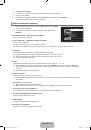
Search
(When you do not know the channel numbers): Press the ▲ or ▼ button to start the search. The tuner scans the
frequency range until the first channel or the channel that you selected is received on the screen.
Store
(When you store the channel and associated programme number): Set to
oK
by pressing the
ENTEr
E
button.
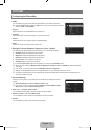
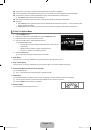
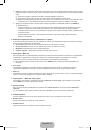
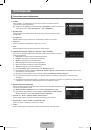
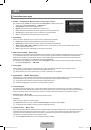
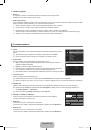
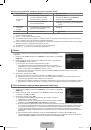
Channel mode
P (Programme mode): When completing tuning, the broadcasting stations in your area have been assigned to position
numbers from P00 to P99. You can select a channel by entering the position number in this mode.
C (Air channel mode): You can select a channel by entering the assigned number to each air broadcasting station in this
mode.
S (Cable channel mode): You can select a channel by entering the assigned number for each cable channel in this mode.
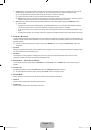
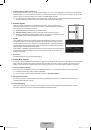
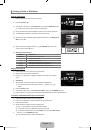
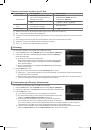
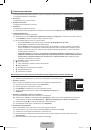
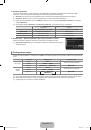
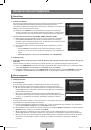
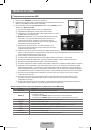
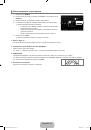
Full guide / Mini guide
The EPG (Electronic Programme Guide) information is provided by the broadcasters. Programme entries may appear blank or out
of date as a result of the information broadcast on a given channel. The display will dynamically update as soon as new information
becomes available.
You can also display the guide menu simply by pressing the
guIDE
button. (To configure the
Default guide
, refer to the
descriptions.)
Full guide
Displays the programme information as time ordered One hour segments. Two hours of programme information is displayed which
may be scrolled forwards or backwards in time.
Mini guide
The information of each programme is displayed by each line on the current channel Mini Guide screen from the current
programme onwards according to the programme starting time order.
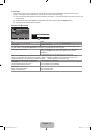
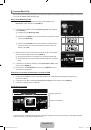
Default Guide → Mini Guide / Full Guide
You can decide whether to display either the
Mini guide
or the
Full guide
when the
guIDE
button on the remote control is
pressed.
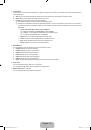
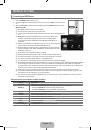
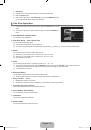
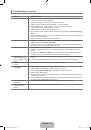
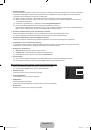
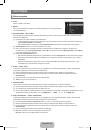
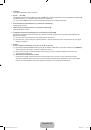
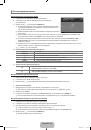
Channel List
For detailed procedures on using the
Channel List
, refer to the
Managing Channels
instructions.
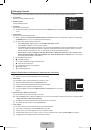
You can select these options by simply pressing the
CH LIST
button on the remote control.
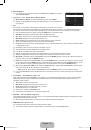
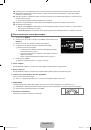
Channel Mode
When press the P
>
/
<
button, Channels will be switched within the selected channel list.
Added Ch.
Channels will be switched within the memorized channel list.
Favourite Ch.
Channels will be switched within the favourite channel list.
●
N
N
N
●
N
❑
O
■
■
❑
❑
O
❑
■
■
BN68-02097D-Eng.indd 10
2009-03-19 �� 8:15:33
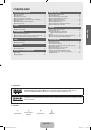
Оглавление инструкции
- Cover
- Eng
- Setting up Your TV
- Viewing the Control Panel
- Accessories
- Viewing the Connection Panel
- Viewing the Remote Control
- Installing Batteries in the Remote Control
- Viewing the menus
- Placing Your Television in Standby Mode
- Plug & Play Feature
- CHANNEL
- PICTURE
- SOUND
- SETUP
- INPUT / SUPPORT
- Media Play (USB)
- ANYNET+
- RECOMMENDATIONS
- Setting up Your TV
- Rus