Инструкция для Samsung LE40B620R3W, LE52B620R3W
 1
 2
 3
 4
 5
 6
 7
 8
 9
 10
 11
 12
 13
 14
 15
 16
 17
 18
 19
 20
 21
 22
 23
 24
 25
 26
 27
 28
 29
 30
 31
 32
 33
 34
 35
 36
 37
 38
 39
 40
 41
 42
 43
 44
 45
 46
 47
 48
 49
 50
 51
 52
 53
 54
 55
 56
 57
 58
 59
 60
 61
 62
 63
 64
 65
 66
 67
 68
 69
 70
 71
 72
 73
 74
 75
 76
 77
 78
 79
 80
 81
 82
 83
 84
 85
 86
 87
 88
 89
 90
 91
 92
 93
 94
 95
 96
 97
English - 43
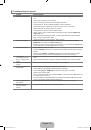
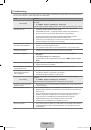
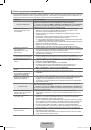
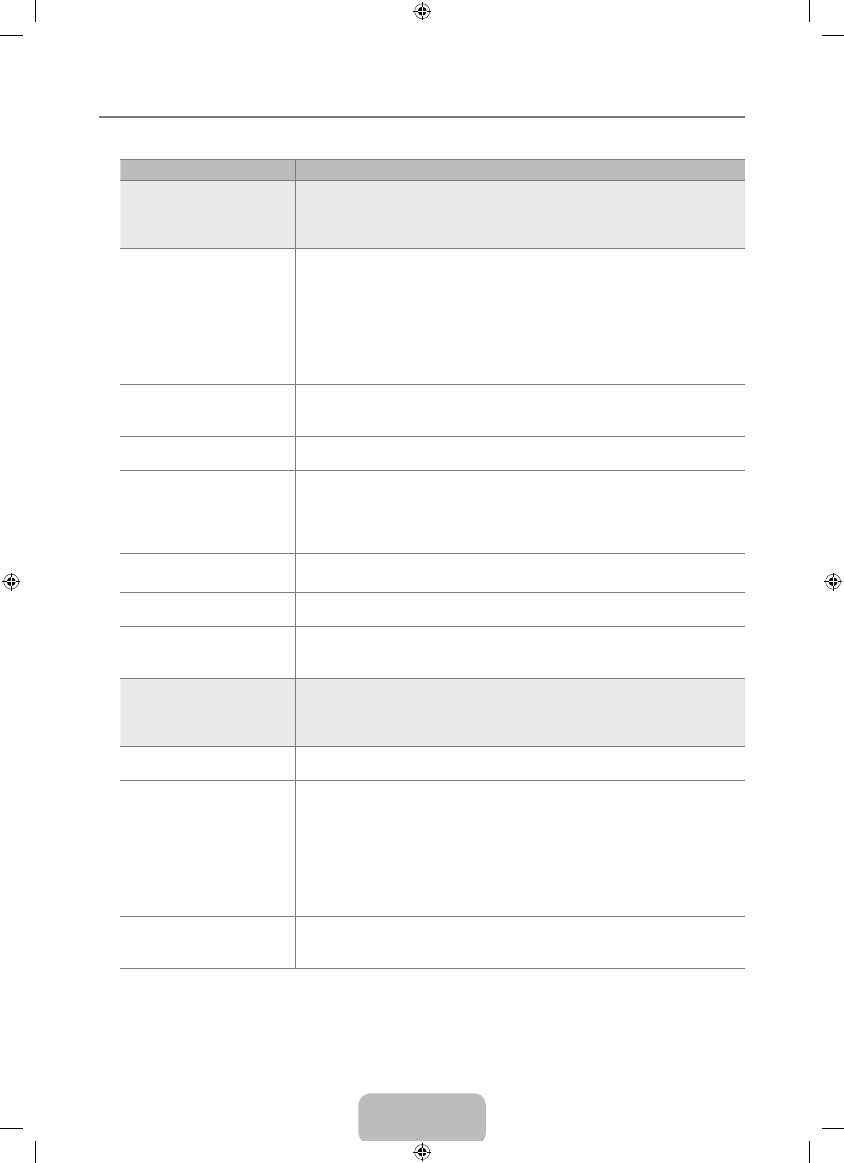
Troubleshooting
If you have any questions of TV, first refer to this list. If none of these troubleshooting tips apply, please visit ‘www.samsung.com’
site, then click on Support or contact Call Centre on list of last page.
Issue
Solution
Picture Quality
First of all, please perform the
Picture Test
to confirm that your TV is properly displaying
test image.
Go to
MENU
-
Support
-
Self Diagnosis
-
Picture Test
If the test image is properly displayed, the poor picture may caused by the source or signal.
●
TV image does not look as good
as it did in the store.
If you have an analogue Cable/Set top box, upgrade to an Box. Use HDMI or
Component cables to deliver HD picture quality.
Cable/Satellite subscriber : Try HD(High Definition) stations from channel line up.
Antenna connection: Try HD stations after performing Auto programme.
Many HD channels are upscaled from SD(Standard Definition) contents.
Adjust Cable/Set top box video output resolution to 1080i or 720p.
Confirm that you are watching the TV at the minimum distance recomended based on
the size and definition of the signal you are displaying.
●
●
●
N
●
●
Picture is distorted : macroblock,
small block, dots, pixelization
Compression of video contents may cause picture distortion especially on fast moving
pictures such as sports and action movies.
Low signal level or bad quality can cause picture distortion. This is not a TV issue.
●
●
Wrong or missing colour with
Component connection.
Make sure the Component cables are connected to the correct jacks. Incorrect or loose
connections may cause colour problems or the screen will be blank.
●
Poor colour or brightness.
Adjust
Picture
options in the TV menu. (
Picture
mode,
Colour
,
Brightness
,
Sharpness
)
Adjust
Energy Saving
option in
Setup
menu.
Try picture reset to view the default picture setting. (Go to
MENU
-
Picture
-
Picture
reset
)
●
●
●
Dotted line on the edge of screen.
If picture size is set to
Screen Fit
, change to
16:9
.
Change cable/set top box resolution.
●
●
Picture is black and white with AV
(Composite) input only.
Connect video cable(Yellow) to Green jack of component input 1 of the TV.
●
Picture freezes or is distorted
when changing channels or
picture is delayed.
If connected with cable box, please try to reset cable box. (reconnect AC cord and wait
until cable box reboots. It may take up to 20 minutes.)
Set output resolution of cable box to 1080i or 720p.
●
●
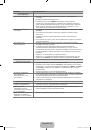
Sound Quality
First of all, please perform the
Sound Test
to confirm that your TV audio is properly
operating.
Go to
MENU
-
Support
-
Self Diagnosis
-
Sound Test
If the audio is OK, the sound problem may caused by the source or signal.
●
No sound or sound is too low at
maximum volume.
Please check the volume of external device connected to your TV then, adjust the TV
volume accordingly.
●
Picture is good but no sound.
Set the
Speaker Select
option to
TV speaker
in the sound menu.
Make sure audio cables from an external device are connected to correct audio input
jacks on the TV.
Check connected device’s audio output option. (ex: You may need to change your
cable box’ audio option to HDMI when you have HDMI connected to your TV.)
If you are using a DVI to HDMI cable, a separate audio cable is required.
Deactivate SRS function if you are setting the volume over 30 value.
Remove plug from headphone jack. (if available on your TV)
●
●
●
●
●
●
Noise from speaker.
Check cable connections. Make sure a video cable is not connected to an audio input.
For Antenna/Cable connection, check signal strength. Low signal level may cause
sound distortion.
●
●
¦
BN68-02356G.indb 43
2009-09-03 ¿ÀÈÄ 4:22:55