Инструкция для Sony KDL-40(46)(52)Z4500
 1
 2
 3
 4
 5
 6
 7
 8
 9
 10
 11
 12
 13
 14
 15
 16
 17
 18
 19
 20
 21
 22
 23
 24
 25
 26
 27
 28
 29
 30
 31
 32
 33
 34
 35
 36
 37
 38
 39
 40
 41
 42
 43
 44
 45
 46
 47
 48
 49
 50
 51
 52
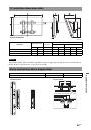 53
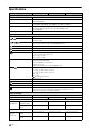 54
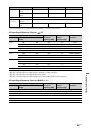 55
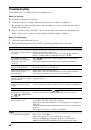 56
 57
 58
 59
 60
 61
 62
 63
 64
 65
 66
 67
 68
 69
 70
 71
 72
 73
 74
 75
 76
 77
 78
 79
 80
 81
 82
 83
 84
 85
 86
 87
 88
 89
 90
 91
 92
 93
 94
 95
 96
 97
 98
 99
 100
 101
 102
 103
 104
 105
 106
 107
 108
 109
 110
 111
 112
 113
 114
 115
 116
 117
 118
 119
 120
 121
 122
 123
 124
 125
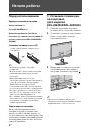 126
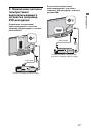 127
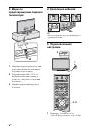 128
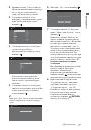 129
 130
 131
 132
 133
 134
 135
 136
 137
 138
 139
 140
 141
 142
 143
 144
 145
 146
 147
 148
 149
 150
 151
 152
 153
 154
 155
 156
 157
 158
 159
 160
 161
 162
 163
 164
 165
 166
 167
 168
 169
 170
 171
 172
 173
 174
 175
 176
 177
 178
 179
 180
 181
 182
 183
 184
 185
 186
 187
 188
 189
 190
 191
 192
 193
 194
 195
57
GB
Addi
tiona
l Info
rmati
o
n
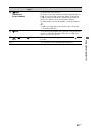
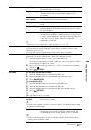
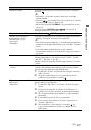
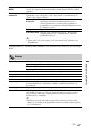
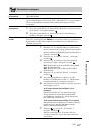
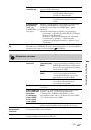
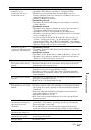
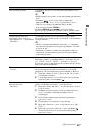
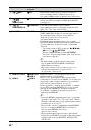
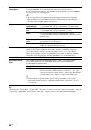
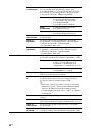
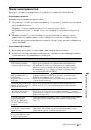
There is a significant
difference in the output
volume level between
DIGITAL MEDIA PORT
input and TV or other
equipment input.
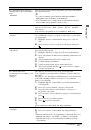
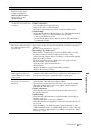
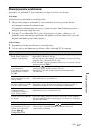
• Adjust “Volume Offset” setting in the “Sound” menu (page 40).
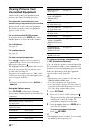
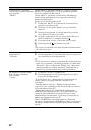
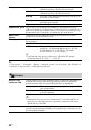
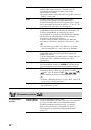
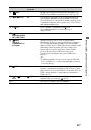
Connection Diagnostic Results
“Connection successful.”does
not appear.
Check Connections
• Use a straight cable for the LAN cable.
• Check if the cable is connected firmly.
• Check the connection between the TV and the broadband router.
Check Settings
• Change the IP address for the DNS server (see “Checking the Network
Connection” on page 36) while referring to the following.
– Contact your Internet provider.
– Specify the IP address of the router if you do not know the DNS of
your Internet provider.
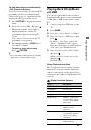
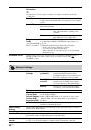
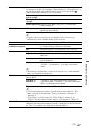
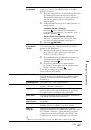
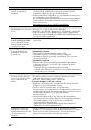
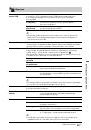
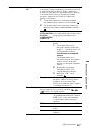
Home Network
The server cannot be found, a
list cannot be retrieved, and
playback fails.
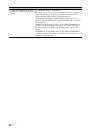
• Once server settings are changed, turn the TV off and on by pressing
1
on the TV.
• Execute “Server Diagnostics” (page 37).
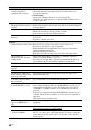
When using a PC as the server
• Check if the PC is turned on. Do not turn off the PC while accessing.
• If security software is installed on the server, be sure to allow
connections from external devices. For details, see the manual supplied
with your security software.
• The load on the PC may be too high or the server application may
become unstable. Try the following:
– Stop the server application and restart it.
– Restart the PC.
– Reduce the number of applications running on the PC.
– Reduce the amount of content.
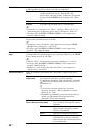
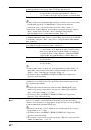
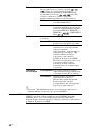
Changes on the server are not
being applied or displayed
content differs from content
on the server.
• Sometimes changes are not applied to displays on the TV even though
content has been added and/or deleted on the server. If this happens, go
back up one level and try opening the folder or server again.
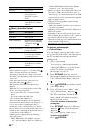
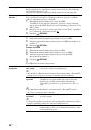
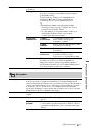
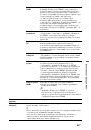
Photo and/or music files do
not appear or icons are not
displayed.
Preliminary Check
• Check that the connected device supports DLNA.
• Operations are not guaranteed for all servers. Also, operations differ
depending on the features of the server and the content in question.
• Turn the connected device on.
Check Connections
• Check that the LAN cable and/or mains lead of the server has not
become disconnected.
Check Settings
• Check that the connected device is registered under “Server Display
Settings” (page 36).
• Check that the server is correctly configured.
• Check that the selected equipment is connected to the network and can
be accessed.
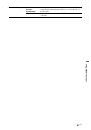
• If the “IP Address” in “Network” under “Network Settings” is set to
“DHCP (DNS automatic)” or “DHCP (DNS manual)”, it may take some
time to recognise a device if there is no DHCP server. Execute “Server
Diagnostics” (page 37).
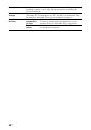
Condition
Explanation/Solution
(Continued)
Оглавление инструкции
- GB
- PL
- RU


