Инструкция для Samsung PS43F4900AK, PS51F4900AW, PS51F4900AK
 1
 2
 3
 4
 5
 6
 7
 8
 9
 10
 11
 12
 13
 14
 15
 16
 17
 18
 19
 20
 21
 22
 23
 24
 25
 26
 27
 28
 29
 30
 31
 32
 33
 34
 35
 36
 37
 38
 39
 40
 41
 42
 43
 44
 45
 46
 47
 48
 49
 50
 51
 52
 53
 54
 55
 56
 57
 58
 59
 60
 61
 62
 63
 64
 65
 66
 67
 68
 69
 70
 71
 72
 73
 74
 75
 76
 77
 78
 79
 80
 81
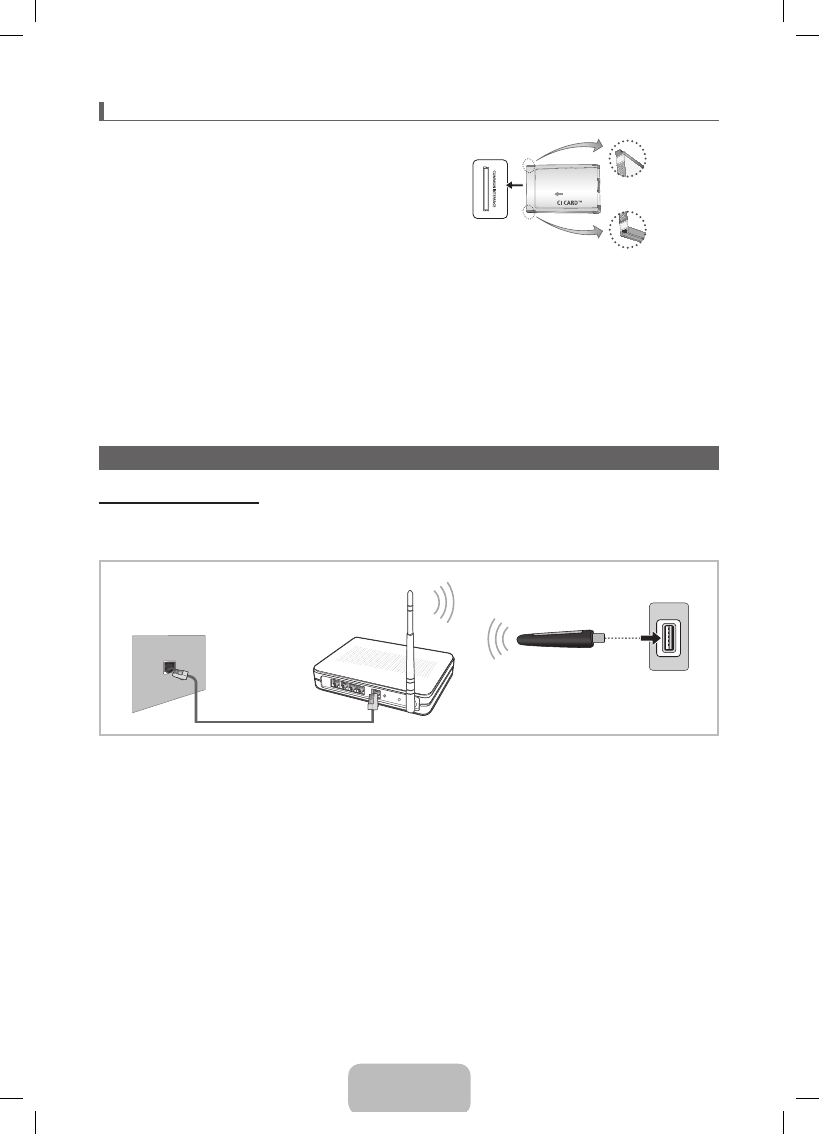
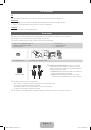
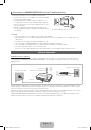
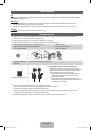
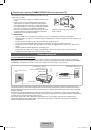
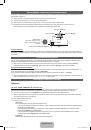
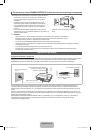
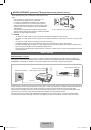
Connecting to a COMMON INTERFACE slot (Your TV viewing Card Slot)
To watch paid channels, the “CI or CI+ CARD” must be inserted.
•
If you do not insert the “CI or CI+ CARD”, some channels will display
the message “Scrambled Signal”.
•
The pairing information containing a telephone number, the “CI or
CI+ CARD” ID the Host ID and other information will be displayed in
about 2~3 minutes. If an error message is displayed, please contact
your service provider.
•
When the configuration of channel information has finished, the
message “Updating Completed” is displayed, indicating the channel
list is updated.
•
The image may differ depending on the model.
✎
NOTE
•
You must obtain a “CI or CI+ CARD” from a local cable service provider.
•
When removing the “CI or CI+ CARD”, carefully pull it out with your hands since dropping the “CI or CI+ CARD” may cause
damage to it.
•
Insert the “CI or CI+ CARD” in the direction marked on the card.
•
The location of the COMMON INTERFACE slot may be different depending on the model.
•
“CI or CI+ CARD” is not supported in some countries and regions; check with your authorized dealer.
•
If you have any problems, please contact a service provider.
•
Insert the “CI or CI+ CARD” that supports the current aerial settings. The screen will be distorted or will not be seen.
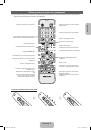
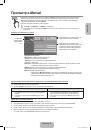
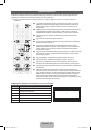
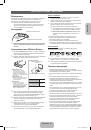
Network Connection
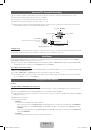
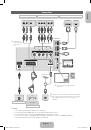
Network Connection - Wireless
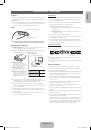
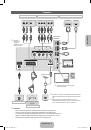
You can connect your TV to your LAN through a standard wireless router or modem. To connect wirelessly, you must first attach a
“Samsung Wireless LAN Adapter” (WIS12ABGNX, WIS09ABGNX - sold separately) to the USB port on the side of your TV. See the
illustration below.
The LAN Port on the Wall
LAN Cable
Wireless IP sharer
(wireless router having DHCP server)
Samsung Wireless LAN Adapter
USB port on the side of the TV
Samsung’s Wireless LAN adapter is sold separately and is offered by select retailers and Ecommerce sites. Samsung’s Wireless LAN
adapter supports the IEEE 802.11a/b/g and n communication protocols. Samsung recommends using IEEE 802.11n. When you play
video over a network connection, the video may not be played smoothly.
Most wireless network systems incorporate a security system that requires devices that access the network through an access point or
wireless router (typically a wireless IP Sharer) to transmit an encrypted security code called an access key.
If HIGH PURE THROUGHPUT (Greenfield) 802.11n mode is selected and the Encryption type is set to WEP for your wireless router,
Samsung TVs will not support a connection in compliance with new Wi-Fi certification specifications.
English - 8
[PF4900-RU]BN68-04783J.indb 8
2013-03-21 3:42:35