Инструкция для Samsung PS43F4900AK, PS51F4900AW, PS51F4900AK
 1
 2
 3
 4
 5
 6
 7
 8
 9
 10
 11
 12
 13
 14
 15
 16
 17
 18
 19
 20
 21
 22
 23
 24
 25
 26
 27
 28
 29
 30
 31
 32
 33
 34
 35
 36
 37
 38
 39
 40
 41
 42
 43
 44
 45
 46
 47
 48
 49
 50
 51
 52
 53
 54
 55
 56
 57
 58
 59
 60
 61
 62
 63
 64
 65
 66
 67
 68
 69
 70
 71
 72
 73
 74
 75
 76
 77
 78
 79
 80
 81
English
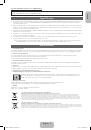
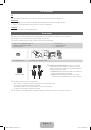
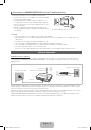
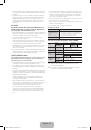
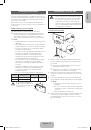
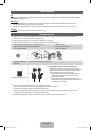
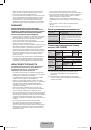
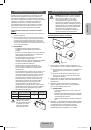
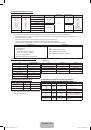
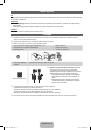
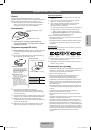
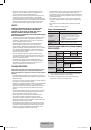
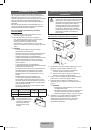
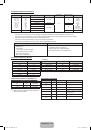
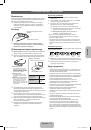
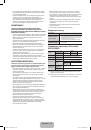
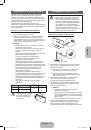
Installing the Wall Mount
The wall mount kit (sold separately) allows you to mount the TV on
the wall. For detailed information on installing the wall mount, see
the instructions provided with the wall mount. Contact a technician
for assistance when installing the wall mount bracket. We do not
advice you to do it yourself.
Samsung Electronics is not responsible for any damage to the
product or injury to yourself or others if you select to install the TV
on your own.
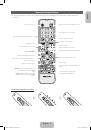
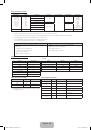
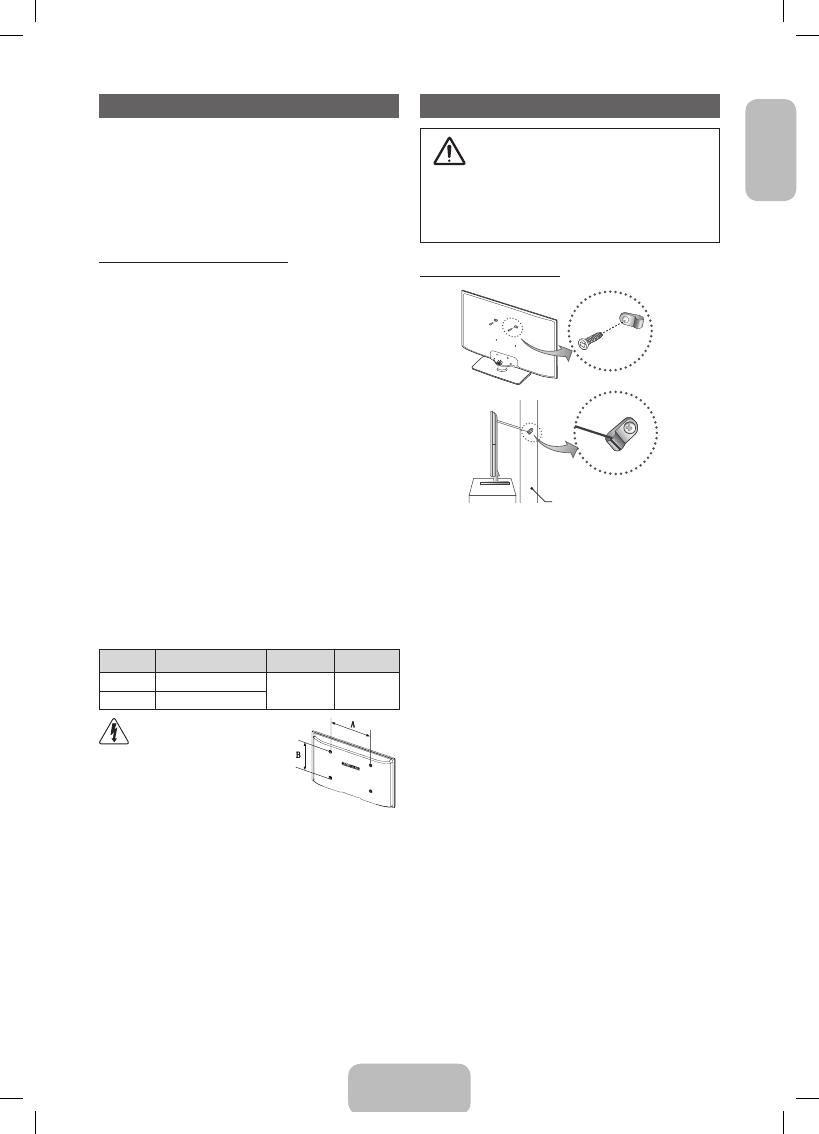
Wall Mount Kit Specifications (VESA)
✎
Wall mount kit is not supplied but sold separately.
✎
Install your wall mount on a solid wall perpendicular to the
floor. When attaching to other building materials, please
contact your nearest dealer. If installed on a ceiling or
slanted wall, it may fall and result in severe personal injury.
✎
NOTE
•
Standard dimensions for wall mount kits are shown in the
table below.
•
When purchasing our wall mount kit, a detailed installation
manual and all parts necessary for assembly are provided.
•
Do not use screws that do not comply with the VESA
standard screw specifications.
•
Do not use screws longer than the standard dimension, as
they may cause damage to the inside of the TV set.
•
For wall mounts that do not comply with the VESA
standard screw specifications, the length of the screws
may differ depending on their specifications.
•
Do not fasten the screws too strongly, this may damage
the product or cause the product to fall, leading to
personal injury. Samsung is not liable for these kinds of
accidents.
•
Samsung is not liable for product damage or personal
injury when a non-VESA or non-specified wall mount
is used or the consumer fails to follow the product
installation instructions.
•
Do not exceed 15 degrees tilt when mounting this TV.
inches
VESA Spec. (A * B)
Standard Screw
Quantity
43~51
400 X 400
M8
4
60~64
600 X 400
Do not install your Wall Mount
Kit while your TV is turned on. It
may result in personal injury due
to electric shock.
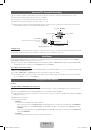
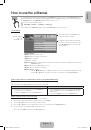
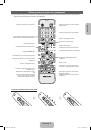
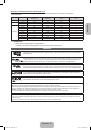
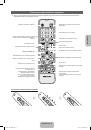
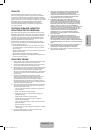
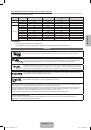
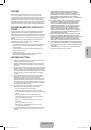
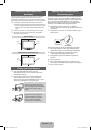
Securing the TV to the Wall
Caution
: Pulling, pushing, or climbing onto the
TV may cause the TV to fall. In particular, ensure
that your children do not hang over or destabilize
the TV; doing so may cause the TV to tip over,
resulting in serious injuries or death. Follow all
safety precautions provided on the included Safety
Flyer. For added stability, install the anti-fall device
for safety purposes, as follows.
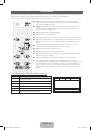
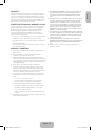
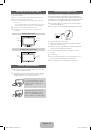
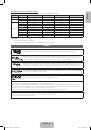
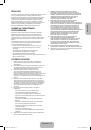
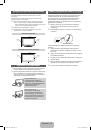
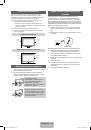
To avoid the TV from falling
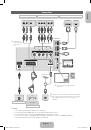
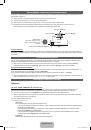
Wall
1.
Put the screws into the clamps and firmly fasten them onto
the wall. Confirm that the screws have been firmly installed
onto the wall.
✎
You may need additional material such as an anchor
depending on the type of wall.
✎
Since the necessary clamps, screws, and string are not
supplied, please purchase these additionally.
2.
Remove the screws from the centre back of the TV, put the
screws into the clamps, and then fasten the screws onto the
TV again.
3.
Connect the clamps fixed onto the TV and the clamps fixed
onto the wall with a strong string and then tie the string tightly.
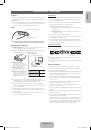
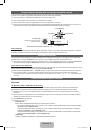
✎
NOTE
•
Install the TV near to the wall so that it does not fall
backwards.
•
It is safe to connect the string so that the clamps fixed
on the wall are equal to or lower than the clamps fixed
on the TV.
•
Untie the string before moving the TV.
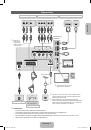
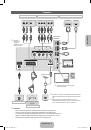
4.
Verify all connections are properly secured. Periodically check
connections for any sign of fatigue for failure. If you have
any doubt about the security of your connections, contact a
professional installer.
English - 17
[PF4900-RU]BN68-04783J.indb 17
2013-03-21 3:42:45