Инструкция для Samsung PS43F4900AK, PS51F4900AW, PS51F4900AK
 1
 2
 3
 4
 5
 6
 7
 8
 9
 10
 11
 12
 13
 14
 15
 16
 17
 18
 19
 20
 21
 22
 23
 24
 25
 26
 27
 28
 29
 30
 31
 32
 33
 34
 35
 36
 37
 38
 39
 40
 41
 42
 43
 44
 45
 46
 47
 48
 49
 50
 51
 52
 53
 54
 55
 56
 57
 58
 59
 60
 61
 62
 63
 64
 65
 66
 67
 68
 69
 70
 71
 72
 73
 74
 75
 76
 77
 78
 79
 80
 81
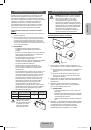
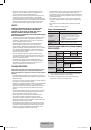
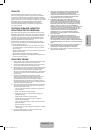
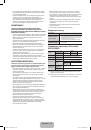
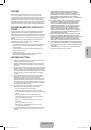
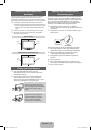
•
The 3D effect may be experienced differently depending on the viewer. You
may not notice the 3D effect at all if you wear glasses and have an unusual
prescription.
•
If a part of the 3D glasses or lenses is defective or damaged, it cannot be
repaired and the glasses should be replaced. If the glasses stop working
within the warranty period, the glasses can be repaired or replaced for
free. If the glasses have been damaged due to the fault of the customer
or the warranty period has expired, a new pair of glasses will have to be
purchased.
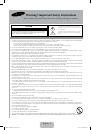
CAUTION!
IMPORTANT HEALTH AND SAFETY INFORMATION FOR 3D
IMAGES. READ THE FOLLOWING CAUTIONS BEFORE YOU
OR YOUR CHILD USE THE 3D FUNCTION.
•
Adults should frequently check on children who are using the 3D function. If
there are any complaints of tired eyes, headaches, dizziness or nausea, stop
the child from viewing the 3D TV and ensure that they rest.
•
Do not use the 3D glasses for other purposes such as general wear,
sunglasses, protective goggles, etc.
•
Some viewers may experience discomfort such as dizziness, nausea and
headaches while viewing 3D TV. If you experience any of these symptoms,
stop viewing the 3D TV, remove the 3D glasses and rest for awhile.
•
Watching 3D pictures for an extended period of time may cause eye strain.
If you experience any eye strain, stop viewing the 3D TV, remove the 3D
glasses and rest for awhile.
•
Do not use the 3D function or 3D glasses while walking or moving around.
Using the 3D function or 3D Active Glasses while moving around may result
in injury from running into objects, tripping, and/or falling.
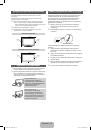
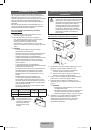
SAFETY PRECAUTIONS
The following safety instructions are to ensure your personal
safety and prevent property damage. Please read them to
ensure the proper use of the product.
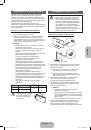
•
Do not place the product in a location exposed to direct sunlight, heat, fire,
or water. Exposure may result in a product malfunction or fire.
•
Do not apply force to the lenses of the 3D glasses. Do not drop or bend
the product. Applying force, dropping, or bending may result in a product
malfunction.
•
Use only the specified standard batteries. When replacing the battery, insert
the battery so that its polarity (+, –) is correct. Failing to do so may damage
the battery or result in fire, personal injury or environmental damage caused
by liquid leaking from the battery.
•
Keep the used battery out of the reach of children so that they do not
accidently swallow the battery. If your child has swallowed the battery,
consult your doctor immediately.
•
When cleaning the product, do not spray water or cleaner directly onto the
surface of the product. Spraying water or cleaner directly onto the glasses
may result in fire or electric shock, damage to the product's surface, or
cause the indicator labels on the product's surface to come loose.
•
Do not use chemicals containing alcohol, solvents, or surfactants, or
chemicals such as wax, benzene, thinner, mosquito repellant, lubricant or
cleaners. These may cause a discolouration of or cracks in the product
surface and cause the indicator labels on the product's surface to come
loose.
•
Since the product surface and lens are easily scratched, make sure to use a
clean soft cloth(a cloth consisting of superfine fibers or cotton flannel) when
cleaning to avoid scratching either the surface or the lens. As the product
may become scratched if there are any foreign items on the cloth, make
sure to shake off any dust before using it.
•
Never disassemble, repair, or modify the 3D glasses yourself. Do not use the
glasses when they are out of order or broken.
•
Take care that you do not injure your eyes with the edges of the frame of the
3D glasses when wearing them.
•
Use your hands to put on or remove the 3D glasses.
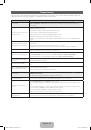
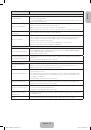
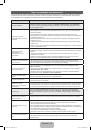
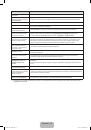
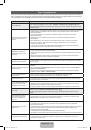
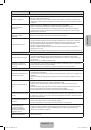
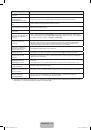
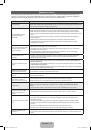
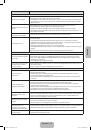
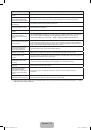
Troubleshooting
If you encounter...
Try this...
My 3D glasses do not
work.
•
Replace the battery.
•
The 3D glasses should be close to the TV. Make sure
that the distance between the TV and your 3D glasses
is less than 19.5 feet (6m) in a straight line.
•
Check the 3D function settings of your TV.
The LED keeps blinking
•
The battery is dead. Replace the battery.
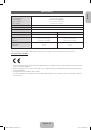
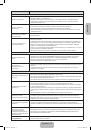
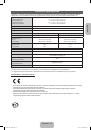
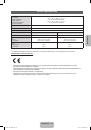
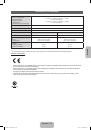
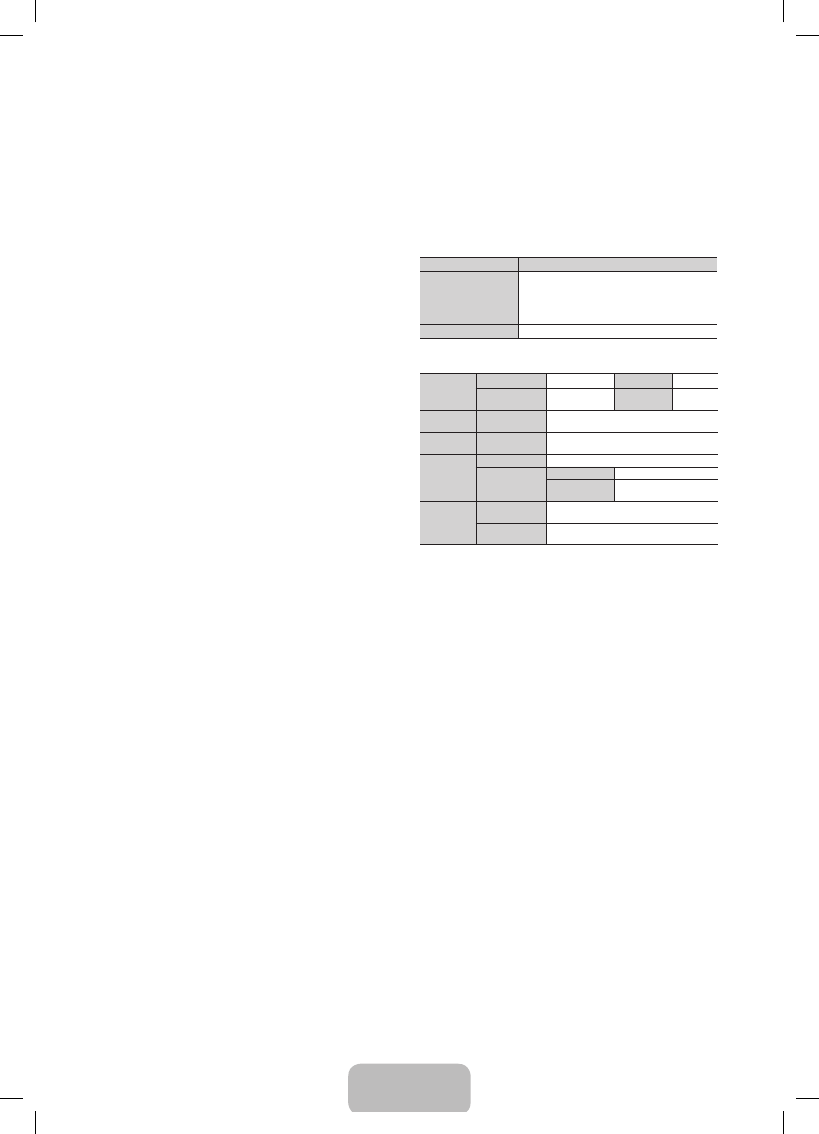
Specifications (Model Number: SSG-5100GB)
Optics
Shutters
Liquid crystal
Transmittance
36±2%
Recommended
viewing distance
2 ~ 6m (6.5 to
19.5 ft)
Field Rate
120 fields/
second
Weight
Glasses
21.5g/.76 oz. (including the battery:
24.0±0.5g/.85.±.018oz.)
Power
Glasses
One 3V lithium/manganese dioxide battery
3V(CR2025)
Power
Consumption
Glasses
0.85mA (Average)
Battery
Type
165mAh, 3.0V (CR2025)
Operating time
when On
150 hours
Operating
Conditions
Operating
Temperature
10°C 40°C 50°F 104°F
-20°C 45°C -4°F 113°F
~
10°C 40°C 50°F 104°F
-20°C 45°C -4°F 113°F
(
10°C 40°C 50°F 104°F
-20°C 45°C -4°F 113°F
~
10°C 40°C 50°F 104°F
-20°C 45°C -4°F 113°F
)
Custody
Temperature
10°C 40°C 50°F 104°F
-20°C 45°C -4°F 113°F
~
10°C 40°C 50°F 104°F
-20°C 45°C -4°F 113°F
(
10°C 40°C 50°F 104°F
-20°C 45°C -4°F 113°F
~
10°C 40°C 50°F 104°F
-20°C 45°C -4°F 113°F
)
✎
Product specifications may be changed without notice in order to
enhance product performance.
✎
The continuous operating time may differ depending on the wireless
communication environment and usage conditions.
English - 12
[PF4900-RU]BN68-04783J.indb 12
2013-03-21 3:42:40