Инструкция для Samsung PS43F4900AK, PS51F4900AW, PS51F4900AK
 1
 2
 3
 4
 5
 6
 7
 8
 9
 10
 11
 12
 13
 14
 15
 16
 17
 18
 19
 20
 21
 22
 23
 24
 25
 26
 27
 28
 29
 30
 31
 32
 33
 34
 35
 36
 37
 38
 39
 40
 41
 42
 43
 44
 45
 46
 47
 48
 49
 50
 51
 52
 53
 54
 55
 56
 57
 58
 59
 60
 61
 62
 63
 64
 65
 66
 67
 68
 69
 70
 71
 72
 73
 74
 75
 76
 77
 78
 79
 80
 81
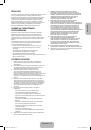
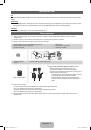
English
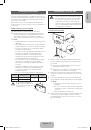
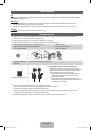
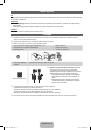
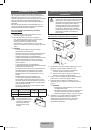
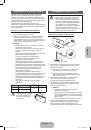
Features
Samsung's SSG-5100GB 3D glasses enable you to view 3D images on your
3D TV. The Samsung 3D glasses communicate with Samsung 3D TVs via the
2.4GHz RF band.
✎
The Samsung 3D glasses are only compatible with Samsung D, E, and
F series 3D TV's that were released in 2011, 2012, and 2013. These 3D
glasses cannot be connected to other Bluetooth devices.
Parts
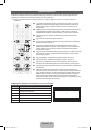
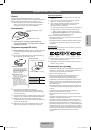
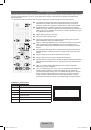
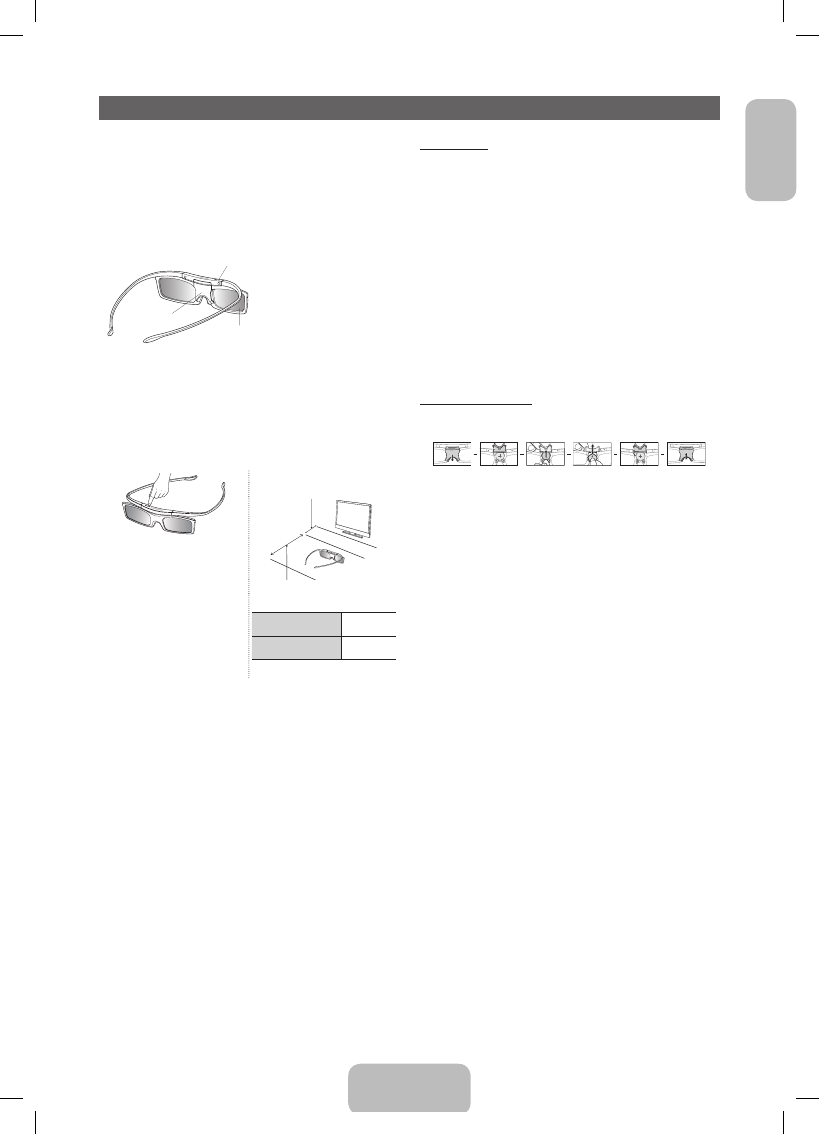
LED Indicator & Power Button
Liquid crystal shutter
Battery Cover
✎
For details on how to attach the glasses' temples and how to pair
the glasses with the TV, refer to the separate 3D glasses manual.
Pairing 3D Active Glasses
✎
What is Pairing?
Pairing is the process of connecting 3D glasses and a
3D TV so that the two devices can exchange data.
✎
Ensure your Samsung TV and 3D glasses are no farther than 19.5 in (50
cm) apart from each other while pairing is in progress.
Operating range
Recommended pairing distance
2~6m
50cm
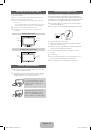
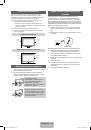
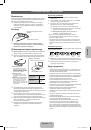
Turning the glasses on
Press the power button briefly. The
green LED is turned on for 3 seconds.
(Make sure that 3D is activated on the
TV before using the 3D glasses.)
Turning the glasses off
Press the power button briefly. The red
LED is turned on for 3 seconds.
Performing the pairing process
Turn the TV on and let it power up
completely. Press and hold the Power
button on the glasses. The green and
the red LEDs blink alternately for 2
seconds.
Recommended viewing distance
Recommended viewing
distance
2~6m
(6.5 to 19.5 ft)
Recommended pairing
distance
50 cm or less
(19.5 in)
✎
Once the 3D glasses are paired, the remaining battery capacity is
displayed on the TV screen. (This feature only applies to Samsung F series
3D TVs and 3D glasses that have been available since 2013.)
✎
If you keep trying to pair the glasses and the TV, the battery level will
decrease significantly. However, the battery level will recover to a certain
degree in about a minute.
✎
The working distance depends on the existence of obstacles (a person,
metal, walls, etc.) between the glasses and the TV and the strength of the
Bluetooth signal.
✎
Turn off the 3D glasses while they are not in use. If you leave the 3D
glasses on, the battery lifespan decreases.
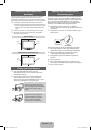
Pairing steps
1.
Turn on the TV, and then move the glasses within 19.5 inches of the TV.
2.
Press the power button on the 3D glasses briefly. The 3D glasses will
power on and pairing will start.
3.
The message “3D glasses are connected to TV.” will be displayed on the
TV screen when the pairing is successfully completed.
✎
If pairing fails, the 3D glasses will power off.
✎
If the first attempt to pair fails, power the TV off and on again and
perform step 2.
✎
How to pair again:
Press the power button on the 3D glasses for
more than 1 second.
<Pairing is needed again in the following situations:>
•
If the 3D glasses do not function, even when the power button is pressed,
especially on the 3D TV after a repair.
•
If you want to play 3D content on another Samsung 3D TV model that
belongs to the D, E, or F series released in 2011 through 2013. You must
pair the glasses with the other TV.
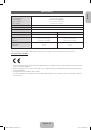
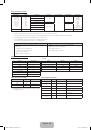
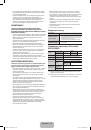
Replacing the Battery
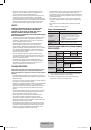
If the red LED blinks every two seconds continually, replace the battery with a
new one.
Pull the
battery cover
downward
Open the
battery cover
Remove the
battery
Replace the
battery
Push the
battery cover
downward
Close the
battery cover
✎
Insert the "+" side of the battery into the side marked with "+" in the
battery compartment.
✎
To check the remaining battery capacity, refer to the pairing section in this
manual.
Viewing guidelines
•
When viewing a 3D video under a fluorescent lamp (50 Hz – 60 Hz) or
3-wavelength lamp, you may notice a small amount of screen flickering.
•
If this occurs, dim or turn off the light.
•
Switching the input mode while watching a 3D movie may disable the 3D
function on the TV. As a result, the 3D glasses may not function and the
movie may not be displayed properly.
•
If the 3D glasses are moved outside of their working distance, the signal
from the TV will disconnect and the glasses' 3D function will turn off after
several seconds.
•
The 3D glasses will power off after the 3D function turns off. When this
happens, the red LED will turn on for 3 seconds.
•
Under some circumstances, the 3D glasses may malfunction due to
interference from other devices.
•
Ensure you are within the working distance of the glasses when you view a
3D video.
•
The images may not be viewable in 3D if you move outside of the working
distance for 3 seconds.
•
If you lie on your side while watching TV with 3D active glasses, the picture
may appear dark or may not be visible.
•
The 3D glasses may not work properly due to interference from other 3D
products or electronic devices that operate on the 2.4GHz frequency such
as a microwave oven or Internet AP. If the 3D function malfunctions due to
interference, please move all other electronic or wireless communication
devices as far away from the glasses and the TV as possible.
3D Active Glasses - SSG-5100GB
English - 11
[PF4900-RU]BN68-04783J.indb 11
2013-03-21 3:42:39