Инструкция для GIGABYTE GA-H67N-USB3-B3 (rev. 1.0), GA H67N USB3 B3 rev 1 0
 1
 2
 3
 4
 5
 6
 7
 8
 9
 10
 11
 12
 13
 14
 15
 16
 17
 18
 19
 20
 21
 22
 23
 24
 25
 26
 27
 28
 29
 30
 31
 32
 33
 34
 35
 36
 37
 38
 39
 40
 41
 42
 43
 44
 45
 46
 47
 48
 49
 50
 51
 52
 53
 54
 55
 56
 57
 58
 59
 60
 61
 62
 63
 64
 65
 66
 67
 68
 69
 70
 71
 72
 73
 74
 75
 76
 77
 78
 79
 80
 81
 82
 83
 84
 85
 86
 87
 88
 89
 90
 91
 92
 93
 94
 95
 96
 97
 98
 99
 100
- 45 -
BIOS Setup
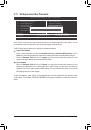
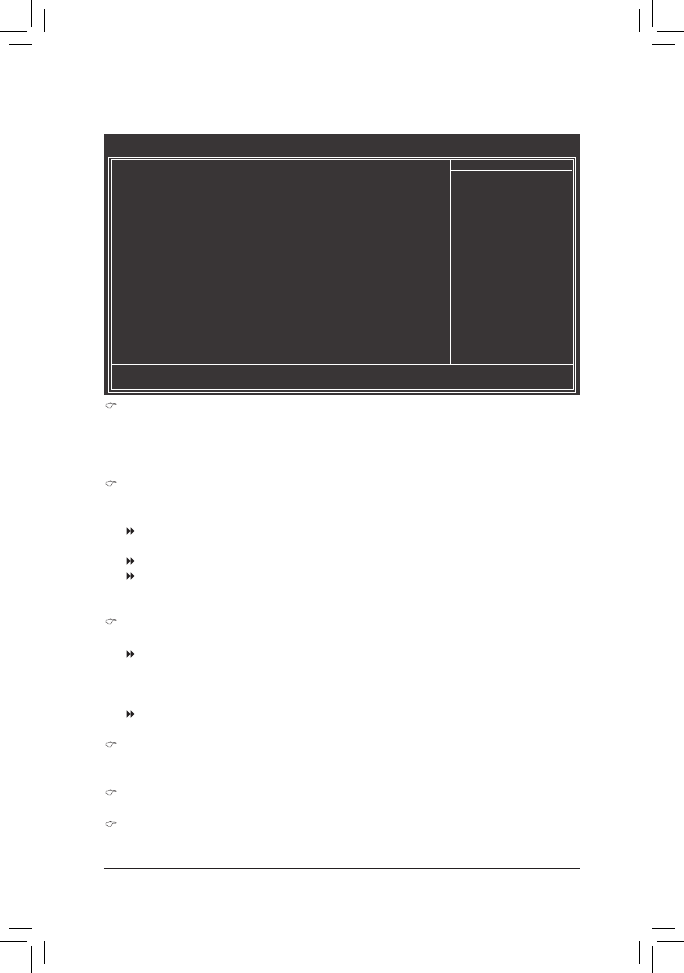
2-6 Integrated Peripherals
eXtreme Hard Drive (Intel H67 Chipset)
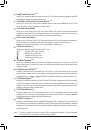
Enables or disables the X.H.D function for the SATA controllers integrated in the Intel H67 Chipset.
When set to
Enabled
, the
PCH SATA Control Mode
item below will be set to
RAID(XHD)
automatically.
For details on using the GIGABYTE X.H.D utility, refer to Chaper 4, "eXtreme Hard Drive (X.H.D)." (Default:
Disabled)
PCH SATA Control Mode (Intel H67 Chipset)
Enables or disables RAID for the SATA controllers integrated in the Intel H67 Chipset or configures the
SATA controllers to AHCI mode.
IDE
Disables RAID for the SATA controllers and configures the SATA controllers to IDE
mode. (Default)
RAID(XHD)
Enables RAID for the SATA controllers.
AHCI
Configures the SATA controllers to AHCI mode. Advanced Host Controller Interface
(AHCI) is an interface specification that allows the storage driver to enable advanced
Serial ATA features such as Native Command Queuing and hot plug.
SATA Port0-3 Native Mode (Intel H67 Chipset)
Specifies the operating mode of the integrated SATA controllers.
Disabled
Allows the SATA controllers to operate in Legacy IDE mode.
In Legacy mode the SATA controllers use dedicated IRQs that cannot be shared with
other device. Set this option to
Disabled
if you wish to install operating systems that
do not support Native mode.
Enabled
Allows the SATA controllers to operate in Native IDE mode. Enable Native IDE mode if you
wish to install operating systems that support Native mode. (Default)
USB Controllers
Enables or disables the integrated USB controller. (Default: Enabled)
Disabled
will turn off all of the USB functionalities below.
USB Legacy Function
Allows USB keyboard to be used in MS-DOS. (Default: Enabled)
USB Storage Function
Determines whether to detect USB storage devices, including USB flash drives and USB hard drives
during the POST. (Default: Enabled)
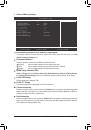
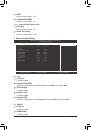
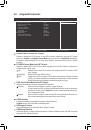
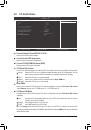
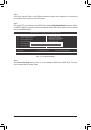
CMOS Setup Utility-Copyright (C) 1984-2011 Award Software
Integrated Peripherals
eXtreme Hard Drive (XHD)
[Disabled]
PCH SATA Control Mode
[IDE]
SATA Port0-3 Native Mode
[Enabled]
USB Controllers
[Enabled]
USB Legacy Function
[Enabled]
USB Storage Function
[Enabled]
Azalia Codec
[Auto]
Onboard H/W LAN
[Enabled]
SMART LAN
[Press Enter]
Onboard LAN Boot ROM
[Disabled]
Onboard USB 3.0 Controller
[Enabled]
hi
: Move
Enter: Select
+/-/PU/PD: Value
F10: Save
ESC: Exit
F1: General Help
F5: Previous Values
F6: Fail-Safe Defaults
F7: Optimized Defaults
Item Help
Menu Level
Оглавление инструкции
- Box Contents
- Optional Items
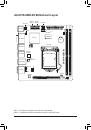
- GA-H67N-USB3-B3 Motherboard Layout
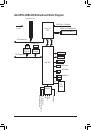
- GA-H67N-USB3-B3 Motherboard Block Diagram
- Chapter 1 Hardware Installation
- Chapter 2 BIOS Setup
- 2-1 Startup Screen
- 2-2 The Main Menu
- 2-3 MB Intelligent Tweaker(M.I.T.)
- 2-4 Standard CMOS Features
- 2-5 Advanced BIOS Features
- 2-6 Integrated Peripherals
- 2-7 Power Management Setup
- 2-8 PC Health Status
- 2-9 Load Fail-Safe Defaults
- 2-10 Load Optimized Defaults
- 2-11 Set Supervisor/User Password
- 2-12 Save & Exit Setup
- 2-13 Exit Without Saving
- Chapter 3 Drivers Installation
- Chapter 4 Unique Features
- Chapter 5 Appendix






