Инструкция для GIGABYTE GA-870A-USB3L (rev. 3.1), GA 870A USB3L rev 3 1
 1
 2
 3
 4
 5
 6
 7
 8
 9
 10
 11
 12
 13
 14
 15
 16
 17
 18
 19
 20
 21
 22
 23
 24
 25
 26
 27
 28
 29
 30
 31
 32
 33
 34
 35
 36
 37
 38
 39
 40
 41
 42
 43
 44
 45
 46
 47
 48
 49
 50
 51
 52
 53
 54
 55
 56
 57
 58
 59
 60
 61
 62
 63
 64
 65
 66
 67
 68
 69
 70
 71
 72
 73
 74
 75
 76
 77
 78
 79
 80
 81
 82
 83
 84
 85
 86
 87
 88
 89
 90
 91
 92
 93
 94
 95
 96

- 77 -
Appendix
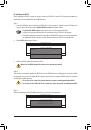
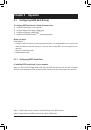
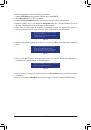
In the following procedure, we'll create RAID 0 as an example.
1. Under the
RAID Mode
section, press the <SPACE> key to select
RAID 0
.
2. Set the
Stripe Block
size. 64 KB is the default.
3. Under the
Drives Assignments
section, press the up or down arrow key to highlight a drive.
4. Press the <SPACE> key or <Y>to change the
Assignment
option to
Y
. This action adds the drive to the
disk array. The
Drv
section will show the number of disks assigned.
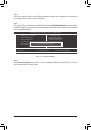
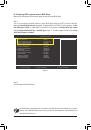
5. Press <Ctrl>+<Y> keys to save the information. The message in Figure 6 will appear. Press <Ctrl+Y> to
input the array name. If you do not input the array name, the default array name will be used.
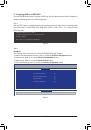
Figure 7
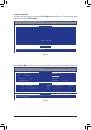
Figure 8
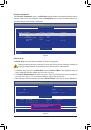
7. Then, the message in Figure 8 will appear. Press <Ctrl>+<Y> to set the capacity of the RAID array or
press other keys to set the array to its maximum capacity.
Figure 6
6. When the next message appears, press <Ctrl>+<Y> to clear the MBR or press other keys to ignore this
option.
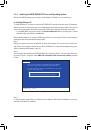
8. After the creation is complete, the screen will return to
LD View Menu
where you will see the newly-
created array.
9. Press <Esc> to return to
Main Menu
and press <Esc> again if you want to exit the RAID BIOS utility.
Fast Initialization Option has been selected
It will erase the MBR data of the disk.
<Press Ctrl-Y Key if you are sure to erase it>
<Press any other key to ignore this option>
Press Ctrl-Y to Modify Array Capacity or press any
other key to use maximum capacity...
Please press Ctrl-Y key to input the LD Name
or press any key to exit.
If you do not input any LD name, the default
LD name will be used.
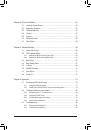
Оглавление инструкции
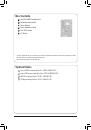
- Box Contents
- Optional Items
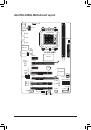
- GA-870A-USB3L Motherboard Layout
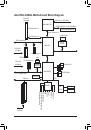
- GA-870A-USB3L Motherboard Block Diagram
- Chapter 1 Hardware Installation
- Chapter 2 BIOS Setup
- 2-1 Startup Screen
- 2-2 The Main Menu
- 2-3 MB Intelligent Tweaker(M.I.T.)
- 2-4 Standard CMOS Features
- 2-5 Advanced BIOS Features
- 2-6 Integrated Peripherals
- 2-7 Power Management Setup
- 2-8 PC Health Status
- 2-9 Load Fail-Safe Defaults
- 2-10 Load Optimized Defaults
- 2-11 Set Supervisor/User Password
- 2-12 Save & Exit Setup
- 2-13 Exit Without Saving
- Chapter 3 Drivers Installation
- Chapter 4 Unique Features
- Chapter 5 Appendix






