Инструкция для GIGABYTE GA-870A-USB3L (rev. 3.1), GA 870A USB3L rev 3 1
 1
 2
 3
 4
 5
 6
 7
 8
 9
 10
 11
 12
 13
 14
 15
 16
 17
 18
 19
 20
 21
 22
 23
 24
 25
 26
 27
 28
 29
 30
 31
 32
 33
 34
 35
 36
 37
 38
 39
 40
 41
 42
 43
 44
 45
 46
 47
 48
 49
 50
 51
 52
 53
 54
 55
 56
 57
 58
 59
 60
 61
 62
 63
 64
 65
 66
 67
 68
 69
 70
 71
 72
 73
 74
 75
 76
 77
 78
 79
 80
 81
 82
 83
 84
 85
 86
 87
 88
 89
 90
 91
 92
 93
 94
 95
 96
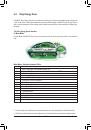
Unique Features
- 68 -
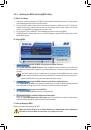
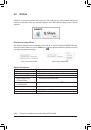
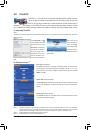
C. Stealth Mode
In Stealth Mode, the system continues t
o work with the user-defined power saving settings, even after the
system is restarted. Re-enter the application only if you want to make any changes or completely close the
application.
(Note 1) Maximize system power saving with Dynamic CPU Frequency Function; system performance may
be affected.
(Note 2) 1: Normal Power Saving (default); 2: Advanced Power Saving; 3: Extreme Power Saving.
(Note 3) The total amount of power saved will be recorded until re-activated when only the Easy Energy
Saver is under the enable status, and power savings meter is unable to reset to zero.
(Note 4) Easy Energy Saver Meter will automatically reset when the total power saving reaches 99999999
Watts.
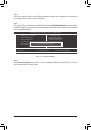
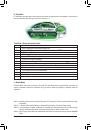
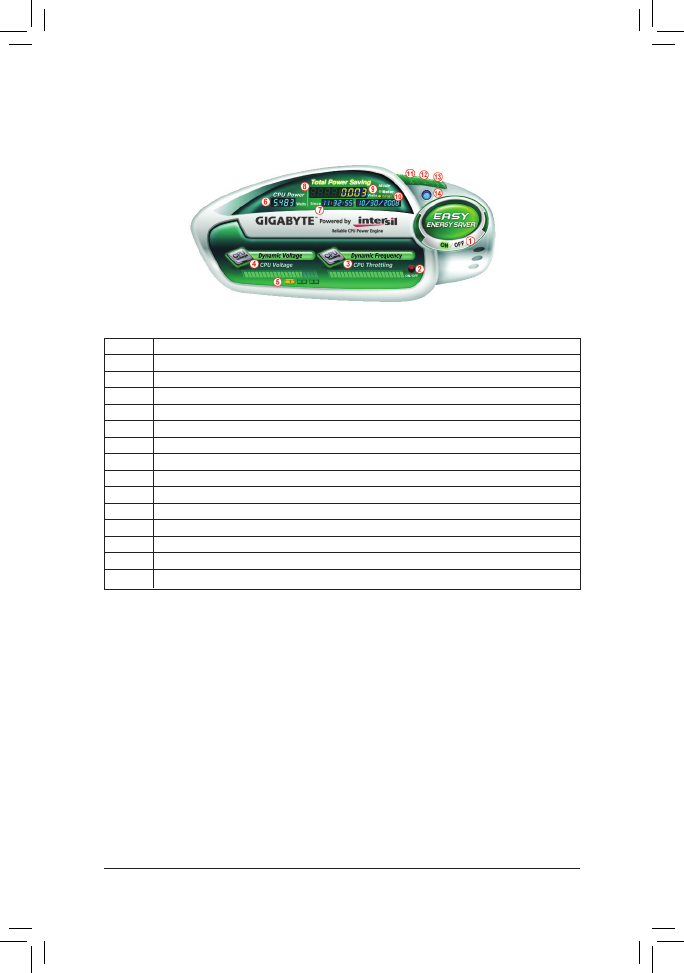
B. Total Mode
In Total Mode, users are able to see how much total power savings they have accumulated in a set period of
time since activating Easy Energy Saver for the first time
(Note 3)
.
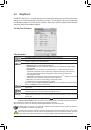
Total Mode - Button Information Table
Button Description
1
Easy Energy Saver On/Off Switch (Default: Off)
2
Dynamic CPU Frequency Function On/Off Switch (Default: Off)
(Note 1)
3
CPU Throttling Display
4
CPU Voltage Display
5
3-Level CPU Voltage Switch (Default:1)
(Note 2)
6
Current CPU Power Consumption
7
Time/Date Easy Energy Saver Enabled
8
Total Power Savings (Total power saving with Easy Energy Saver enabled)
(Note 4)
9
Meter Mode Switch
10
Total Mode Switch
11
Close (Application will enter Stealth Mode)
12
Minimize (Application will continue to run in taskbar)
13
INFO/Help
14
Live Utility Update (Check for the latest utility version)
Оглавление инструкции
- Box Contents
- Optional Items
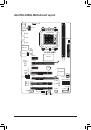
- GA-870A-USB3L Motherboard Layout
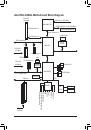
- GA-870A-USB3L Motherboard Block Diagram
- Chapter 1 Hardware Installation
- Chapter 2 BIOS Setup
- 2-1 Startup Screen
- 2-2 The Main Menu
- 2-3 MB Intelligent Tweaker(M.I.T.)
- 2-4 Standard CMOS Features
- 2-5 Advanced BIOS Features
- 2-6 Integrated Peripherals
- 2-7 Power Management Setup
- 2-8 PC Health Status
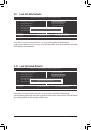
- 2-9 Load Fail-Safe Defaults
- 2-10 Load Optimized Defaults
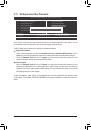
- 2-11 Set Supervisor/User Password
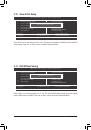
- 2-12 Save & Exit Setup
- 2-13 Exit Without Saving
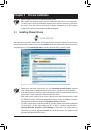
- Chapter 3 Drivers Installation
- Chapter 4 Unique Features
- Chapter 5 Appendix





