Инструкция для LG 42LW575S
 1
 2
 3
 4
 5
 6
 7
 8
 9
 10
 11
 12
 13
 14
 15
 16
 17
 18
 19
 20
 21
 22
 23
 24
 25
 26
 27
 28
 29
 30
 31
 32
 33
 34
 35
 36
 37
 38
 39
 40
 41
 42
 43
 44
 45
 46
 47
 48
 49
 50
 51
 52
 53
 54
 55
 56
 57
 58
 59
 60
 61
 62
 63
 64
 65
 66
 67
 68
 69
 70
 71
 72
 73
 74
 75
 76
 77
 78
 79
 80
 81
 82
 83
 84
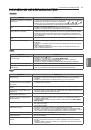 85
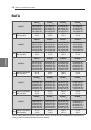 86
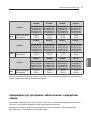 87
 88
6
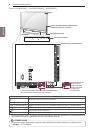
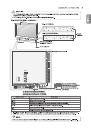
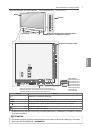
ASSEMBLING AND PREPARING
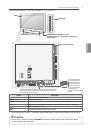
Only 32/37/42/47LV55**, 32/37/42/47/55LW55**, 42/47/55LW75**
NOTE
You can set the power indicator light to on or off by selecting
OPTION
in the Home menu - SETUP.
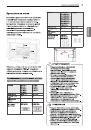
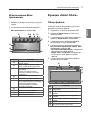
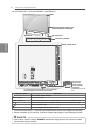
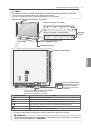
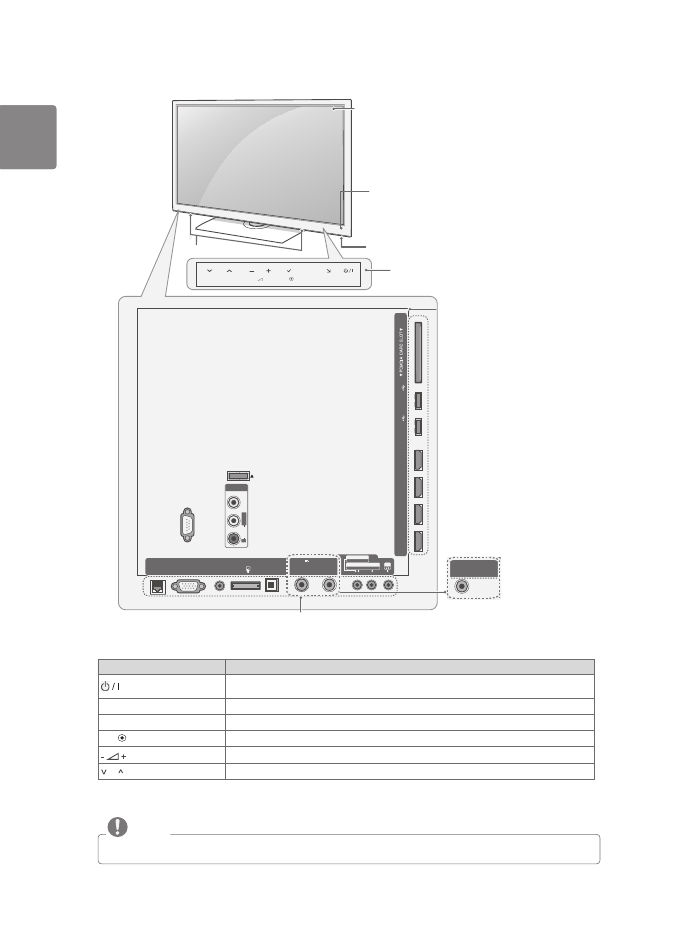
Touch button
2
Description
Turns the power on or off.
INPUT
Changes the input source.
HOME
Accesses the Home menu, or saves your input and exits the menus.
OK
Selects the highlighted menu option or confirms an input.
Adjusts the volume level.
P
Scrolls through the saved programmes.
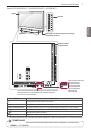
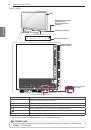
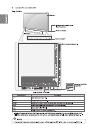
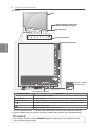
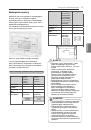
1 Intelligent sensor - Adjusts the image quality and brightness based on the surrounding environment.
2 All of the buttons are touch sensitive and can be operated through simple touch with your finger.
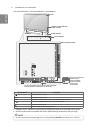
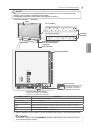
INPUT
HOME
H
P
OK
WIRELESS
CONTROL
AUDIO
VIDEO
L/MONO
R
RS-2
32C
IN (C
ONT
ROL
&SE
RVIC
E)
AV IN2
LAN
RGB IN (PC)
OPTICAL DIGITAL
AUDIO OUT
13/18V
700mA Max
LNB IN
Satellite
AUDIO IN
(RGB/DVI)
AV1
(RGB)
ANTENNA/
CABLE IN
AV IN 3
AUDIO / VIDEO
COMPONENT IN
AUDIO / Y P
B
P
R
H/P
IN 1(ARC)
IN
2
IN
3
IN 4
HDMI/DVI
HDMI/DVI
HDMI/DVI
HDMI/DVI
HDD IN USB IN 1
USB Apps USB IN 2
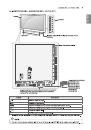
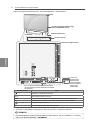
Remote control and intel-
ligent
1
sensors
Screen
Touch buttons
2
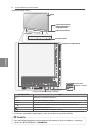
Rear Connection panel
Speakers
(Only 32/37/42/47LV550S, 32/37/42/47LV550G, 32/37/42/47/55LW550S,
32/37/42/47/55LW550G, 42/47/55LW750S, 42/47/55LW750G)
(Except for 32/37/42/47LV550S,
32/37/42/47LV550G,
32/37/42/47/55LW550S,
32/37/42/47/55LW550G,
42/47/55LW750S,
42/47/55LW750G)
L DIGITAL
ANTENNA/
CABLE IN
Power indicator
ENG
ENGLISH