Инструкция для LG 42LW575S
 1
 2
 3
 4
 5
 6
 7
 8
 9
 10
 11
 12
 13
 14
 15
 16
 17
 18
 19
 20
 21
 22
 23
 24
 25
 26
 27
 28
 29
 30
 31
 32
 33
 34
 35
 36
 37
 38
 39
 40
 41
 42
 43
 44
 45
 46
 47
 48
 49
 50
 51
 52
 53
 54
 55
 56
 57
 58
 59
 60
 61
 62
 63
 64
 65
 66
 67
 68
 69
 70
 71
 72
 73
 74
 75
 76
 77
 78
 79
 80
 81
 82
 83
 84
 85
 86
 87
 88
14
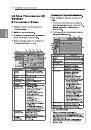
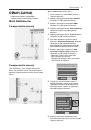
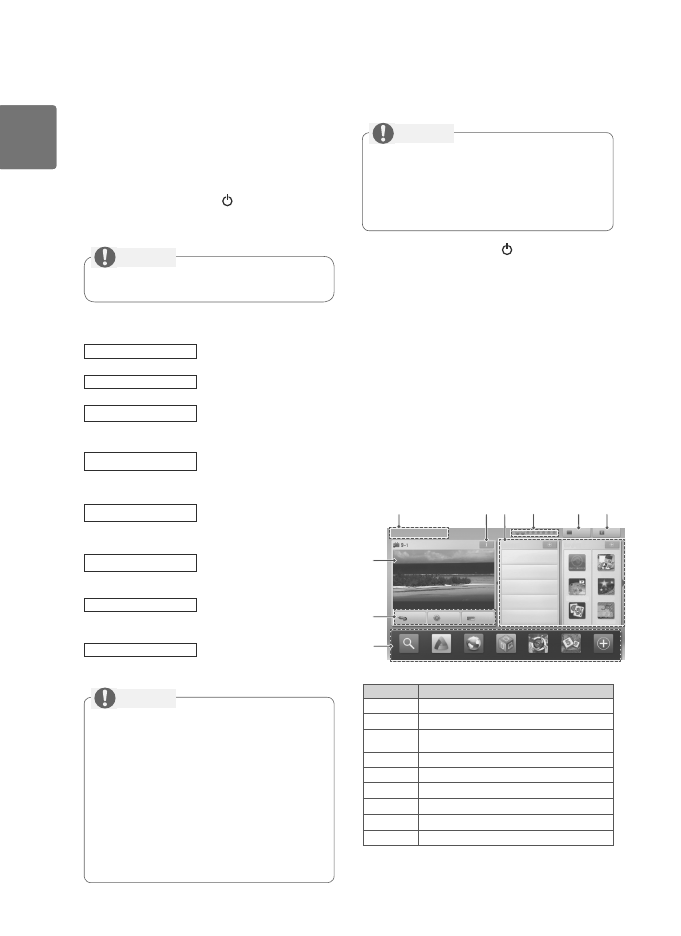
wATCHING TV
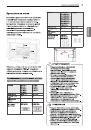
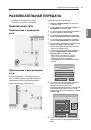
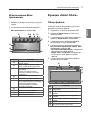
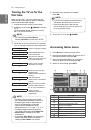
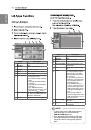
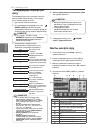
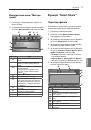
Accessing Home menu
1
Press
Home
to access the Home menu.
2
Press the Navigation buttons to scroll to one of
the following menus and press
OK
.
3
Press the Navigation buttons to scroll to the
setting or option you want and press
OK
.
4
When you are finished, press
EXIT
.
Option
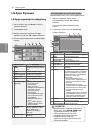
Description
1
Current Date, Time
2
Channel programme info
3
Function card: You can enjoy various con-
tent files by selecting each card.
4
Function card position
5
Sign In
6
Exit
7
Current watching channel screen
8
INPUT, SETUP, GUIDE menu.
9
Launcher bar
Sign In
Premium
Search
Sat. Jan. 1, 2011 12:00
World Nature
5:05 ~ 5:55
LG Apps
Web Browser
Media Link
Arrow
Sudoku
My Apps
INPUT
SETUP
GUIDE
LG Apps
HOT
NEW
Exit
UCC Service
Movie Online
Weather Info
Photo Album
Social Network Service
1
7
8
9
4
5
6
2
3
Unit convertor
National-flag
Mah-Jong
Puzzle
Horoscope
Winesound
4
When the basic settings are complete,
press
OK
.
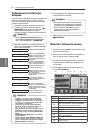
y
If you do not complete the Initial setting, it
will appear whenever the TV turns on.
y
Disconnect the power cord from the
power outlet when you do not use the TV
for a long period of time.
NOTE
5
To turn the TV off, press
(POwER)
.
y
For those countries without confirmed
DTV broadcasting standards, some DTV
features might not work, depending on
the DTV broadcasting environment.
y
When France is selected for Country,
password is not ‘0’, ‘0’, ‘0’, ‘0’ but ‘1’, ‘2’, ‘3’, ‘4’.
y
To display images in the best quality for
your home environment, select
Home Use
.
y
Store Demo
is suitable for the retail
environment.
y
If you select
Store Demo
, any customized
settings will switch back to the default
settings of
Store Demo
in 5 minutes.
NOTE
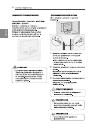
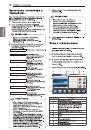
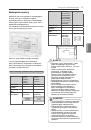
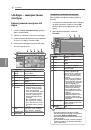
3
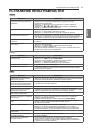
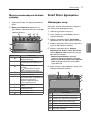
Follow the on-screen instructions to customize
your TV settings according to your preferences.
Selects a language to display.
Selects
Home Use
for the
home environment.
Sets the power indicator.
(When you select Home Use
from the Mode Setting)
Selects a country to display.
(Depending on model)
Language
Mode Setting
Power Indicator
Country
Time Zone
Set Password
Network Setting
Auto Tuning
Selects the time zone and
daylight saving.
(When Russia is selected for
Country)
Sets your network to enable
network-related feature on
the TV. (Only 47/55LW95**)
Scans and saves
available programmes
automatically.
Sets the password.
(When France is selected for
Country)
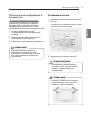
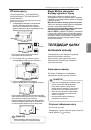
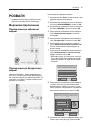
Turning the TV on for the
first time
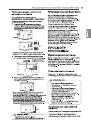
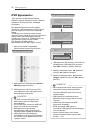
When you turn the TV on for the first time, the
Initial setting screen appears. Select a language
and customize the basic settings.
1
Connect the power cord to a power outlet.
2
In Standby mode, press
(POwER)
to turn the
TV on.
The Initial setting screen appears if you turn
the TV on for the first time.
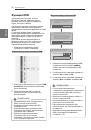
y
You can also access
Factory Reset
by
accessing
OPTION
in the Home menu- SETUP.
NOTE
ENG
ENGLISH