Инструкция для LG 42LW575S
 1
 2
 3
 4
 5
 6
 7
 8
 9
 10
 11
 12
 13
 14
 15
 16
 17
 18
 19
 20
 21
 22
 23
 24
 25
 26
 27
 28
 29
 30
 31
 32
 33
 34
 35
 36
 37
 38
 39
 40
 41
 42
 43
 44
 45
 46
 47
 48
 49
 50
 51
 52
 53
 54
 55
 56
 57
 58
 59
 60
 61
 62
 63
 64
 65
 66
 67
 68
 69
 70
 71
 72
 73
 74
 75
 76
 77
 78
 79
 80
 81
 82
 83
 84
 85
 86
 87
 88
12
ENG
ENGLISH
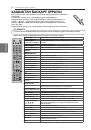
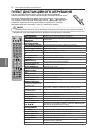
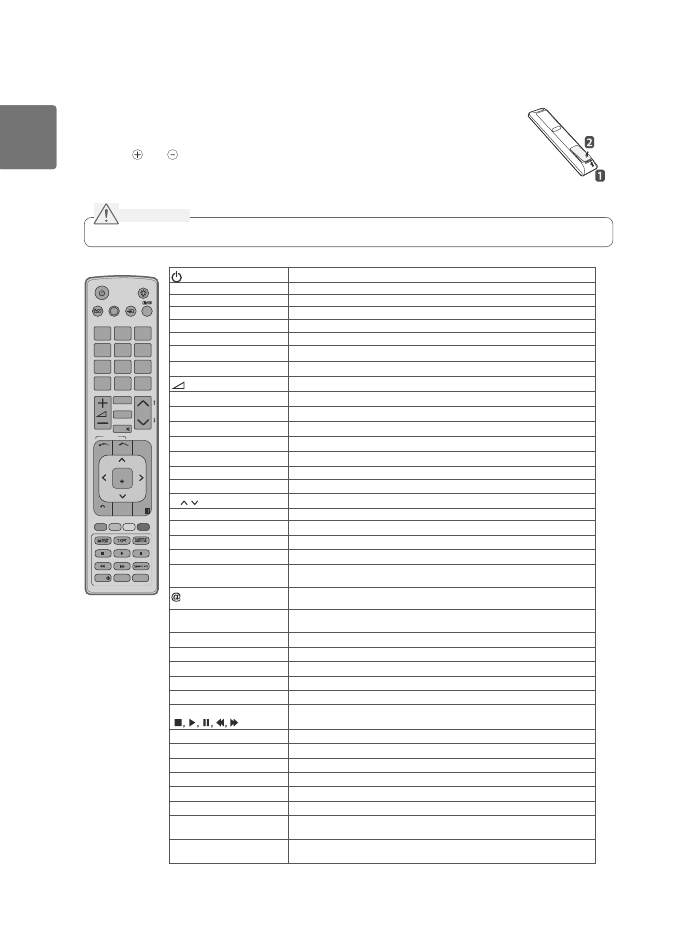
REMOTE CONTROL
REMOTE CONTROL
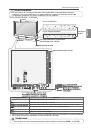
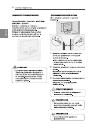
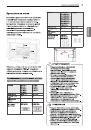
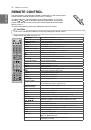
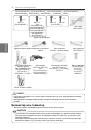
The descriptions in this manual are based on the buttons on the remote control.
Please read this manual carefully and use the TV correctly.
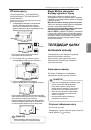
To replace batteries, open the battery cover, replace batteries (1.5 V AAA)
matching and ends to the label inside the compartment, and close the
battery cover. Be sure to point the remote control toward the remote control
sensor on the TV.
To remove the batteries, perform the installation actions in reverse.
y
Do not mix old and new batteries, as this may damage the remote control.
CAUTION
AV MODE
LIGHT
INPUT
TV/
RAD
ENERGY
SAVING
1
.,;@
2
abc
3
def
4
ghi
5
jkl
6
mno
7
pqrs
8
tuv
0
[
9
wxyz
BACK
EXIT
OK
LIST
Q.VIEW
Premium Home Q.MENU
GUIDE
AD
APP/*
INFO
FAV
MUTE
MARK
DELETE
CHAR/NUM
P
P
A
G
E
RATIO
SMART TV
y
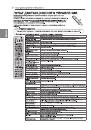
Image shown may differ from your TV.
(POwER)
Turns the TV on or off.
LIGHT
Illuminates the remote control buttons.
ENERGY SAVING
Adjusts the brightness of the screen to reduce energy consumption.
AV MODE
Selects an AV mode.
INPUT
Changes the input source; Turns the TV on.
TV/RAD
Selects Radio, TV and DTV programme.
Alphanumeric buttons
Enters letters and numbers.
Q.VIEw
Returns to the previously viewed programme.
+ -
Adjusts the volume level.
MARK
Selects a menu or option.
FAV
Accesses your favourite programme list.
CHAR/NUM
Switches between Letter and Number input modes.
3D
(Only 3D models)
Uses for viewing 3D video.
RATIO
Resizes an image.
DELETE
Deletes letters and numbers.
MUTE
Mutes all sounds.
P
Scrolls through the saved programmes.
PAGE
Moves to the previous or next screen.
Premium
Accesses the Premium menus.
Home
Accesses the Home menu.
Q. MENU
Accesses the quick menus.
3D OPTION
(Only 3D models)
Used for viewing 3D video.
Direct access to your internet portal of entertainment and news serv-
ices developed by Orange. (Only France)
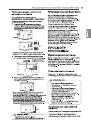
Navigation buttons
(up/down/left/right)
Scrolls through menus or options.
OK
Selects menus or options and confirms your input.
BACK
Returns to the previous level.
GUIDE
Shows programme guide.
EXIT
Clears all on-screen displays and return to TV viewing.
SUBTITLE
Recalls your preferred subtitle in digital mode.
Control buttons
(
)
Controls the Premium contents, DVR or Smart Share menus or the
SIMPLINK compatible devices (USB or SIMPLINK or DVR).
LIVE TV
Return to LIVE TV.
REC
Uses to adjust DVR menu.
INFO
Views the information of the current programme and screen.
AD
Switches the Audio Description On or Off.
RATIO
Resizes an image
GUIDE
Shows programme guide.
SIMPLINK
Accesses the AV devices connected to the TV;
Opens the SIMPLINK menu.
APP/*
Select the MHP TV menu source. (Only Italy)
(Depending on model)
ENG
ENGLISH